



Khuôn Vẽ Sơ Đồ Mạch Điện Tử (Kích Thước Thẻ ATM)
 ByBoonby_1059917Likes659Downloads1.2K
Build another version of this model.
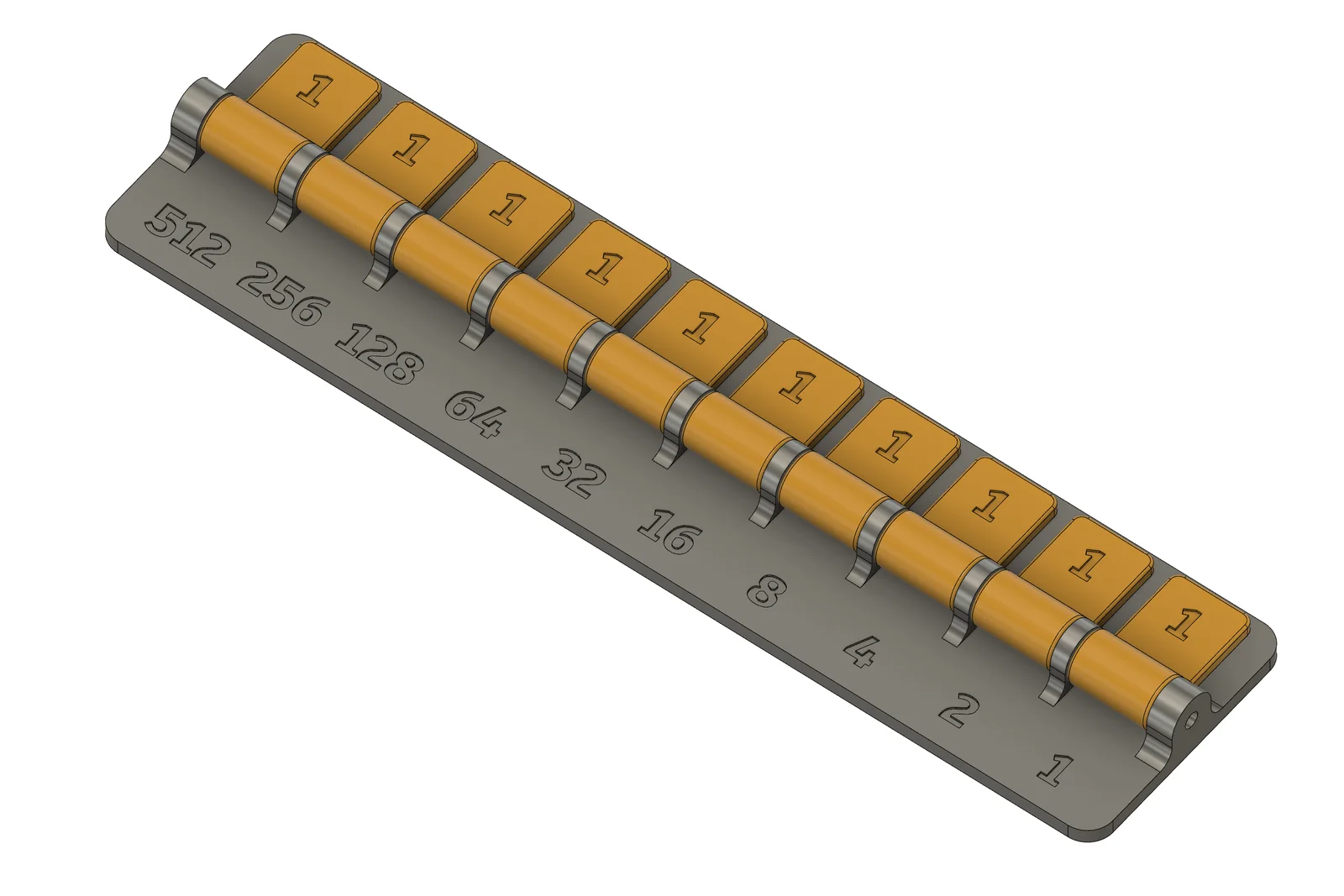
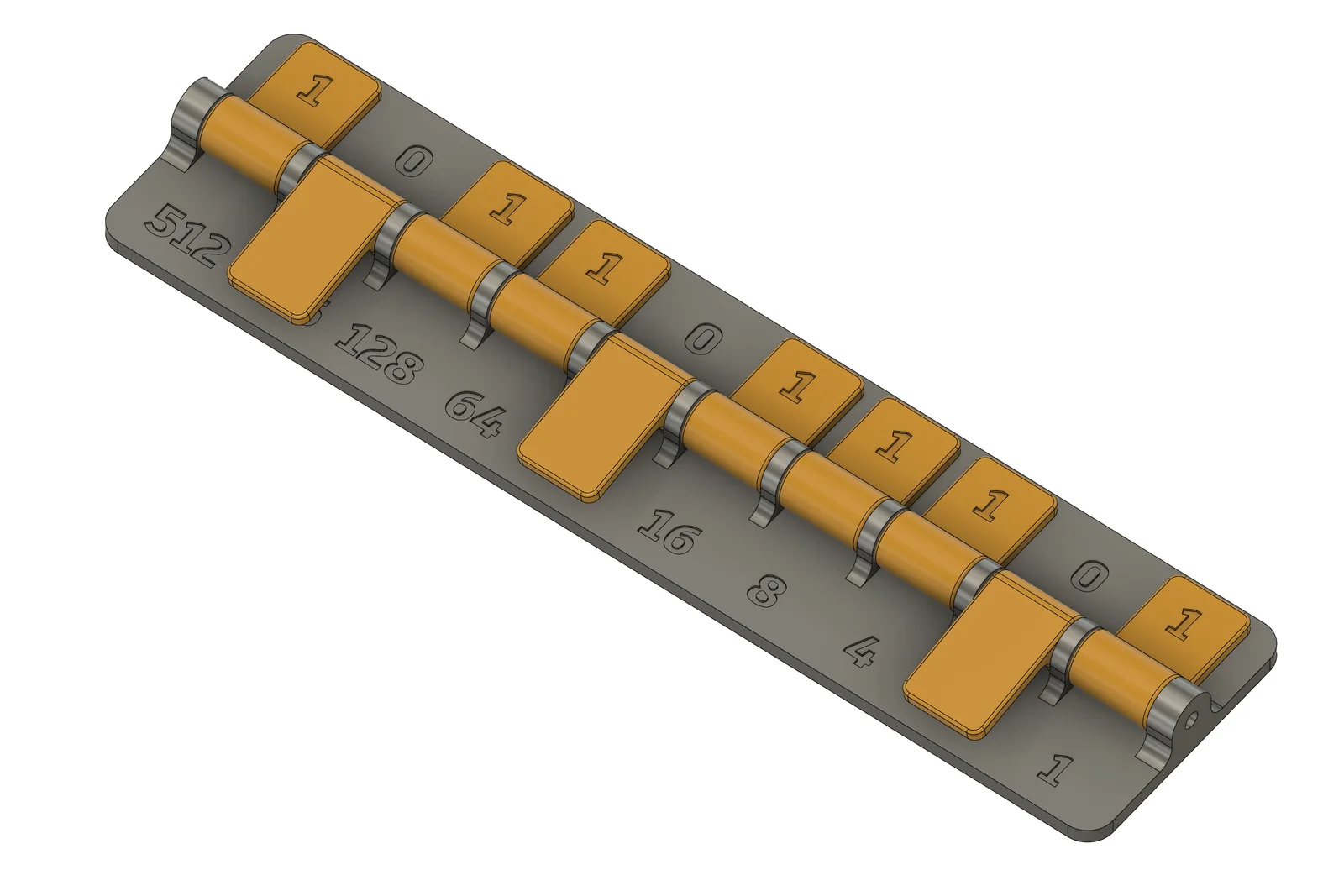
This is a simple binary-decimal converter, with 10 bits.
Print the body and 10 copies of the plate, later using a metal or plastic rod to serve as a pivot/axis so the plates can cover the numbers (powers of 2: 1, 2, 4, 8, etc.) on the bottom half.
To convert from binary to decimal:
Build the binary number on the top part, lifting the plates when you need a 1 and lowering them when you need a 0. Always align the number to the right, following the logic of a calculator.
Sum all the powers of 2 the are uncovered by plates to get the decimal number.
Example: Convert 101110 to decimal.
To convert from decimal to binary:
Factorate the decimal number in powers of 2, and uncover these numbers, which will lead to 1s on the top part. For each decimal number, there is only one combination of powers of 2 that sum up to it. Cover the powers you don't need, which will lead to 0s. Read the binary number above.
Example: Convert 733 to binary.
This converter was feaured in the DIYODE Magazine in July of 2022.
ByBoonby_1059917Likes659Downloads1.2K

 ByFabianVeileLikes414Downloads1.5K

 BygillisLikes121Downloads2.1K

 ByMarciLikes87Downloads293

 Bystrifu_4061046Likes151Downloads1.3K

 ByfifindrLikes11Downloads120


 ByzoltanfLikes73Downloads272

 ByHonzalLikes246Downloads176

 BynleinadLikes56Downloads181

 ByMagig_I3PrusaLikes15Downloads121

 ByTheWallArtGuyLikes36Downloads108