



Thằn lằn cử động linh hoạt - In tại chỗ (Không cần support)
 Bycream110_291842Likes924Downloads7.7K
Remix of Mô hình nhân vật DUMMY 13 có khớp nối (Bản Beta) By soozafone
Build another version of this model.
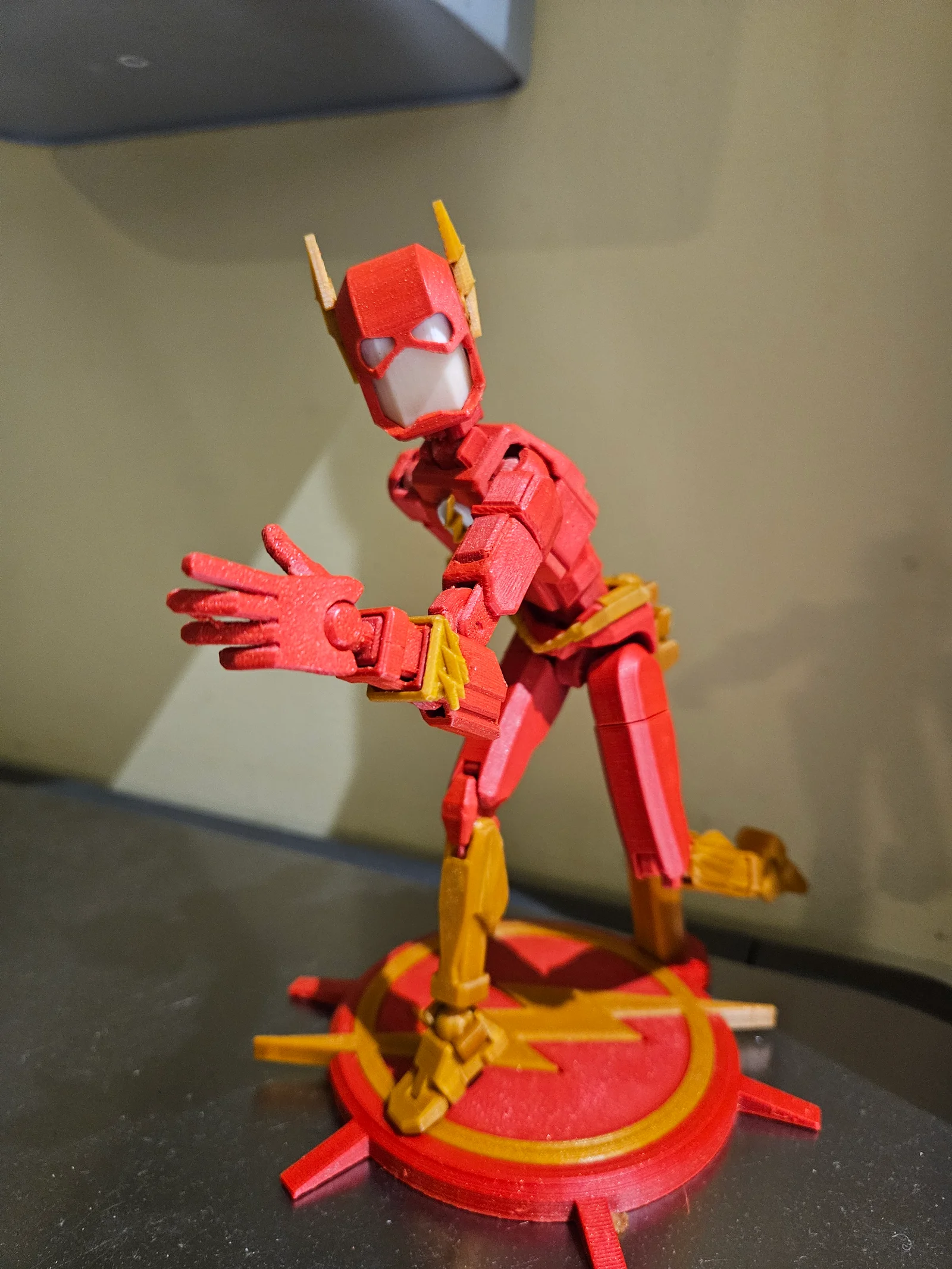
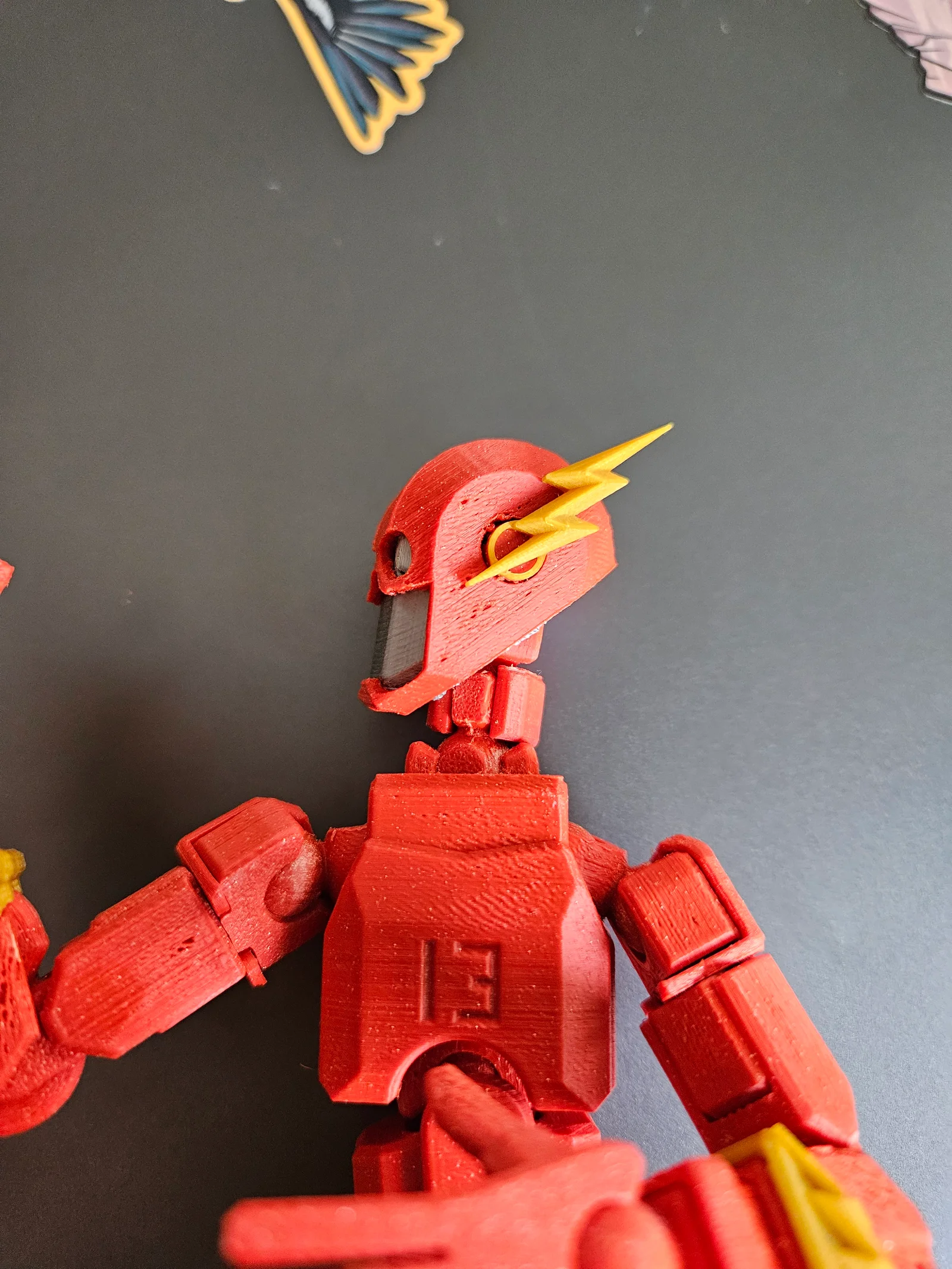
My son really wanted a Flash toy, so I decided to make a dummy 13 Flash. My model has a new head, with eyes that are inserted in, with a new helmet, and lightning bolt ears. There's a lightning belt and two lightning arm bracers. Finally, there's a new chest with the flash emblem.
NOTE printing these pieces is not for beginners. Your printer must be dialed in tightly. I used a 0.25 nozzle and my dummy 13 is printed at 150%. I doubt you'd be able to use these parts on a 100% scale dummy, and definitely not with a 0.4 nozzle. A lot of the new pieces need supports as well, but the exact settings will be based on your printer. I've oriented the parts in the way I thought was best, but you should do what suits you.
The tiny parts should be printed in something stronger than PLA; I used red ASA and gold ABS.
To print:
To assemble the head, first inset the eye pieces with a dot of superglue if needed. Then, push the head into the helmet (see the assembly instructions in model/637141 for help.) Finally snap the two ear pieces in.
The armbands just slide onto the forearm armor, and may need a dot of glue to hold it.
The belt just slides down over the waist; the version with tabs doesn't need glue, the other version definitely does.
For the chest, insert the white piece and then the lightning bolt. Note, that the pin on the bolt only fits one way into the white piece
Bycream110_291842Likes924Downloads7.7K

 ByOnemoredaveLikes861Downloads6.9K

 Byjs14581_2767550Likes118Downloads3.3K

 ByKasienka_1379225Likes273Downloads593

 Byquibeck_3353173Likes351Downloads2.1K

 ByTheMakerStuffLikes315Downloads1.9K

 ByGoolow_295072Likes598Downloads1.6K

 ByMikWantecLikes264Downloads1.5K

 BySzvmkn_3779340Likes231Downloads1.3K

 ByHacker Man ManLikes248Downloads1.5K

 Bycentarico_3241219Likes257Downloads970

 Byfluffytails37Likes184Downloads765