



Kẹp giữ sợi Filament
 Bytinx_1344834Likes1.2KDownloads6K
Build another version of this model.
Shut your loud machine up for good. Make your fans Wisper Quiet @ 19.9db
Works with Kobra 2 Max
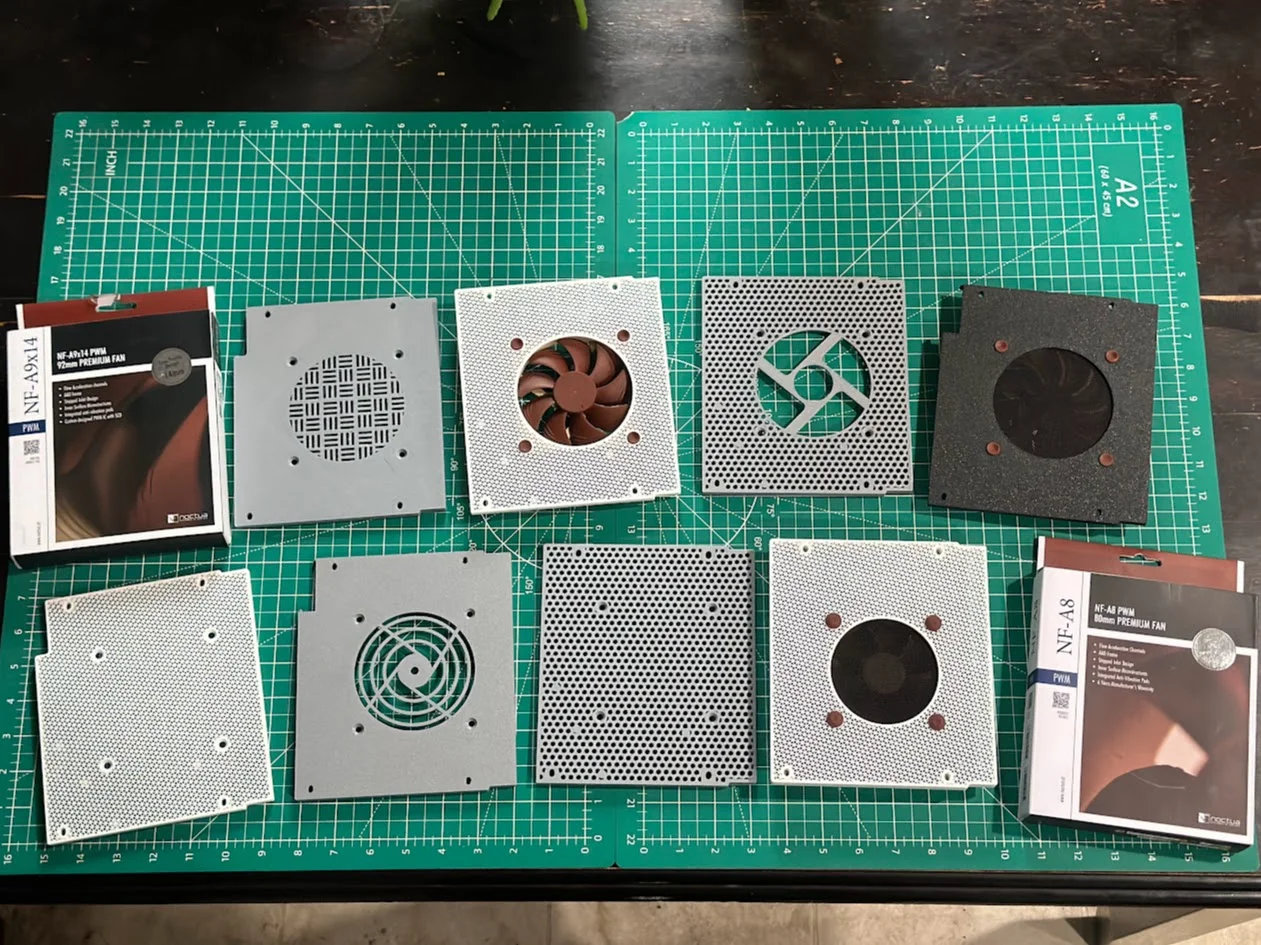
Use a Noctua 12V fan you can use either a 92x14mm or 80x25mm just download corresponding model. I prefer the 92mm fan because of its wingspan and coverage.
Use buck converter to step down the 24v coming from power supply to 12V for the fans. I have posted 2 options below to pick from Solder version and No Solder Screw terminal version. You make use any buck converter you wish to use. I have modeled the mounting points on cover for these two.
92x14mm Models Noctua NF-A9x14 Fan
OR
80x25mm Models Noctua NF-A8 PWM
OR
OR
Official 24v to 12v Noctua Buck Converter (Plug and play)
All Covers include mounting holes for Both style Buck Converters.
Dust Mesh Filter : create your own filter to place in cover to help keep dust out.
Wiring: Black is - negative, Yellow is + positive, other two wires not used.
Adjust voltage with screw on top of blue potentiometer to 12v
Mounting:
Buck Converter: Two M2x4
Mainboard Cover: Four M3x12 Screws. (Optional Countersink for better look
Stock Fan Direction is blowing inward. That would be with Logo and grill facing toward the mainboard.
If you are needing some bolts to do this project here, you go.
Bytinx_1344834Likes1.2KDownloads6K

 ByBrokentooth_designsLikes23Downloads401

 ByreddLikes216Downloads2.1K

 ByJasonOlliff_519145Likes241Downloads2K

 Byarhi_585078Likes64Downloads535

 ByHanzo3dLikes155Downloads410

 ByGeek5DLikes147Downloads480

 ByNadirLikes25Downloads110

 By3DSourcererLikes48Downloads372

 ByWyomingWolf_261196Likes52Downloads422

 Bytopronix_2170418Likes41Downloads292

 ByPetescw_277692Likes18Downloads67