



Ốp lưng cho Samsung S22 Ultra
 ByckthLikes148Downloads2.4K
Build another version of this model.
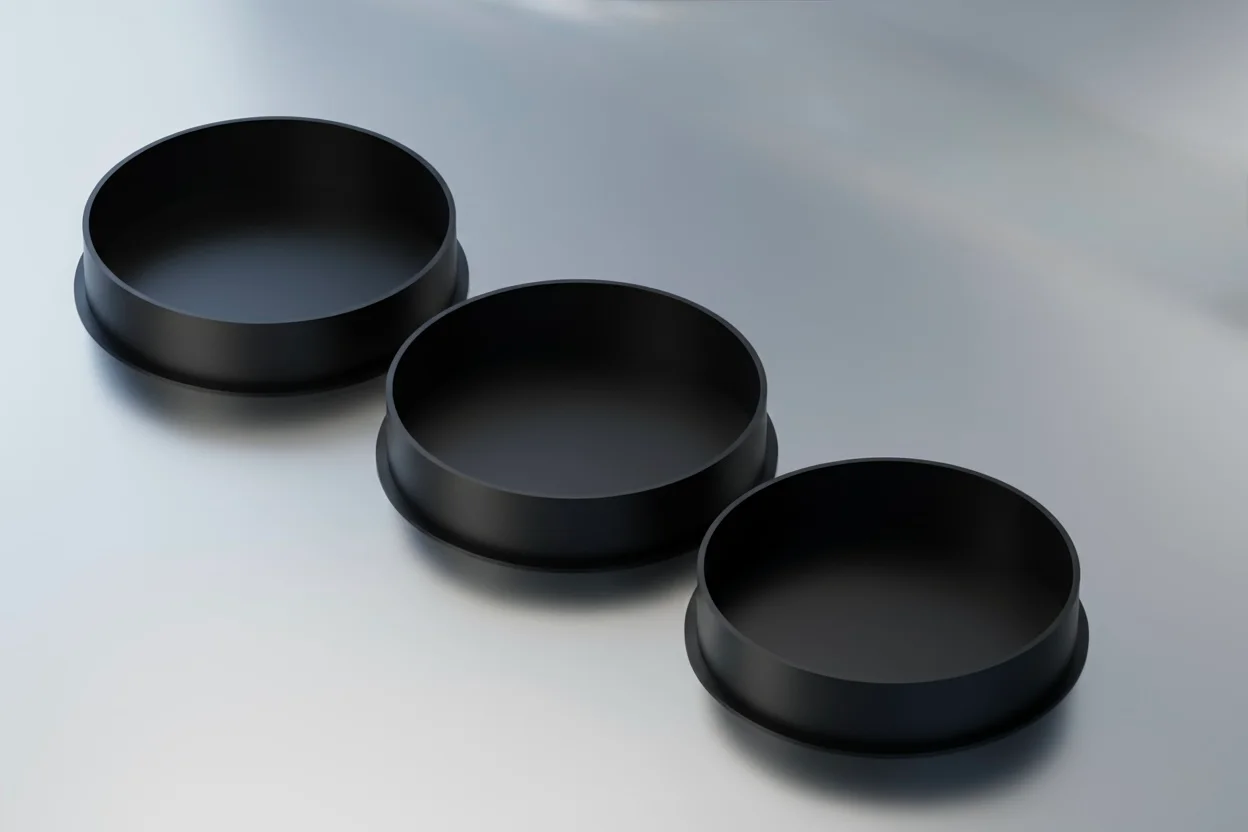
A set of protective lens caps designed for the Samsung Galaxy S24 Ultra. These caps fit over the three main camera lenses to prevent scratches, dust accumulation, and impact damage. A simple, fast print that adds a layer of security to your device.
This model provides extra protection for the protruding camera lenses of the Samsung S24 Ultra. The lenses are often the first point of contact when the phone is placed on a rough surface or put into a pocket with keys. These caps are designed to cover the lens rings perfectly. They are lightweight and low-profile.
Protection: Guards against scratches and scuffs.
Fit: Designed for the 3 main camera modules.
Compatibility: Can be used with many phone cases that have individual cutouts for the lenses (as shown in the photos).
For the best fit and finish, high precision settings are recommended.
Material: PLA (Hard protection) or TPU (If you prefer a softer, rubber-like fit).
Layer Height: 0.10 mm (Use a fine layer height for the best fit and smooth surface).
Nozzle Size: 0.4 mm
Wall Loops: 2
Infill Percentage: 100% (The parts are thin enough that they will be solid anyway).
Supports: No.
Brim: No.
Ensure your printer is calibrated for accurate dimensions (flow rate).
Print the caps (takes only a few minutes).
Gently press the caps onto the camera lenses. They rely on a friction fit.
Note: If the fit is too tight, scale the model to 101% in your slicer. If too loose, try 99%.
ByckthLikes148Downloads2.4K

 BylayerslabLikes14Downloads44

 BySimin03Likes84Downloads196

 ByJaronLikes310Downloads1K

 ByFosphorLikes20Downloads233

 Byw3rN42Likes127Downloads930

 ByAustin Wolt WoltLikes162Downloads377

 ByLecso_113752Likes76Downloads329

 Bytovelaermans_3355197Likes63Downloads422

 ByAlexMuLikes41Downloads324

 ByTangoOscarMik_505113Likes31Downloads246

 ByxsynaticLikes27Downloads209