



Kẹp giữ sợi Filament
 Bytinx_1344834Likes1.2KDownloads6K
Build another version of this model.
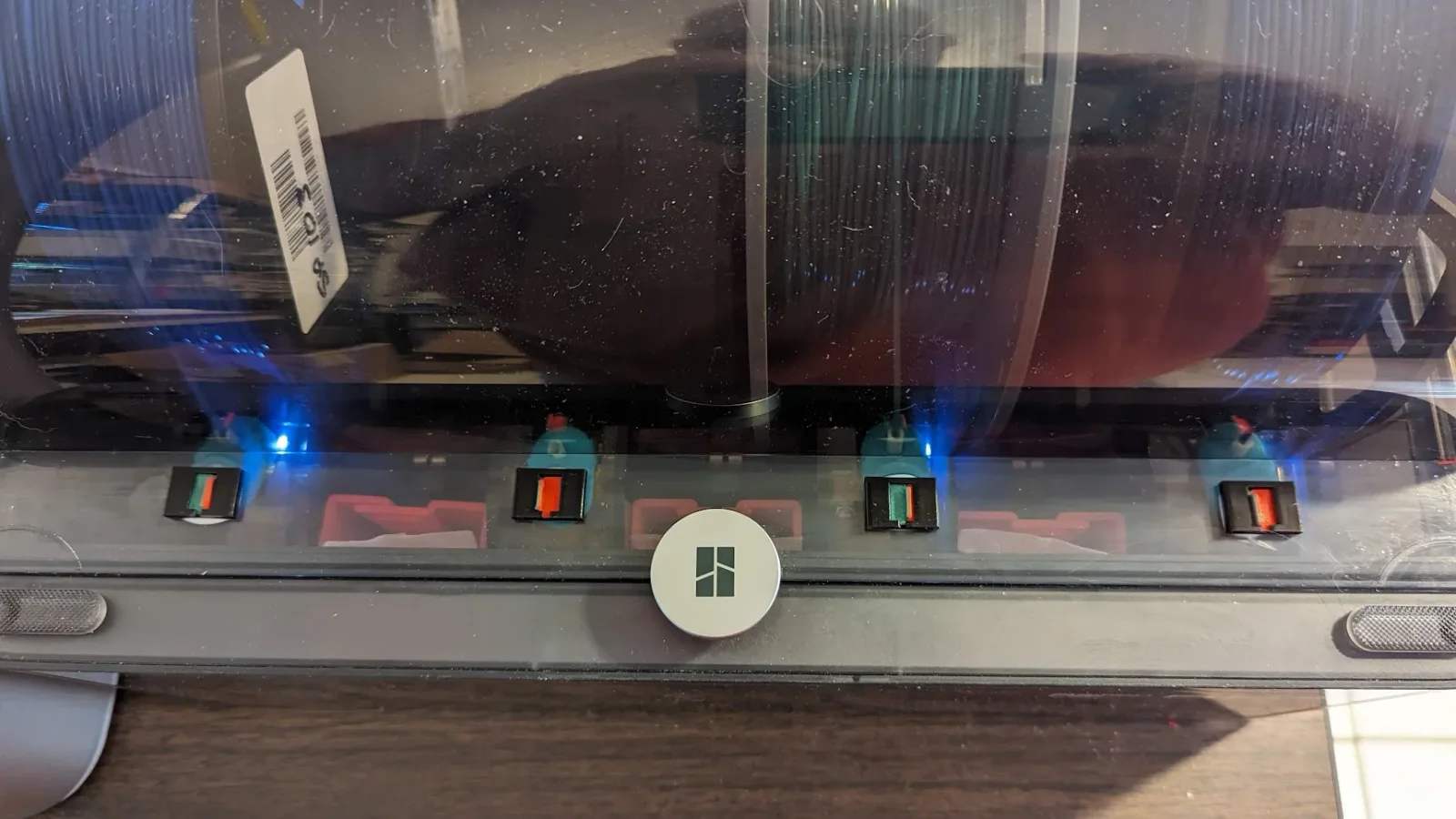
I ALWAYS clean my AMS rollers and weigh my filaments every week. But with three AMS' on two printers, I don't need to clean rollers or weigh filaments on slots I haven't used that week. I made a simple indicator that I slide to green whenever I use a slot that week so I know the rollers need to be cleaned. Once cleaned and weighed, I slide it back to red until the next use. I just used a spot of Elmer's glue to glue it to the AMS lid. It will peel right off if you want to remove it.
It's a simple, fast print. The .3mf profile has eight indicators on the plate. If loading just the .stls into the slicer, just assign the colors you want in the object screen, no painting. I was able to print the small holder object with no brim even though it is a small contact area. If you have problems with them coming off the plate, use a 1 or 2mm brim with a .1mm gap.
Bytinx_1344834Likes1.2KDownloads6K

 ByreddLikes216Downloads2.1K

 ByJasonOlliff_519145Likes241Downloads2K

 Byarhi_585078Likes64Downloads535

 ByHanzo3dLikes155Downloads410

 ByGeek5DLikes147Downloads480

 ByBrokentooth_designsLikes23Downloads401

 By3DSourcererLikes48Downloads372

 ByWyomingWolf_261196Likes52Downloads422

 Bytopronix_2170418Likes41Downloads292

 ByBlackky98Likes25Downloads204

 ByAnthonyDouri_1604724Likes24Downloads213