



Phoenix - Mô hình thu nhỏ MGM sẵn sàng in
 ByMikeGyverMinisLikes317Downloads1.6K
Build another version of this model.
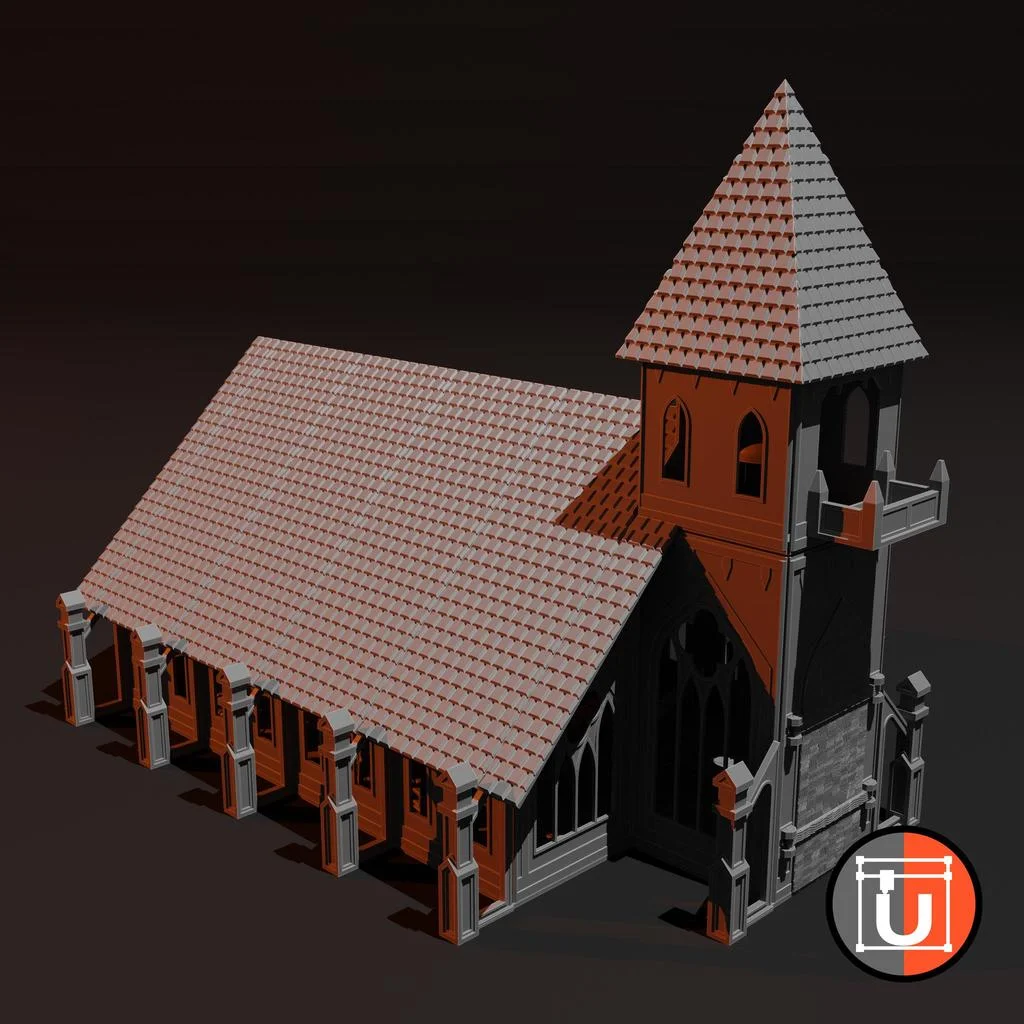
A project I've been working on for years, with printing, doing the electronics and painting everything. But I just recently finished it, so I now want to share it with you! A massive tabletop terrain piece: A church.
Compared to a real church, this is still quite small, but on a table, this might be one of the larger terrain pieces. Make sure to add LEDs in the side parts, to make it look really cool!
If you want to support me in creating more free designs, and developing more tools, become a patron now: https://www.patreon.com/Udos3DWorld
About the construction:
I separated everything into archives so it's easier for you to find the files. Most of the construction should be clear, but there are some cases where some extra info might be needed:
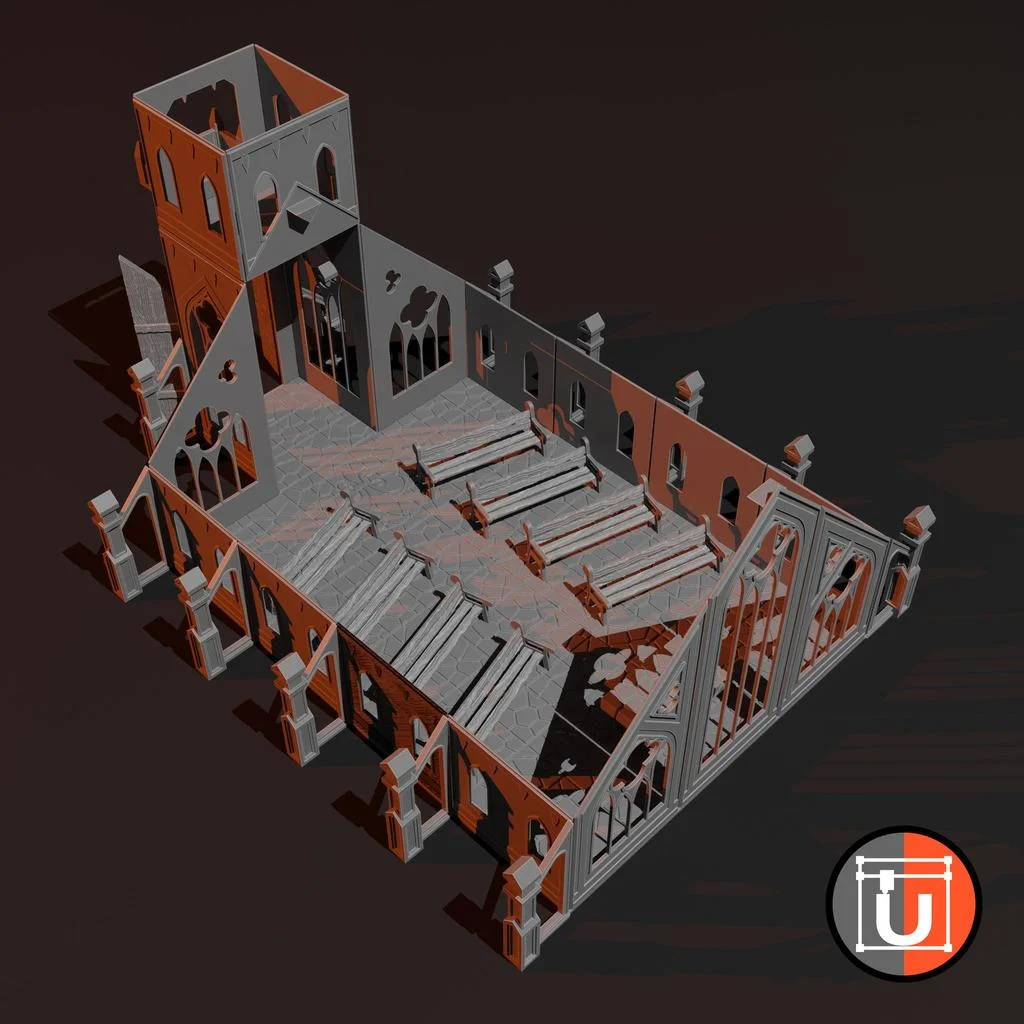
For the walls, you should use the StandardConnector from the inside to connect the walls, while the side pieces hold them from the outside. You also need to use the StandardConnector from the outside to create the tower above the main door, to connect the lower 150mm high wall pieces with the higher 75mm pieces.
The innerEdgeConnector is there to connect walls at the outer corners from the inside, so you need 4 of them on the main body of the church, 4 of them in the upper part of the tower, and another 2-4 to hold the door piece together.
The MainWindowsConnector is there to connect the big wall parts next to the altar (you need it printed once normally and once mirrored).
For the roof, glue the RoofBeamHolder to the top on the back of the big main window. To create the roof, use the ChurchRoofHolder (and _End at the side where the tower is) together with the RoofFull, RoofSide and RoofEnd Side, and make sure that at the tower, you use the RoofFullEndSide part, that has a very small cutoff to fit next to the tower. Glue both roof sides to the RoofBeam.
If you have any more troubles, let me know and I'll help you :-)
Category: Toys & Games
ByMikeGyverMinisLikes317Downloads1.6K

 ByTomAnderson_1460797Likes208Downloads650

 ByhaggiwattLikes0Downloads142

 Bymike-gyver-minisLikes0Downloads145

 BydjkrevLikes0Downloads401

 ByGeorgeMiddleco_24802Likes23Downloads236

 ByHaggiwatt_565243Likes6Downloads40

 Byraghulm_1461586Likes20Downloads139

 ByPhilippS_2961770Likes1Downloads6

 Bymodel-magicLikes0Downloads164

 ByPatrick_1487475Likes65Downloads855

 ByMagig_I3PrusaLikes14Downloads112