



Gridfinity Drawer Chest | Customizable Drawers
 ByExtrutimLikes0Downloads184
Remix of Template Gridfinity (chỉnh sửa cho lỗ giữa không khí) By desaster_239093
Build another version of this model.
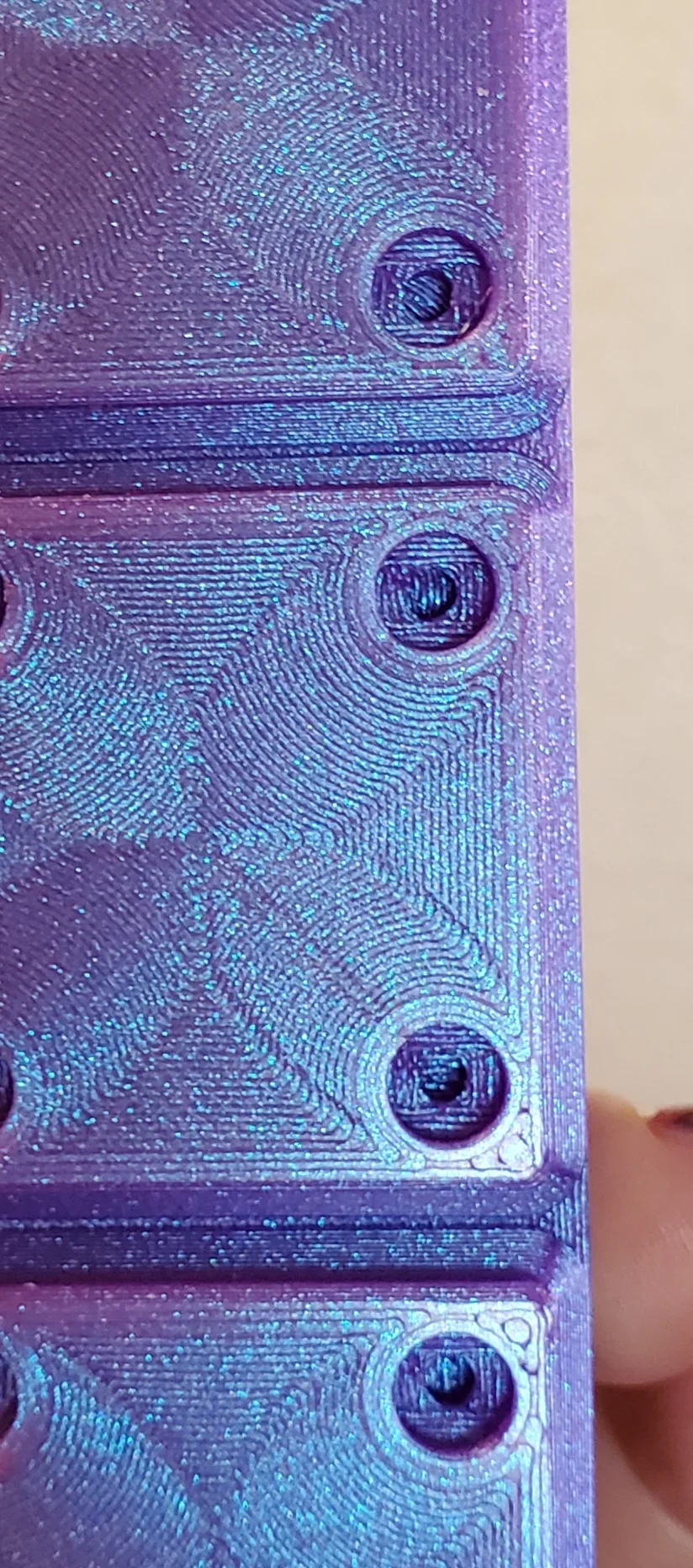
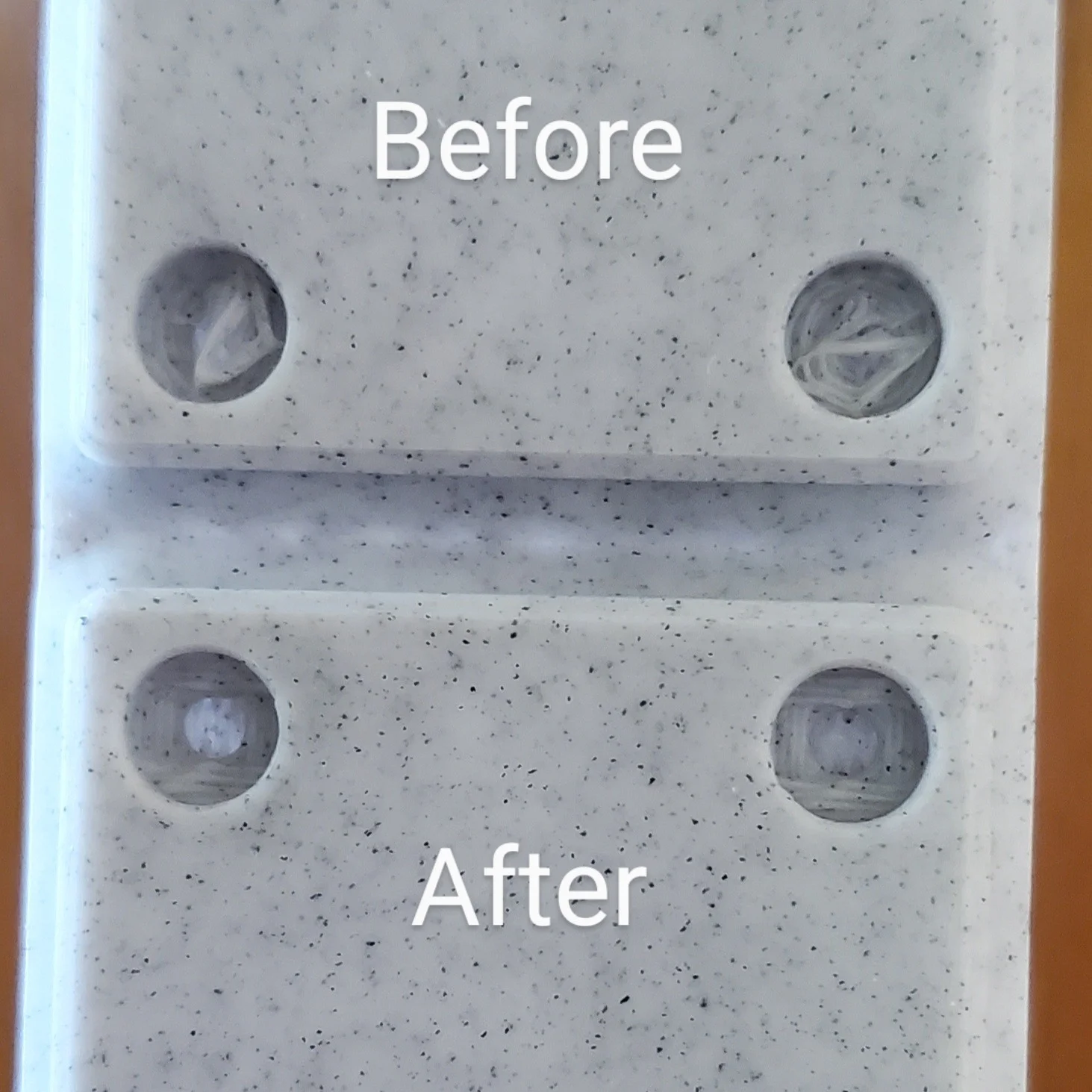
This is a collection of bin bases, adapted from desaster's excellent model.
This is an easy way to put clean-printing magnet holes onto existing Gridfinity models without having to go outside of Bambu Slicer.
How To Do It:
Import the original model and the new base as STLs onto a new plate in Bambu Slicer.
Select the original model and cut it at 5mm height. Throw away the bottom part.
For each part (top half and base), click to select and then right-click > center. Orient the same way by rotating if needed.
Right click on the empty plate and Select All. Right click on the multiple selection and choose Assemble (or Merge).
In the left hand panel, slide the switch from Global to Objects. Find the Assembly in the list of objects. Select only the original model (top half) in that list. Move it up by 5mm on the Z axis.
Now the two parts should be aligned into one object as desired.
Select the Assembly and right click > Export as One STL.
All done.
ByExtrutimLikes0Downloads184

 Bydona3d_Likes456Downloads679

 ByVC_DesignLikes721Downloads2.9K

 ByUpcrid3D_1585693Likes808Downloads2.1K

 ByWilko_SLOLikes935Downloads2K

 ByshoheiyLikes0Downloads426

 ByRobertoGalloc_356815Likes549Downloads1.8K

 ByTater_364200Likes486Downloads1.6K

 ByfifindrLikes709Downloads1.7K

 Bywhilex_1739192Likes644Downloads1.1K

 ByGi_TLikes801Downloads1.3K

 ByzeroflowLikes186Downloads1.2K