



T-Slot Nuts "ITEM" linh kiện thay thế
 ByBasementLABLikes888Downloads1.5K
Build another version of this model.
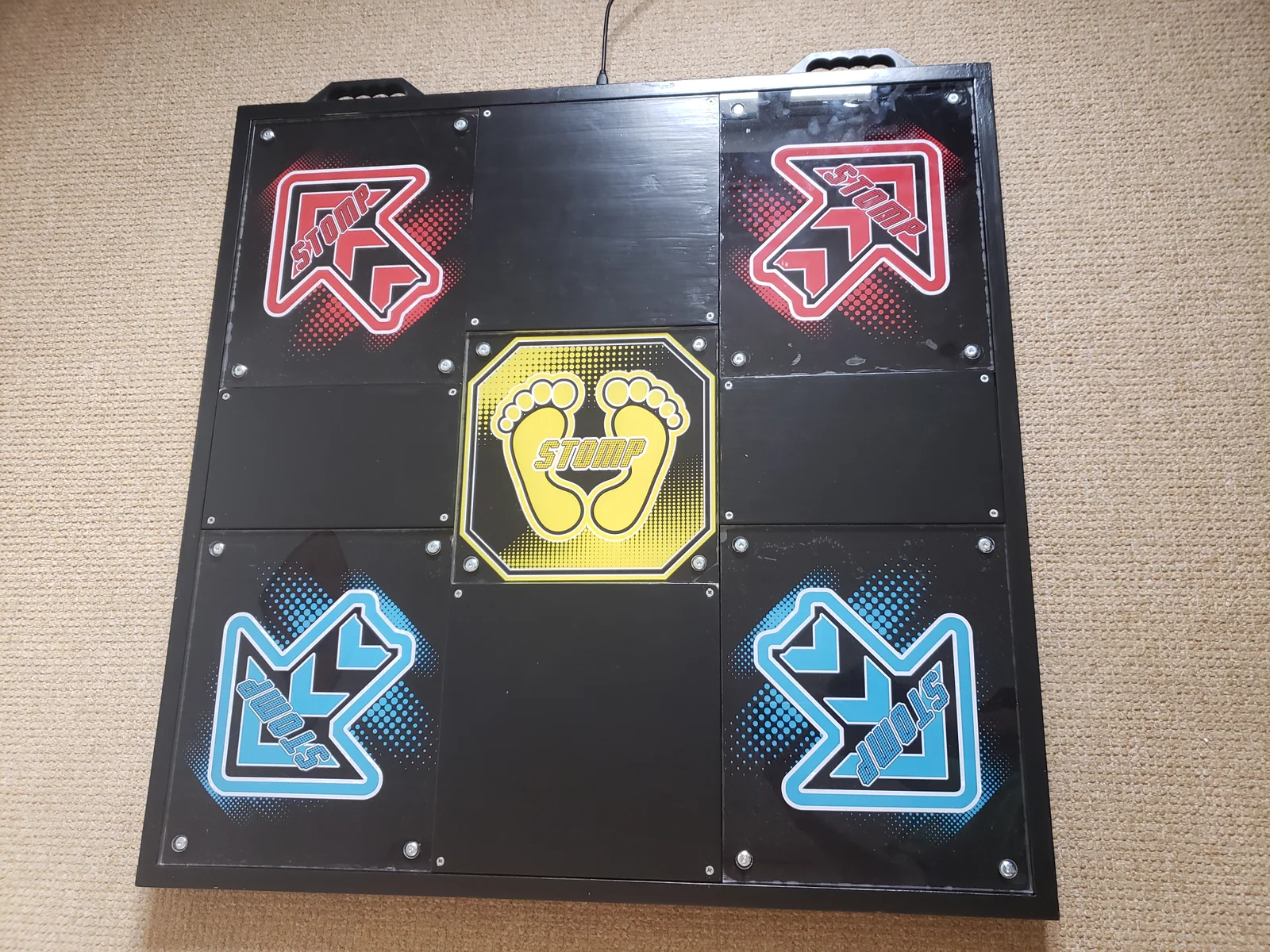
These are the printed parts required for my DIY Pump it Up dance pad. It's built out of wood, 3D printed parts and acrylic, and further details can be found here:
http://www.blowingstuff.com/projects/2020/06/06/piu-dance-pad.html
To make a complete pad with 5 arrow panels, the following number of parts are needed:
I've also included the Fusion360 project for a full wooden pad (with brackets). That can be used to measure the timber cuts. For the hybrid wood+plastic pad, only these components are relevant: Base, Outer Shell, Middle Stands Support, and Middle Stands.
For the pad frame parts, a minimum of 3 perimeters is recommended, while infill can be kept as low as 10-15%.
After printing the sensors, lightly sand them down so the surfaces that will contact each other are as flat as possible. Cut a 5cm piece of copper tape for the bottom part and a 6cm for the top part, and apply keeping the seam on the non-contact side. After applying the copper tape, just snap the parts together, with the help of some pliers if necessary.
Pierce the copper on the holes, pass the wires from one side to the other (it's symmetric, which one doesn't matter), then to solder: apply solder to the copper first, then just reflow it with the wire, adding as much solder as reasonably possible to make a strong connection (the wire may move a bit so fatigue is a worry).
Tips:
In step 1, the shims can be screws together with M3 screws. To ensure they remain firmly attached to the corner of the acrylic pad, I recommend using a woodworking band clamp, or any other type of clamps. This is important to ensure that both the 6mm and 15mm holes are aligned with each other.
In step 3, if you can't guarantee that you're drilling perfectly vertical, use the 6mm shim in both sides, drilling just half of the way for each side, meeting in the middle. This will help better align the hole.
In step 5, I used 4mm as the hole depth, as that's the exact height I needed for my pad (YMMV) and a 6mm bolt with 30mm in length (30mm not including the head). This means that the bolt will screw in and have just enough clearance to raise level with the tap of the pad, and also sink down 2 millimeters, enough to allow the sensors to work. I strongly recommend that a scrap piece of acrylic is used to tune the drill depth for this, before committing to drill all the holes.
ByBasementLABLikes888Downloads1.5K

 ByWolf_115355Likes513Downloads8.4K

 ByZED4EverLikes313Downloads5.2K

 ByVC_DesignLikes271Downloads748

 ByfifindrLikes500Downloads4K

 Bymrfixit_324954Likes65Downloads471

 ByDan Schwartz SchwartzLikes744Downloads3.4K

 ByBrokentooth_designsLikes83Downloads446

 ByUpcrid3D_1585693Likes808Downloads2.1K

 ByAdam Záhořák ZáhořákLikes39Downloads250

 ByWilko_SLOLikes935Downloads2K

 Bychubbs8697_2027893Likes585Downloads1.7K