



Dù in 3D hoàn chỉnh cho lính đồ chơi
 ByowlartLikes85Downloads377
Build another version of this model.
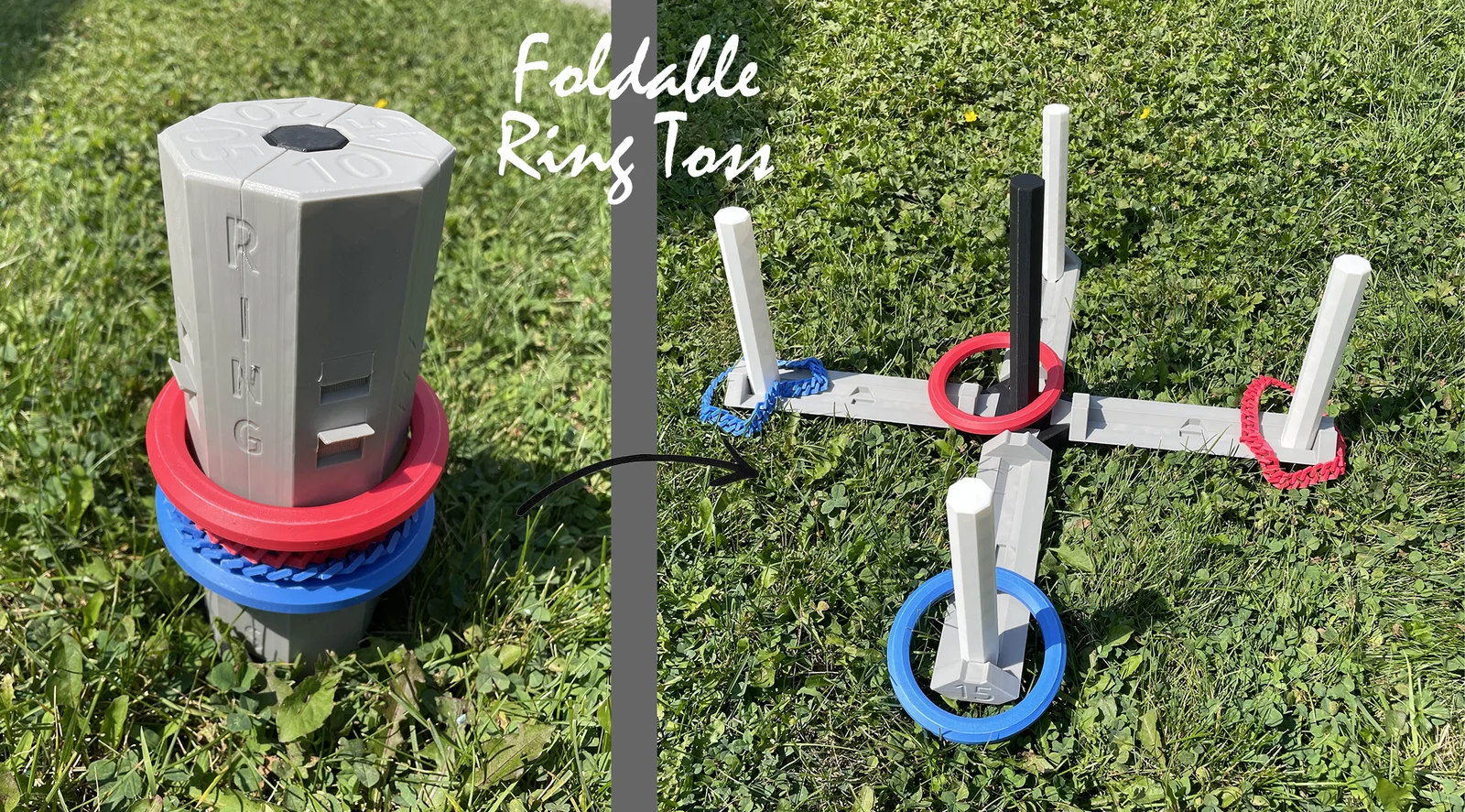
Outdoor games are indispensable for any camping trip, and the Foldable Ring Toss Game is crafted with convenience in mind. This compact, portable game is perfect for camping, backyard gatherings, or beach outings, providing endless fun for all ages.
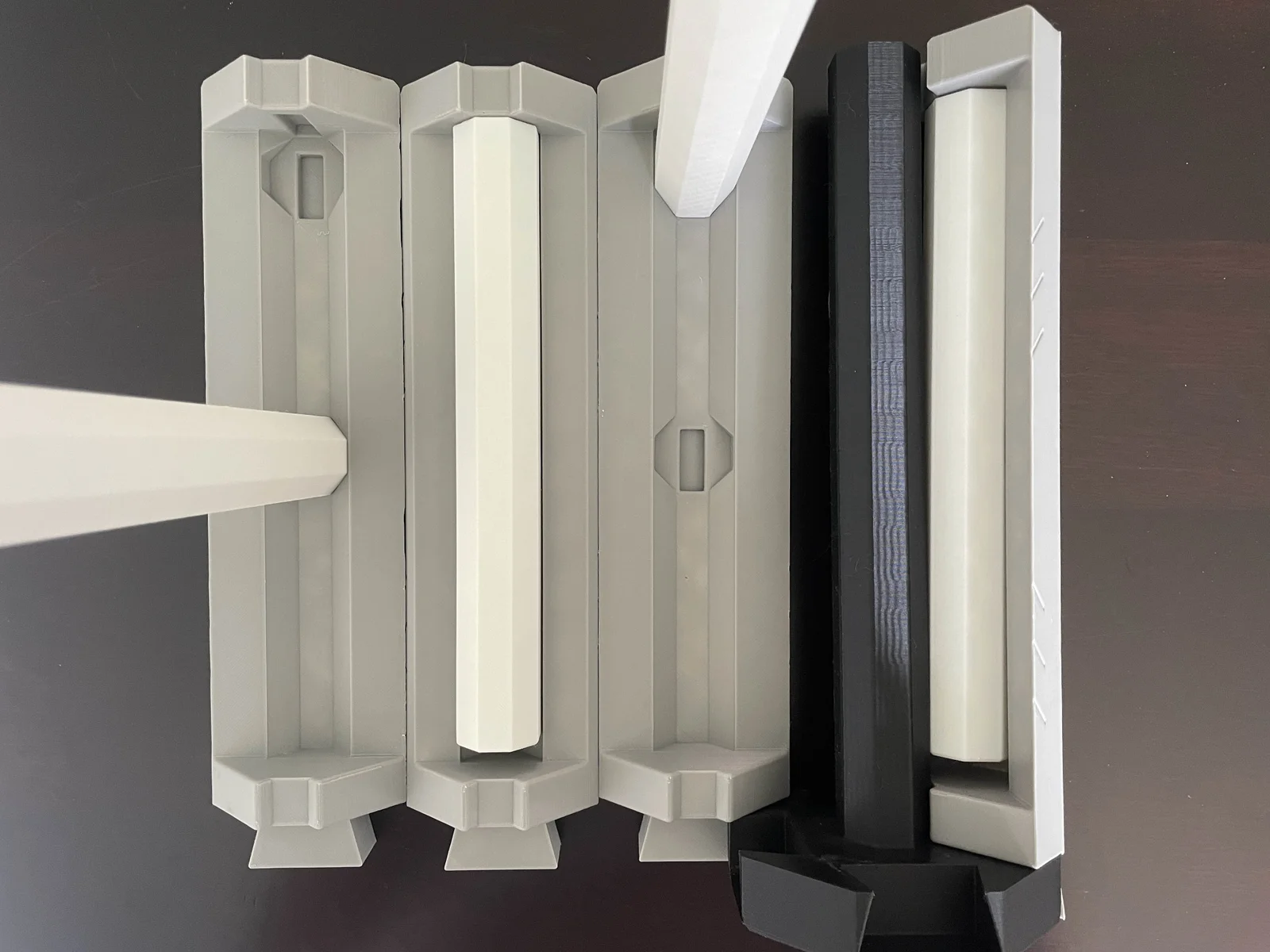
The game consists of three key components: sturdy pegs for tossing rings onto, durable arms with two slots for securing the pegs, and a cleverly designed central hub with four slots to hold the arms in place. When it's time to pack up, the entire game folds down easily, saving valuable space in your gear or storage.
Print 4 or 8 rings total in either version if you like. Both types fit a locking mechanism for secure, compact storage. Just flip up the lip around the body when assembled, might be hard for the first time, Use a tool. (Works only for 4, 6, or 8 rings.)
Plain Version: A clean, minimalist design.
Ring Toss - PlainPatterned Version: Featuring lined patterns on the body.
Ring Toss - PatternedPatterned with Name Version: Decorated with patterns and the "Ring Toss" name on the body.
Ring Toss - Patterned & NamedNot Connected
Have fun printing and playing!
ByowlartLikes85Downloads377

 Byquibeck_3353173Likes65Downloads345

 BySouky1122Likes39Downloads326

 ByRT3DLikes1.6KDownloads5.9K

 ByDMI_550444Likes86Downloads251

 ByDiracArtsLikes124Downloads1.2K

 BychmeeeLikes369Downloads2.9K

 Byleedle-dynamicsLikes0Downloads332

 ByTimALikes90Downloads672

 ByfifindrLikes16Downloads112

 ByJA3D_193150Likes327Downloads2.1K

 ByMykola_1823335Likes16Downloads103