



Khuôn Vẽ Sơ Đồ Mạch Điện Tử (Kích Thước Thẻ ATM)
 ByBoonby_1059917Likes659Downloads1.2K
Build another version of this model.
 Mechanical Planetarium -Remix STEP files (bản STEP để chỉnh sửa)ByJanStech · 04/22/2026
 Reworked Mechanical Planetarium - Mô hình hành tinh cơ khí cải tiếnByKipnugget · 04/17/2026
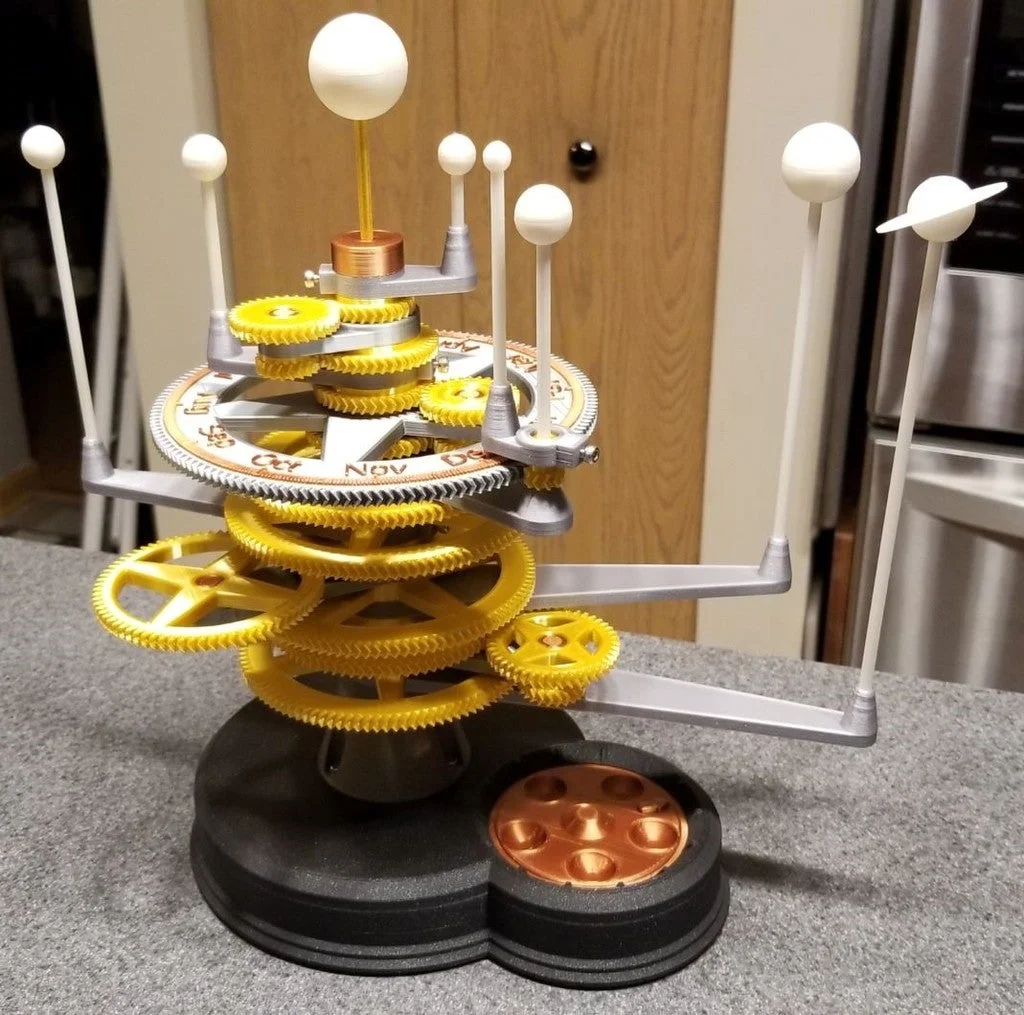
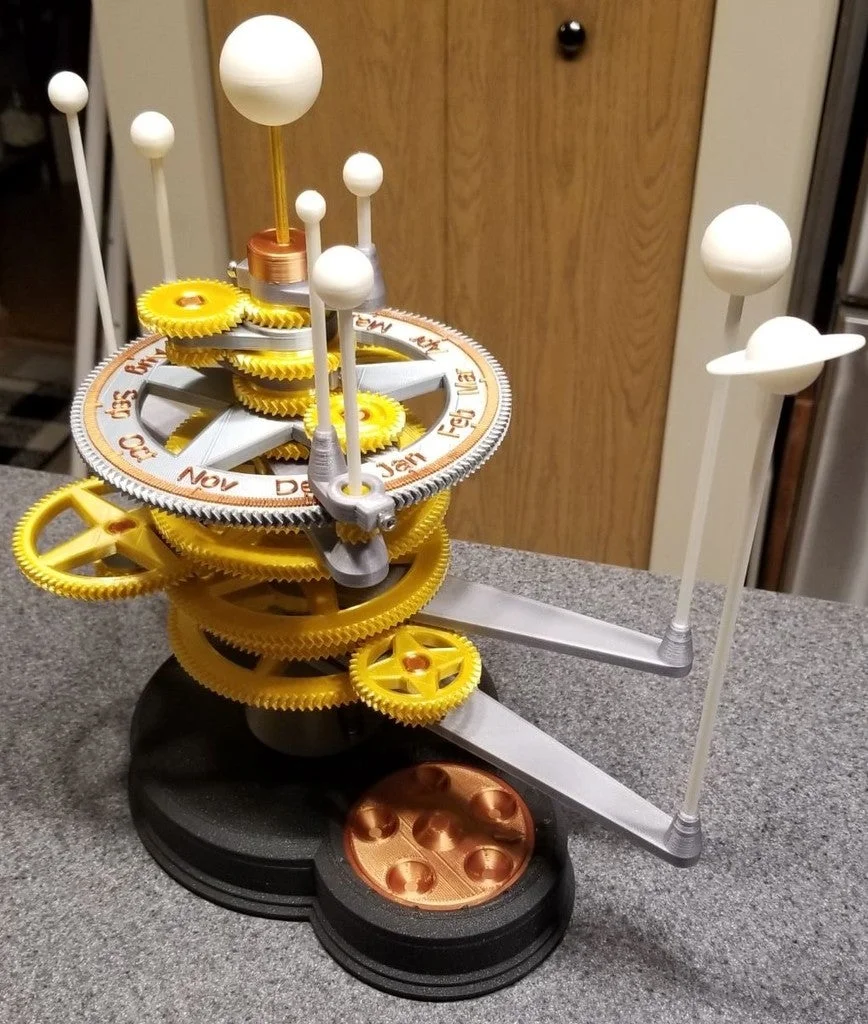
This is an optimized version of the "Mechanical Planetarium" model by Zippitybamba. His original model is on Thingiverse here: https://www.thingiverse.com/thing:4613061
I printed a few parts of the original model on my Prusa I3 MK3S, and I wasn't satisfied with how they fit. This sent me down a rabbit hole of refactoring and tuning the file until I could print it with insanely low tolerances of about 0.12mm on average.
The original model is truly excellent and deserves to be on the main page for a long time. I put in a lot of time tuning this, so I thought I should share what I've done.
A quick summary of edits:
Combined the base and upper mechanism into one file.
Added toggles for rendering each object.
Refactored source for ease of reading and editing.
Switched to the English fork of "Getriebe.scad" named "Gears.scad". Translated by Chris Spencer. https://github.com/chrisspen/gears
Added several customizer sliders to:
Adjusted the length of the Venus planet arm (by 1mm) so the peg doesn't collide with the idler wheel above it.
Tightened everything up so it could be printed on a well calibrated machine with very minimal post-processing. I only needed to smooth out bits on the top layer due to filament retraction.
I also wrote a quick Windows Batch file to generate all 47 files. A word of warning; It will absolutely hammer your processor since it opens a separate copy of OpenSCAD in the background for each file. If you know your way around OpenSCAD, then I'm assuming that you know how to read and use a batch file. "Here be dragons."
Printer Brand: Prusa
Printer: I3 MK3S
Rafts: No
Supports: No
Resolution: 0.4mm Nozzle. Layer Varies: 0.2mm and 0.25mm
Infill: 15% Grid
Filament: Prusament, Mika3D, and Sain Smart PLA
Notes:
I generally used three perimeters for all objects with the exception of the Mercury Axle. I used five perimeters for that so it would print essentially solid with no fast infill moves. I split the Mercury Axle in half and printed it vertically one piece at a time. I joined the halves using a small piece of aluminum rod that I wedged into the hole in the middle.
I also tweaked my perimeter extrusion widths extensively so it would always print full perimeters. In PrusaSlicer it's on the "Advanced" tab under "Print Settings". I adjusted the "Perimeters" and "External Perimeters" while checking the preview until the white "Gap Fill" was replaced with a yellow perimeter.
Watch out for Elephant's Foot. If you're using PrusaSlicer, go back into your Advanced Print Settings and adjust the "Elephant foot compensation" until you have a crisp bottom edge.
If you use Cura, or some other slicer, poke around in your settings and look for similar options.
ByBoonby_1059917Likes659Downloads1.2K

 ByMarciLikes87Downloads300

 Bystrifu_4061046Likes151Downloads1.3K

 ByzoltanfLikes73Downloads282

 Byandrej-bLikes0Downloads185

 ByFabianVeileLikes414Downloads1.5K

 BygillisLikes121Downloads2.1K

 BynleinadLikes56Downloads190

 ByLat0102_256421Likes35Downloads145

 Byloykastj_145194Likes1Downloads72

 ByATBOT_7809Likes16Downloads268

 Bycarlos-lunaLikes0Downloads225