


Mô hình Megalodon trong Sea of Thieves - Bản cải tiến chất lượng cao và cắt rời
 ByvexanixLikes168Downloads1.3K
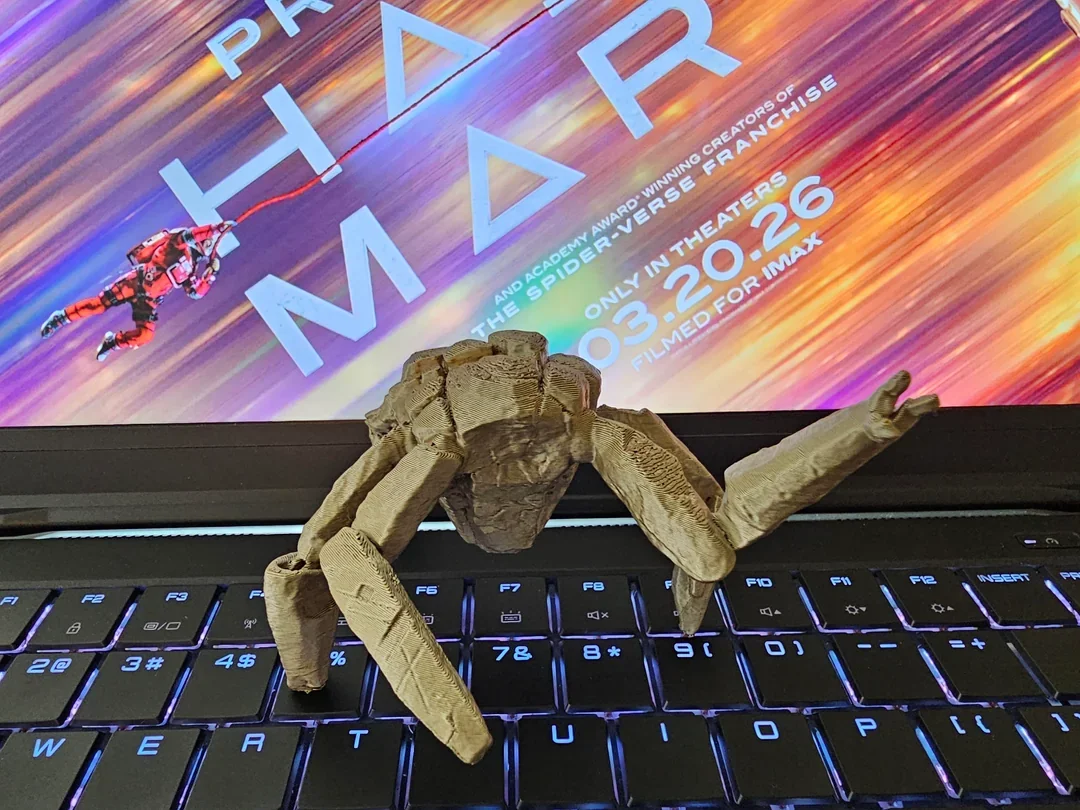
Remix of Project Hail Mary: Rocky (Bản Remix Chính Thức Từ Phim) By boooora_4442808
Build another version of this model.
3D Model Print Instructions
Rocky Action Figure Instructions
This model includes 2 figure style option:
● Articulated Action Figure (1 body and 11 limb pieces)
● Statue (1 static posed figure)
Both model styles include two file options:
● Supported STL – Pre-supported and ready to print
● Unsupported STL – Ideal if you want to scale the model or create your own custom supports
The figure can be printed using either a resin or filament (FDM) 3D printer.
At 100% scale, the figure prints at approximately 3 inches tall.
Printing Steps
○ Option A: Supported STL
■ Supports are already included and optimized for printing
■ No additional edits are required before slicing
○ Option B: Unsupported STL
■ Scale the model to any size you prefer
■ You will need to generate supports before printing
■ Most slicers offer both automatic and manual support options
● **Step 3 – Import file
**Download and import the STL file into your slicer program (such as Chitubox, Bambu Studio, or Lychee).
● **Step 4 – Prepare the print
**Use your slicer to generate the print layout and settings required for your specific 3D printer.
● **Step 5 – Post-Print
**Once printing is complete:
● Carefully remove the supports
● For easier removal, place the model in warm water to soften the supports and reduce surface damage
Pro Tips:
● For all prints-
○ Resin prints will capture finer detail than filament prints
○ For best results, print at a 0.03–0.05 layer height (resin) or 0.1–0.2 (FDM)
○ Always clean resin prints in isopropyl alcohol or similar resin cleaning product fully after printing.
○ If printing in resin make sure to cure the figure with UV light based on your resins recommendations.
● Articulated figure print-
○ For optimal resin printing you will want a resin with a mix of strength and elasticity. A recommended mixture for this figure with moving parts is ½ Resione Th-72 mixed with ½ Tough74. Resins that don't have enough elasticity may be too brittle for this figure.
○ When assembling the articulated version you may want to heat up the cavities with warm water or a blow dryer for easier assembly.
○ See the labeled diagram below for proper assembly of the articulated figure.
○ There are 2 options for his left hand that you can choose from. An open hand (1C) or closed hand (1B).
ByvexanixLikes168Downloads1.3K

 Bynonoobybut_3307010Likes364Downloads1K

 ByDrewmundLikes833Downloads4.6K

 ByPexPeppers Hot Sauce Hot SauceLikes114Downloads553

 ByFotisMintLikes71Downloads411

 ByAryserLikes36Downloads384

 Bythecodedkid_388190Likes219Downloads254

 ByFastRaccoon_718321Likes461Downloads1.5K

 ByCarlosAceves_395508Likes67Downloads295

 ByHaggiwatt_565243Likes25Downloads196

 ByTelles0808Likes78Downloads204

 By3DMakerSpace_4005643Likes43Downloads177