



Kẹp giữ sợi Filament
 Bytinx_1344834Likes1.2KDownloads6K
Build another version of this model.
This contains three pieces:
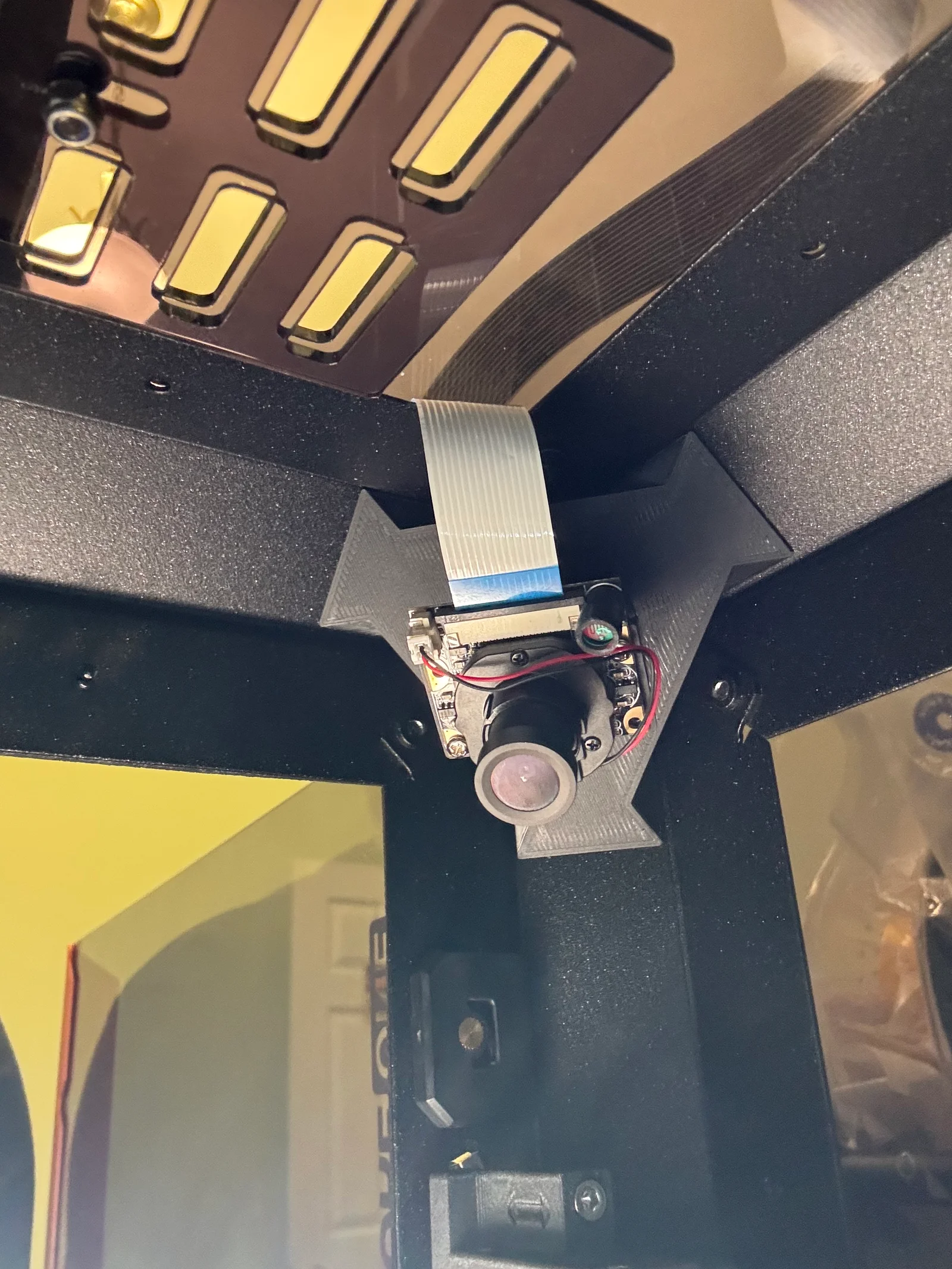
The mount, which needs 3x 10mmx5mm neodymium magnets you can get off of amazon easily and fits perfectly on the inside corner of your Prusa Connect. It exposes a single OpenGrid tile mount, so you can snap in any opengrid connector you want! I use an OpenGrid (Full) directional multiconnect tile for mine. I'd recommend using a filament that handles long term forces and more heat resistant than PLA.
The second object is a multiconnect adapter, that slides onto the multiconnect tile on one end, and on the other is a go-pro style camera mount. It specifically mates perfectly with this Go-Pro-Style mount for the HD Raspberry Pi Camera.
Alternatively there is a snap mount the perfrenctly fits the Raspberry Pi 3 Camera with no adjustable hinges or angles (you can change the angle in the openscad if you want. I found that the 120deg Wide FOV version has excellent visual coverage of the entire bed from this vantage point.
You can manually rotate the camera on two axises this way.
This is working great with Octoprint on my printer.
The model is made in OpenSCAD and uses BOSL2, QuackWorks, and bosl2-parts libraries.
Bytinx_1344834Likes1.2KDownloads6K

 ByreddLikes216Downloads2.2K

 ByJasonOlliff_519145Likes241Downloads2K

 ByBrokentooth_designsLikes17Downloads143

 Byarhi_585078Likes64Downloads537

 ByHanzo3dLikes155Downloads411

 ByGeek5DLikes147Downloads482

 By3DSourcererLikes48Downloads374

 ByWyomingWolf_261196Likes52Downloads424

 Bytopronix_2170418Likes41Downloads292

 ByBlackky98Likes25Downloads205

 ByAnthonyDouri_1604724Likes24Downloads213