


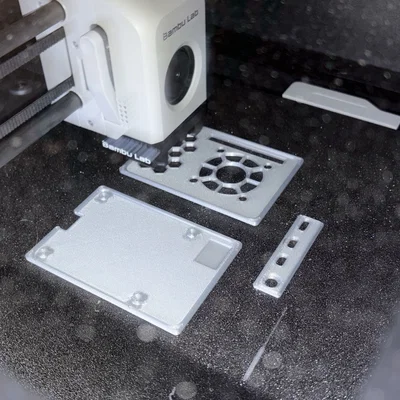

Kẹp giữ sợi Filament
 Bytinx_1344834Likes1.2KDownloads6K
Remix of Adaptive purge cho mọi máy in 3D bằng slicer variables By TeachingTech
Build another version of this model.
The purge line from the A1 has been spliced into the P1S start GCode.
The purge line changes location so it is (almost) always placed beside the print, and is much smaller than the original hockeystick purge line of the P1S.
On top of that it will also do a pressure advance test line, for the user to visually inspect the pressure advance value.
It has failsafes if the purge line would otherwise exceed the limits of the printer, and also it checks whether it can use the standard fallback location, or incase of any of the cool plates a failsafe for the failsafe location, due to a possibility that a biqu glacier pro plate is used and the failsafe purge cannot be placed on the tab of the bedplate.
Option 1:
Open the 3MF and save the printer preset
Option 2:
In BambuStudio or OrcaSlicer, you need to enable the Advanced option otherwise, there will be settings that you will not be able to see.
Inspect the Machine Start G-code and delete the section from ====Nozzle Load Line=== to M400
Copy the entire section from the file and insert it where the deleted section was.
UPDATE 20250709
based off of comments from Theinventor777, filament feed and retraction moves have been tested to be detrimental, and have been removed.
Bytinx_1344834Likes1.2KDownloads6K

 ByBrokentooth_designsLikes23Downloads412

 Bytopronix_2170418Likes41Downloads298

 Byprusa-researchLikes0Downloads2.7K

 Bydet-manLikes0Downloads173

 Bygummiegecko8477Likes0Downloads164

 BydalleLikes0Downloads149

 ByMahko Blackburn BlackburnLikes28Downloads171

 Byarhi_585078Likes64Downloads545

 ByHanzo3dLikes155Downloads417

 BydarienLikes0Downloads1K

 Byds-printsLikes0Downloads353