



Kẹp giữ sợi Filament
 Bytinx_1344834Likes1.2KDownloads6K
Build another version of this model.
When designing a model with moving components I want to know the exact clearance required for my target behaviour. Sometimes I want the parts to move freely and can accept some jitter or precession, sometimes I want the parts to only move when pushed with significant friction. In any case I don't want to print the whole part 5 times to get the clearance just right.
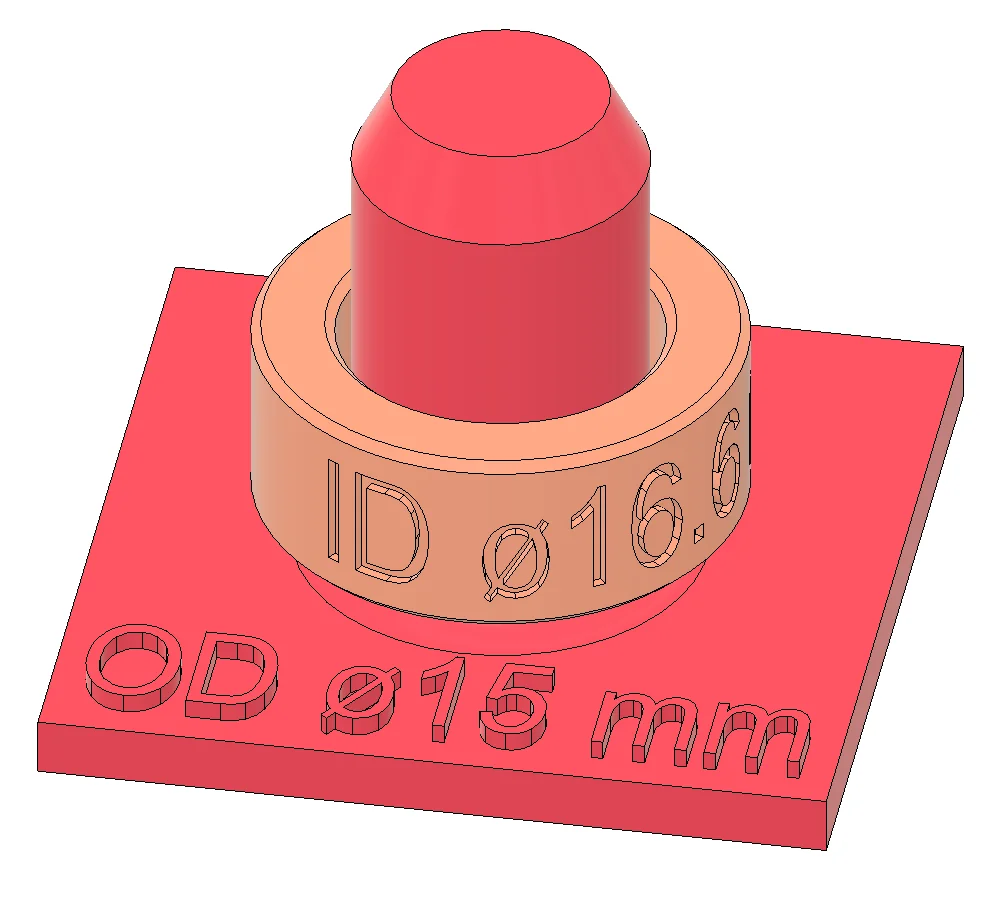
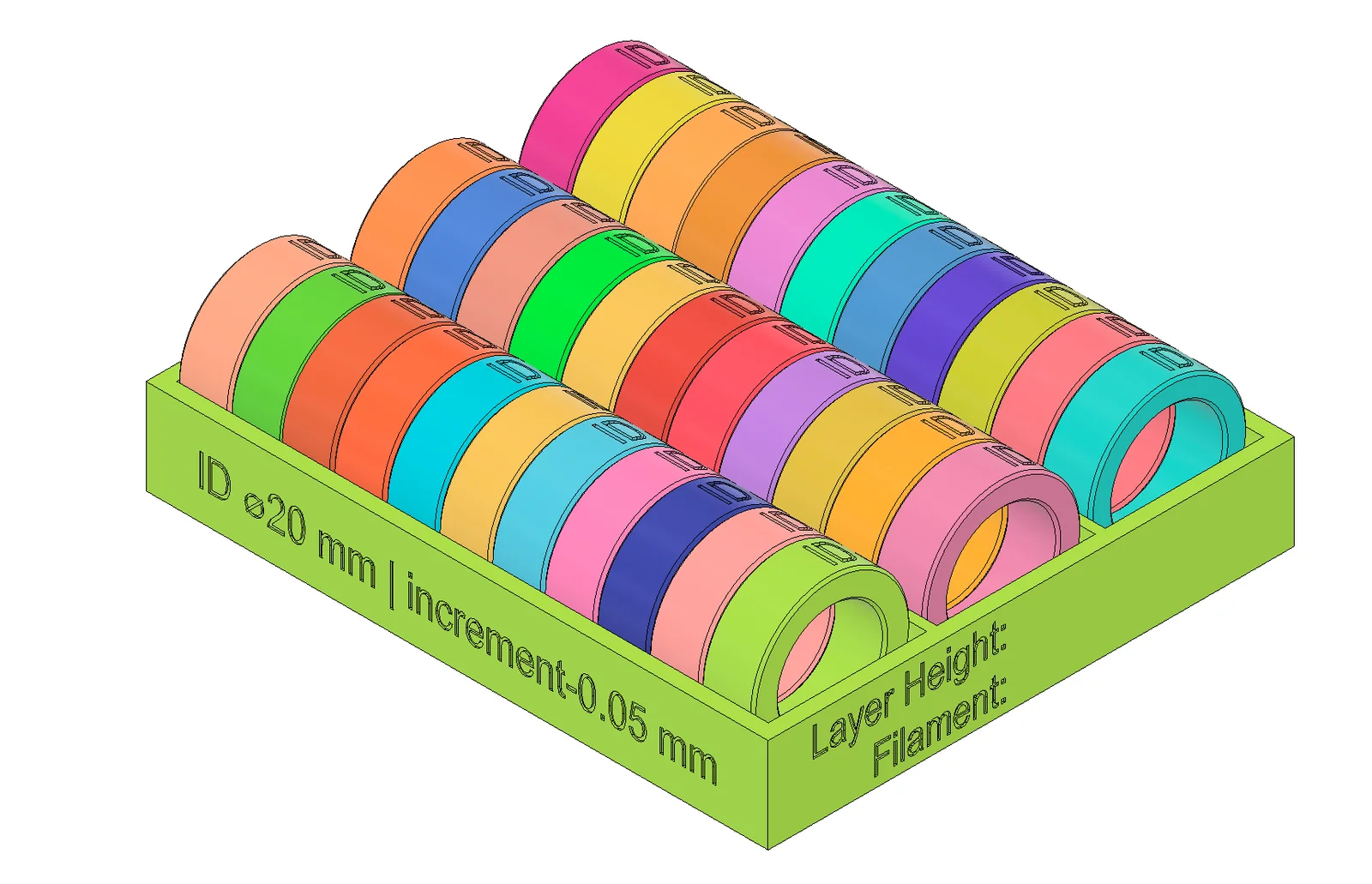
Enter the Goldilocks Ring Gauge: A 3D printed post and a set of rings with sequentially increasing clearances.
.F3D Model Included!
Want different post size or clearances? Just change the parameters in the fusion 360 file. The embossed text, the holder itself and the rings are all parametric.
Prior to Printing!
I strongly recommend tuning your printer and filament to as close to true as possible prior to printing. Using a bambu lab printer complete the following calibrations, printing a calibration cube between each test.
Flow Dynamics Calibration
Filament Shrink %
Hole and contour compensation (only if necessary, this setting may change your model geometry!)
Print an XYZ calibration cube and verify that the X and Y axes are within 0.05 mm or better using callipers. In theory if the post and the rings both scale proportionally then the accuracy doesn't matter.
Bytinx_1344834Likes1.2KDownloads6K

 Bynadir-cn3dLikes0Downloads120

 Byprusa-researchLikes0Downloads2.7K

 ByRyanLikes0Downloads236

 Bychukwufumnanya-arinzechukwuLikes0Downloads190

 Byemmanuel-garciaLikes0Downloads171

 Bycrawler-4460618Likes0Downloads173

 Bydet-manLikes0Downloads184

 Bygummiegecko8477Likes0Downloads178

 Bygafyx3dLikes0Downloads128

 Bypjs37Likes0Downloads163

 Bychris-barwickLikes0Downloads142