



Snapmaker U1 Poop Deflector
 BydarienLikes0Downloads1K
Build another version of this model.
With Paxx12's extended firmware for Snapmaker U1, you can use custom RFID tags for your filament and the U1 will automatically recognize the properties for each tool head.
This works great when you put the spool with the tag on the spool holders on the side of the U1. When feeding the printer from a dryer or drybox, the filament type must be manually set.
To make my (and potentially your) life a little easier, I created the following models:
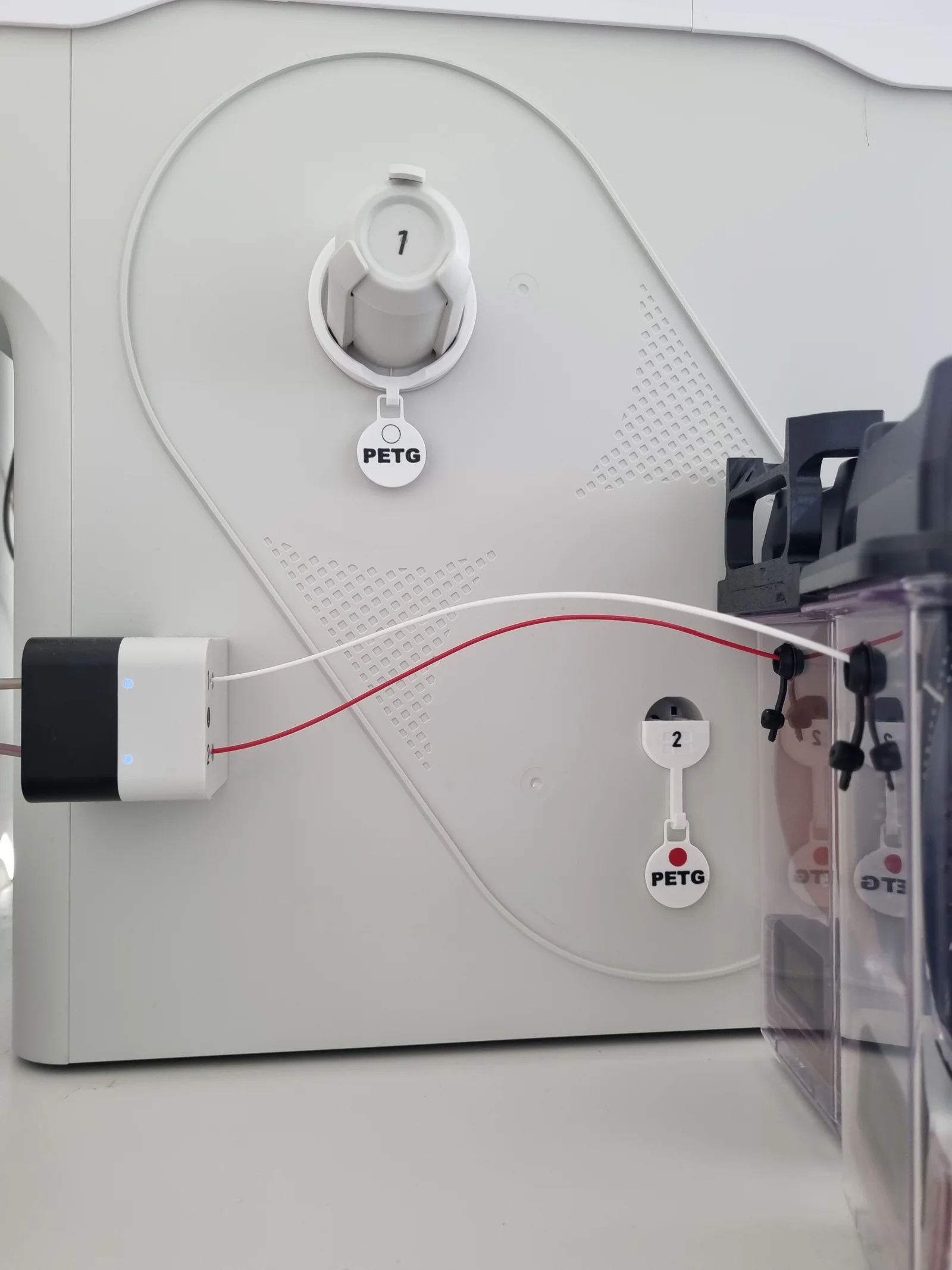
RFID Spoolholder: Ring with a small hook to put the RFID Tag on when loading the filament. You can squeeze the spool holder by hand to make ring slide easier on and off.
RFID Holder: small hook for the RFID Tag when you don't use the spool holder of the U1. The holder snaps in place where the spoolholder would and can be very easily taken out again by twisting it a bit.
Matching Custom RFID Tags that I also use as label for my Snapdryer boxes
You may want to add the tool number on the RFID Holder part to avoid any confusion. I put an example in the attached 3mf file.
No drilling, no glue, no permanent modification of your U1.
Just remember to first put the tag on the holder, and then feed the filament to the auto feeder. (Because the U1 only reads the tag when the auto feeder first engages, at least in my current FW.)
Update
Added numbered 1-4 versions.
BydarienLikes0Downloads1K

 Byleaf-engineeringLikes0Downloads672

 Bytinx_1344834Likes1.2KDownloads6K

 Byprusa-researchLikes0Downloads2.7K

 ByJACK98Likes0Downloads262

 Bydet-manLikes0Downloads176

 Bygummiegecko8477Likes0Downloads168

 Bychukwufumnanya-arinzechukwuLikes0Downloads153

 BysolathLikes0Downloads208

 BydalleLikes0Downloads151

 BynasikLikes0Downloads122

 Byarhi_585078Likes64Downloads547