



Thùng rác in Vase Mode
 BybobmakesLikes2.5KDownloads17.5K
Build another version of this model.
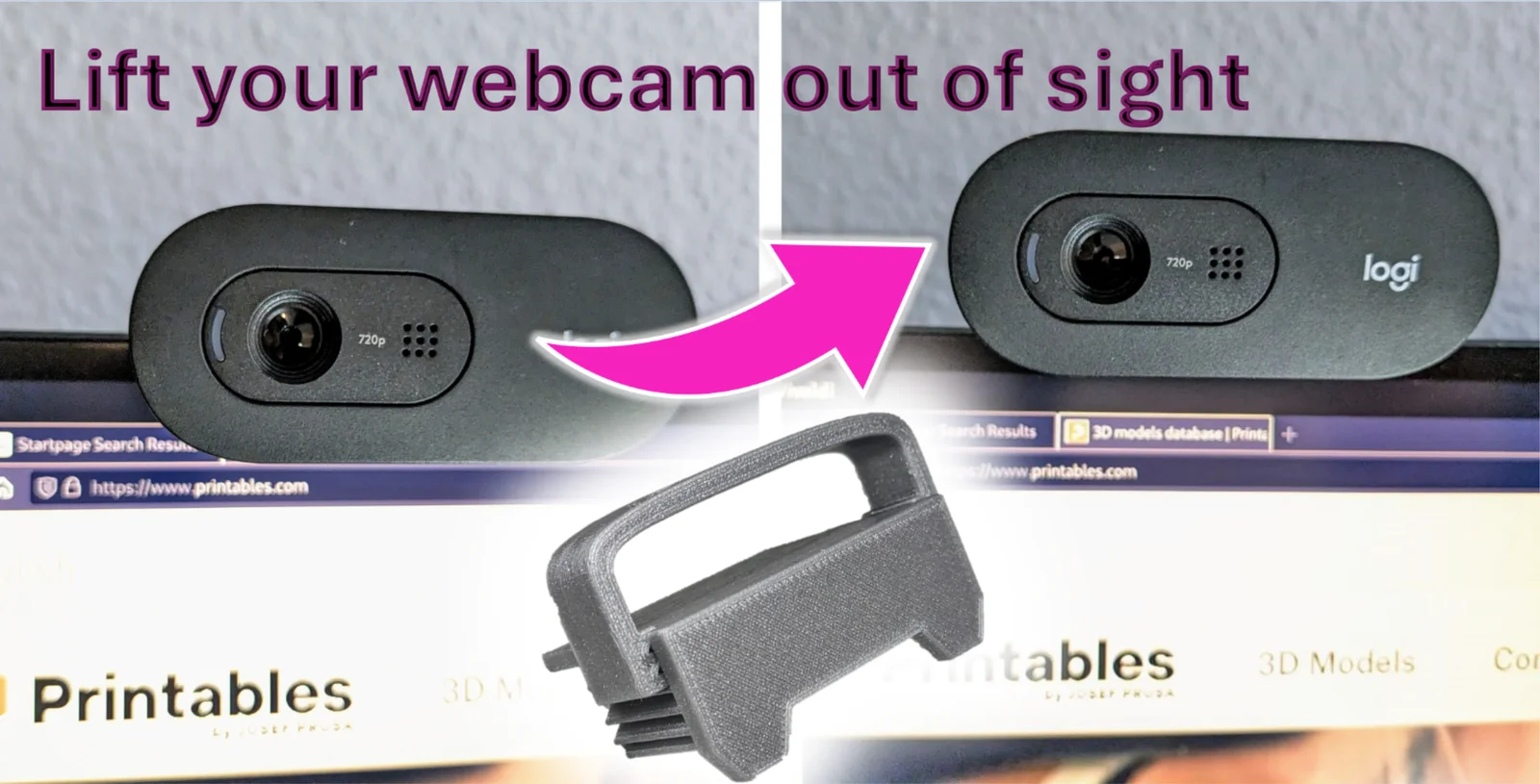
Modern technology has gifted us with sleek, thin-framed monitors. While these technological marvels enhance our workspaces, they also present a new set of first-world problems: webcams dangling into the screen and obstructing our view, whether it's an entire tab title in your browser or a crucial detail in a video call.
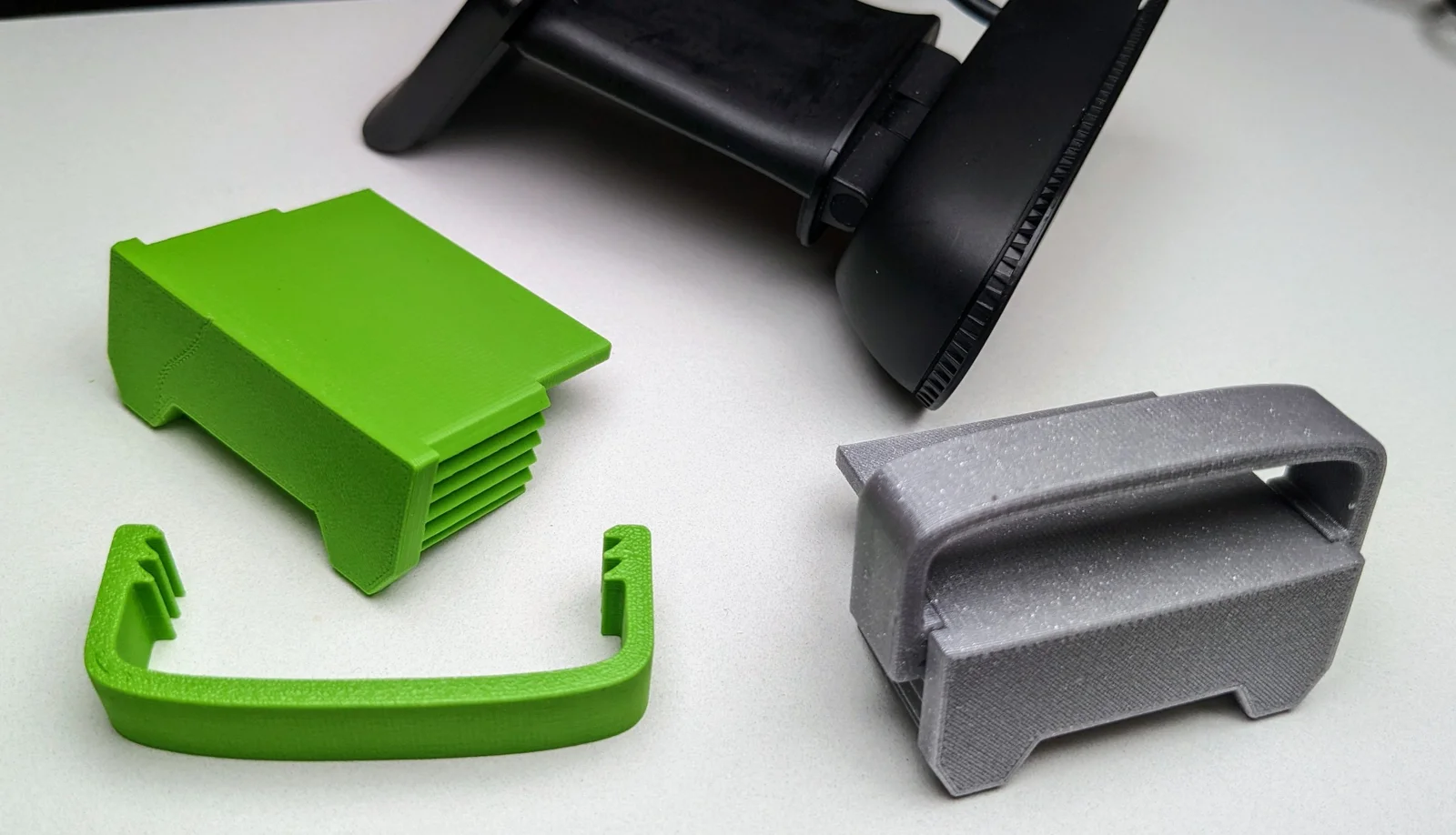
👉 Introducing the Webcam Step 👈—a simple yet effective solution. By raising your camera approximately 14mm above the monitor's frame, this step ensures a clear view, unobstructed by annoying webcam placements.
Designed for the Logitech C505 webcam, this step also accommodates other popular models such as the C920, as well as various webcams from different brands, making it a versatile addition to any setup with thin-framed monitors.
Although this model is not a remix, I want to give credit for inspiration to two other models/creators:
BybobmakesLikes2.5KDownloads17.5K

 Byquibeck_3353173Likes1.5KDownloads11.5K

 ByVinors3DLabLikes393Downloads1K

 ByHydratedMini_1690513Likes173Downloads721

 ByimanorangutanLikes0Downloads672

 Bym-collectableLikes0Downloads3.9K

 ByTommy3DLab_2023125Likes636Downloads2.5K

 Byaxis-prints-3dLikes0Downloads786

 ByTheMerchant_560996Likes104Downloads273

 Bymoleculecrtr_1215658Likes544Downloads2K

 Byextrablind_178817Likes40Downloads226

 Bygleb_sexy_1069616Likes42Downloads239