

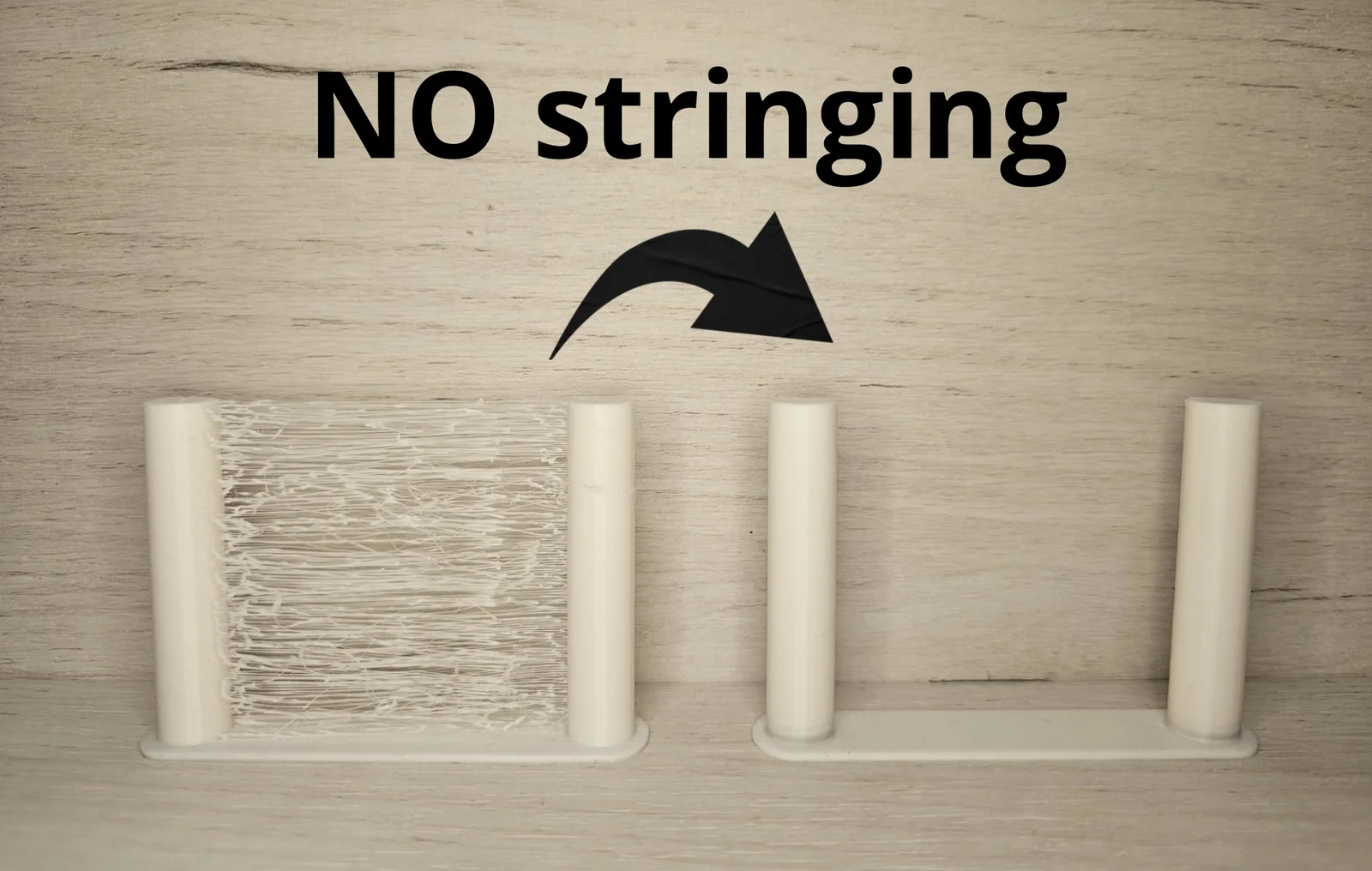


Ender 3 Bed level test
 Bygafyx3dLikes0Downloads117
Build another version of this model.
Open your slicer and select your filament profile.
Set the print temperature to the lower end of the recommended range.
Enable retraction in the printer settings.
Set the retraction distance (start with 4–6 mm for Bowden, 1–2 mm for direct drive).
Set the retraction speed (try 25–50 mm/s).
Enable Combing Mode and choose “Within Infill” or similar.
Enable Z Hop if your nozzle drags across gaps (0.2–0.5 mm).
Increase Travel Speed to reduce oozing while moving across empty spaces.
Reduce print speed for small, detailed parts to avoid blobs.
Run a small test print and tweak retraction distance, speed, and temperature as needed.
Bygafyx3dLikes0Downloads117

 Bytinx_1344834Likes1.2KDownloads6K

 ByKRYS_3DLikes8Downloads43

 ByFonnPrintsLikes4Downloads18

 ByswimLikes0Downloads105

 ByreddLikes216Downloads2.2K

 ByJasonOlliff_519145Likes241Downloads2K

 Byarhi_585078Likes64Downloads539

 Byledglass_319976Likes0Downloads3

 ByHanzo3dLikes155Downloads413

 ByGeek5DLikes147Downloads483

 ByBrokentooth_designsLikes23Downloads404