



Kẹp giữ sợi Filament
 Bytinx_1344834Likes1.2KDownloads6K
Build another version of this model.
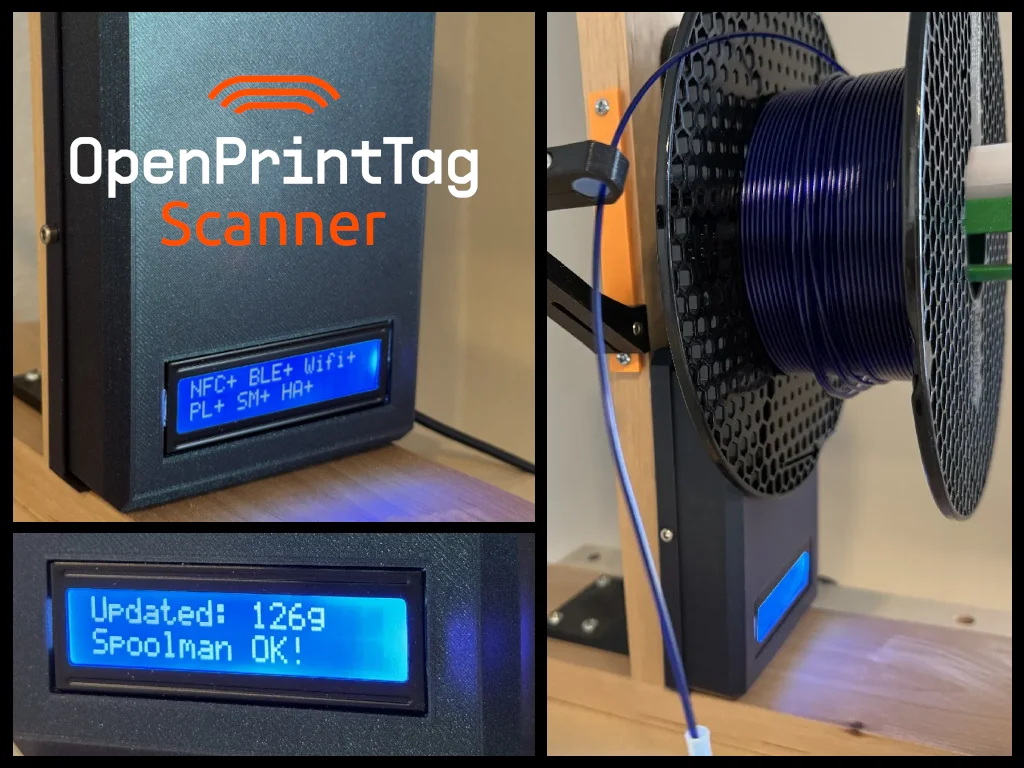
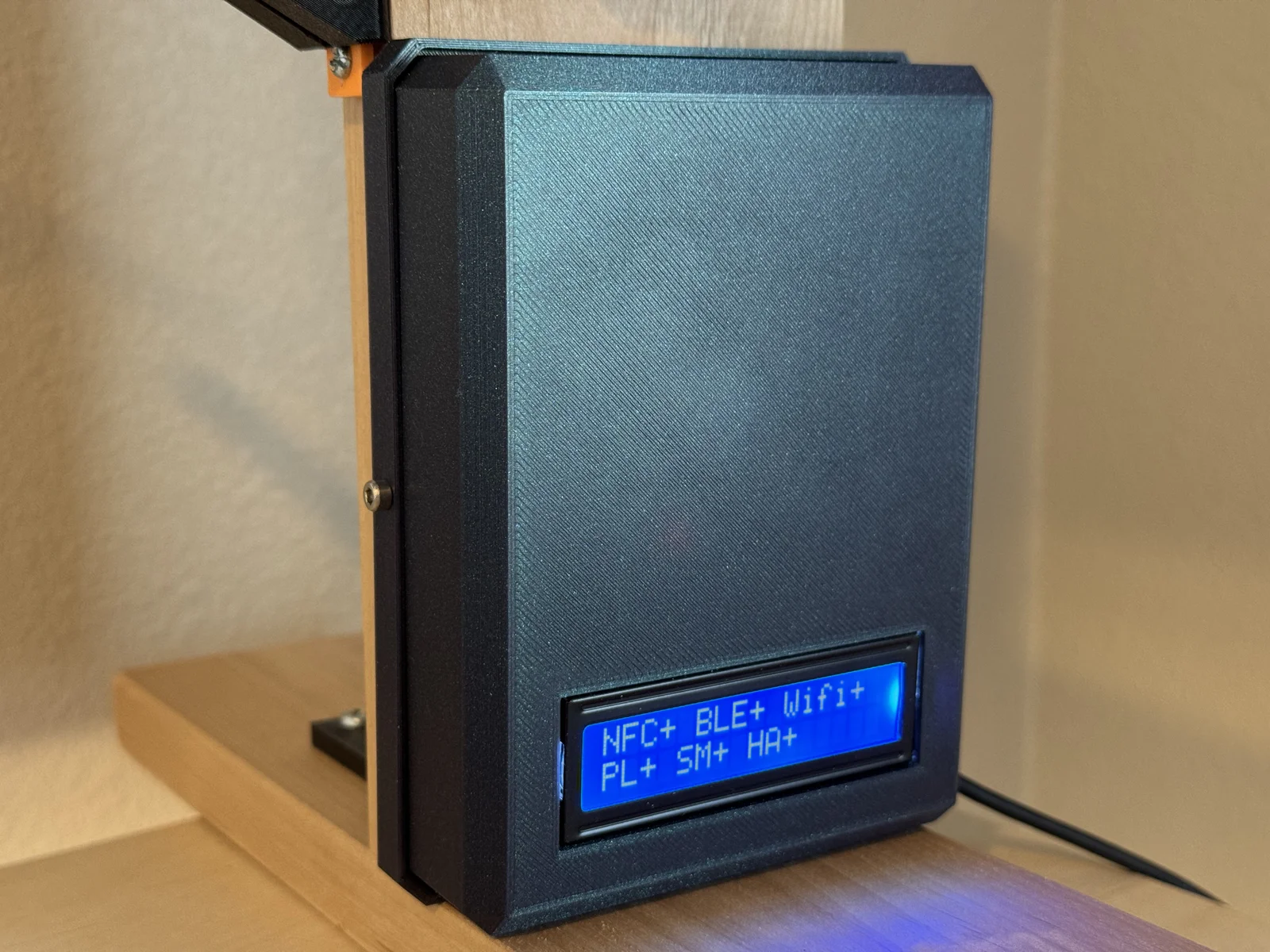
This device is an OpenPrintTag-compatible spool scanner that reads and writes NFC filament tags, displays spool data on an LCD screen, and automatically updates remaining filament using the PrusaLink API. It exposes the spools in Home Assistant and syncs with Spoolman. It also includes a Bluetooth-based browser UI for configuration and editing spool metadata. Firmware and hardware designs are fully open source on GitHub.
Project Status (BETA):
The Parts That Work:
Scanner reads and writes OpenPrintTag NFC tags
Tags are readable by the Prusa mobile app
LCD displays spool metadata correctly
PrusaLink API integration functional
Bluetooth configuration website operational
LCD enters sleep when content is unchanged
Spoolman support spools are updated and created in Spoolman
Spools show up in Home Assistant , and can be edited via automation.
The Parts That Need Work:
Only basic print use case is supported: 1 spool, no filament swaps.
If you find other issues - raise them.
ESP32 provides compute, Wi-Fi, and Bluetooth
Configuration is done via Bluetooth in a browser UI
Print data is fetched over Wi-Fi from the PrusaLink API
Spool tags are read/written via PN5180 NFC reader
Status and spool info are displayed on the LCD
Print one of each part, in what ever material you want (I used PLA)
No supports are required
PN5180 NFC Module Reader/Writer: https://a.co/d/0h4ioHrx
1602 I2C LCD Display : https://a.co/d/dryhwvd (only 1 needed)
ESP-WROOM-32 ESP32 ESP-32S Development Board: https://a.co/d/gW3zBIJ (only 1 needed)
M3 hardware (nuts and bolts)
Wires with female dupont connectors on both sides. (eg: https://a.co/d/0aCINFrP)
A wire nut or wago.
Command strips / double-sided tape
Print 1x of parts. (no supports needed, 15% infill, .2mm layer height)
Solder the header pin on to the NFC board (if not already attached).
Connect 4 wires to dupont connectors on the LCD board.
Install the LCD board, securing with 6mm 2 M3 screws.
Secure the NFC board using command strip, or two sided tape.
Connect wires to the dupont connectors on the NFC board.
Connect wires per the table below. Note: for the 5V there is only 1 pin, so you will need to use a wago or wirenut to connect the LCD and NFC to 5V.
Double check your connections - especially the GND, 3V, and 5V connections.
Connect USB cable to ESP32.
Secure ESP32 using command strip, or double-sided tape.
ZIP tie the USB cable to the half circle tie down to avoid pullout issues.
Install the back cover using m3 nuts in the holders, and m3 screws.
Install the firmware on the ESP32 using this tool. or using pio from source github repo.
Configure wifi and view spool details using this website: https://ryanch.github.io/openprinttag_scanner/
Put your scanner next to your printer spool holder.
⚠ Power Warning
Double-check 3.3V, 5V, and GND before powering.
Reversed polarity can permanently damage the ESP32, LCD, and NFC module. Triple check the wire connections, especially the Ground and Power connections.
PN5180 Pin
LCD Pin
ESP32 Pin
RST
D13
NSS
D14
MOSI
D27
MISO
D26
SCK
D25
BUSY
D33
GPIO
D32
IRQ
D35
AUX
D34
REQ
- not connected -
3V
3V
5V
VIN (5V)
GND
GND
GND
GND
VCC
VIN (5V)
SDA
D23
SCL
D22
Shows spools recently seen by the scanner.
Allows edit of spool metadata:
Edit device settings:
Bytinx_1344834Likes1.2KDownloads6K

 By3DSourcererLikes48Downloads377

 Byprusa-researchLikes0Downloads2.7K

 Bydet-manLikes0Downloads171

 BydalleLikes0Downloads147

 Bypeter-van-der-waalLikes0Downloads257

 Byarhi_585078Likes64Downloads544

 BykingnothingLikes0Downloads181

 Byp3rr1ff3ryLikes0Downloads150

 ByHanzo3dLikes155Downloads416

 ByPengLordLikes32Downloads112

 BydarienLikes0Downloads1K