



Steam Machine Companion Cube / Vỏ đựng Weighted Storage Cube
 ByJaronLikes310Downloads1K
Build another version of this model.
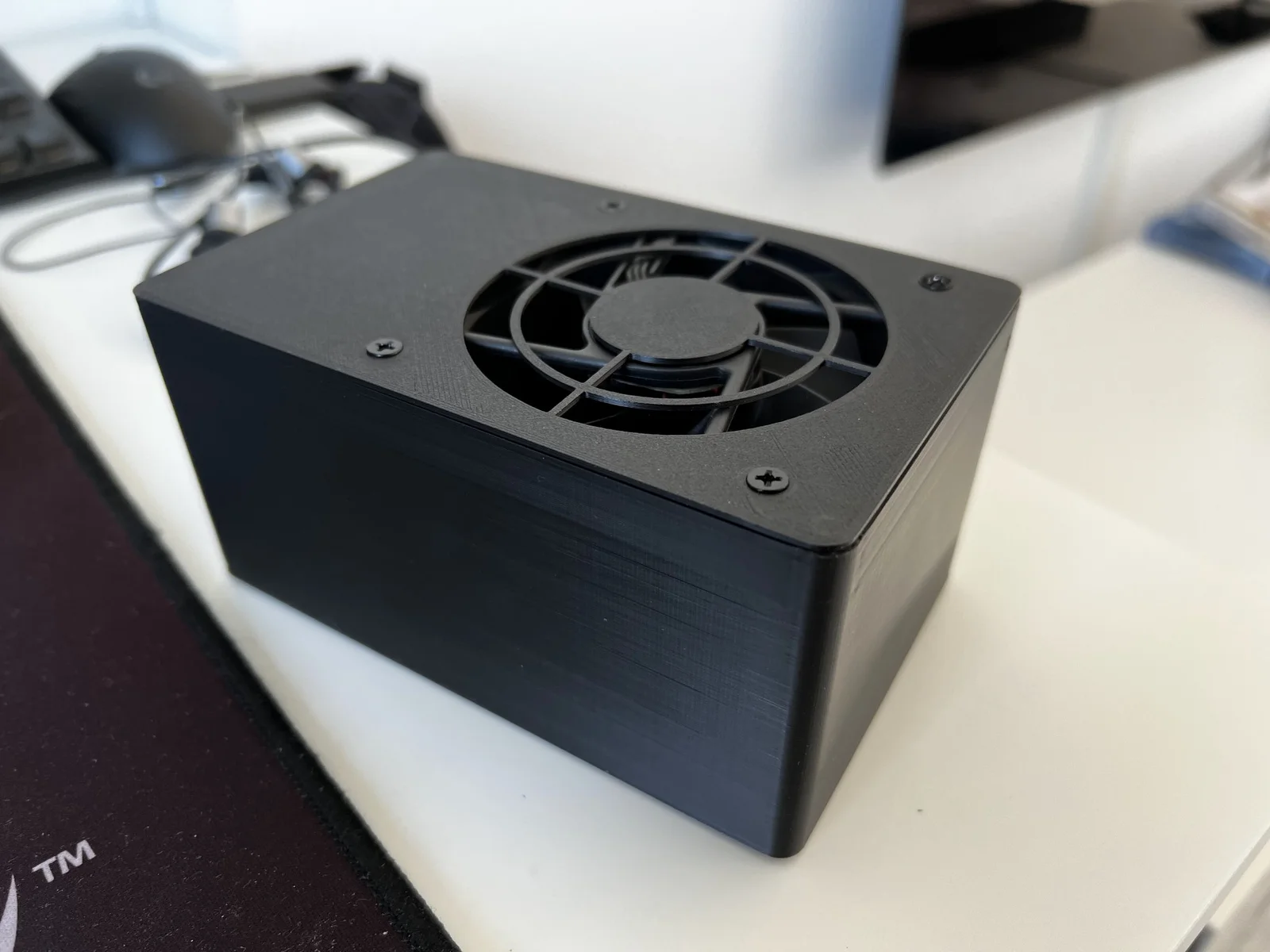
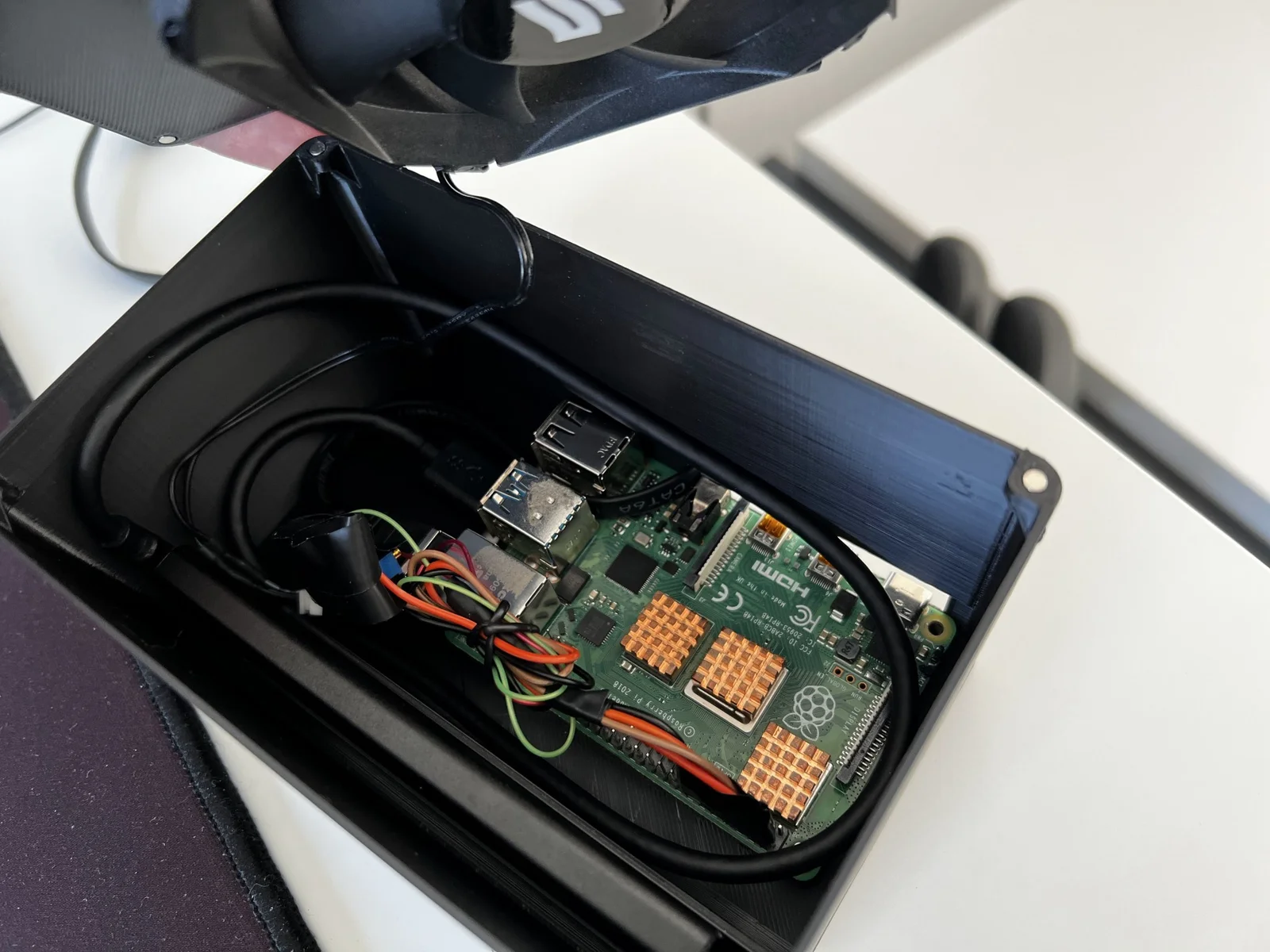
I wanted a Plex media server and had a RPi 4B from another project. Because an external SSD is far better than HDD or SD card, I made the Pi boot from it and also store the movies/TV shows on the SSD. Now all I needed was a case so I made a simple one that includes a fan and a magnetic top cover.
The magnets I used are 3x1mm, but I added the SolidWorks files so you can alter the design as needed. The holes on the bottom act as air intake for the fan, so I also added some foam feet to rise it a little from the table. You can also print your own feet and attach them with screws or glue.
The SSD case I used is this Baseus one. If you have a thicker case, the slot for the SSD should be made wider. I recommend plugging in the USB3 port instead of USB2 for higher power and speed.
The fan used is a normal 80mm 12v silent PC fan. I used a step-up converter to get the 5V from the RPi up to 12V for the FAN. It would be better to use a 5V FAN and ditch the converter. There is a tutorial here to adjust the FAN speed based on the internal temperature of the RPi if you like. I just have it on all the time because it's very silent.
I use a slim Ethernet cable that I route in the side cutout of the case, but I also added a version with a bigger cutout to fit a bulkier connector.
If anyone needs some specific improvement, let me know.
Happy Printing!
ByJaronLikes310Downloads1K

 Byw3rN42Likes127Downloads931

 ByTomDDLikes89Downloads574

 ByJwidessLikes34Downloads374

 ByBroBuilds3D_4455044Likes32Downloads453

 ByckthLikes148Downloads2.4K

 Bynexgen-3d-printingLikes0Downloads392

 ByLabraD0rk_850230Likes9Downloads71

 ByVikingptty_1943738Likes50Downloads232

 ByBrokentooth_designsLikes30Downloads224

 Byslava-kuzminLikes0Downloads282

 ByJKMCZLikes11Downloads176