

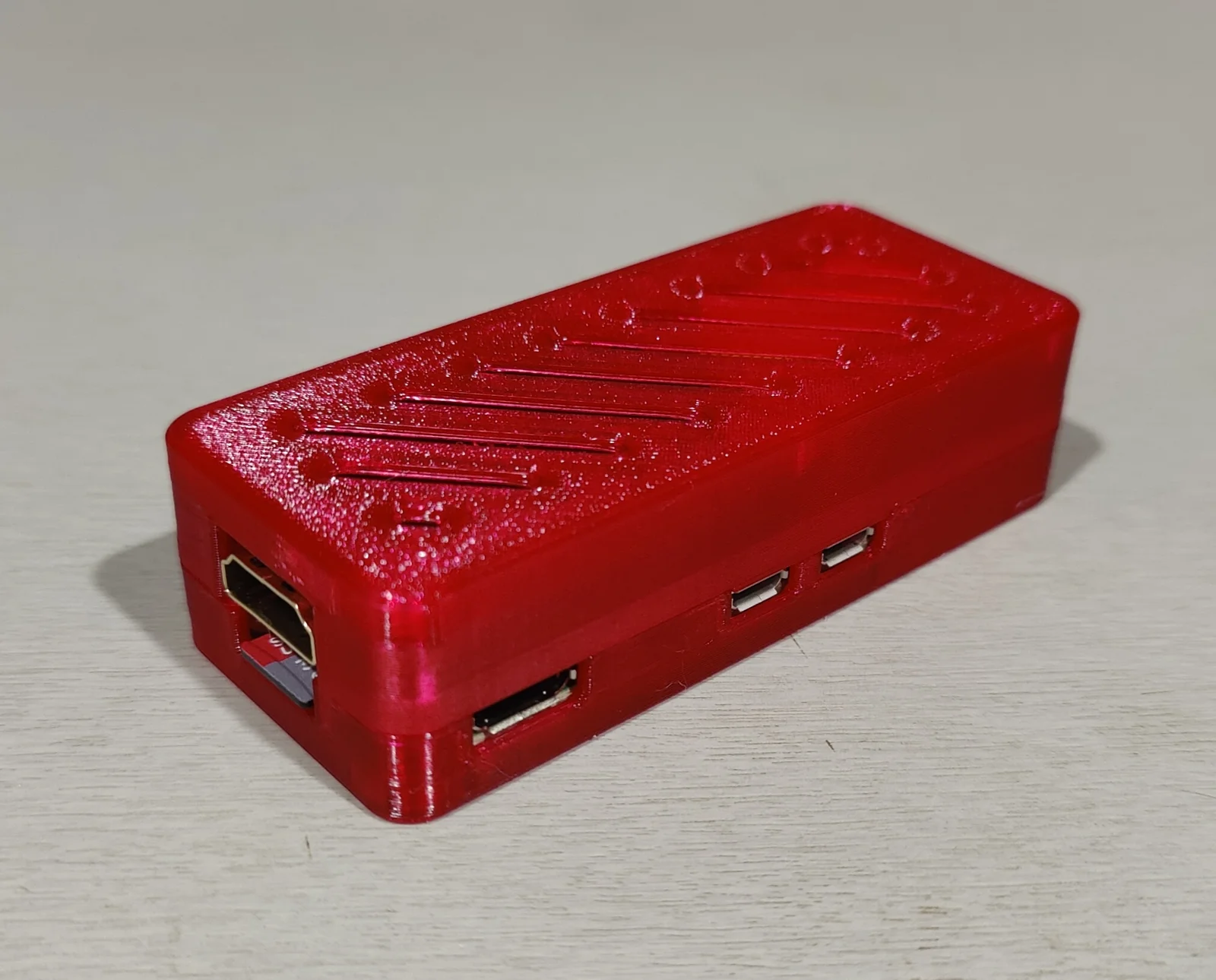
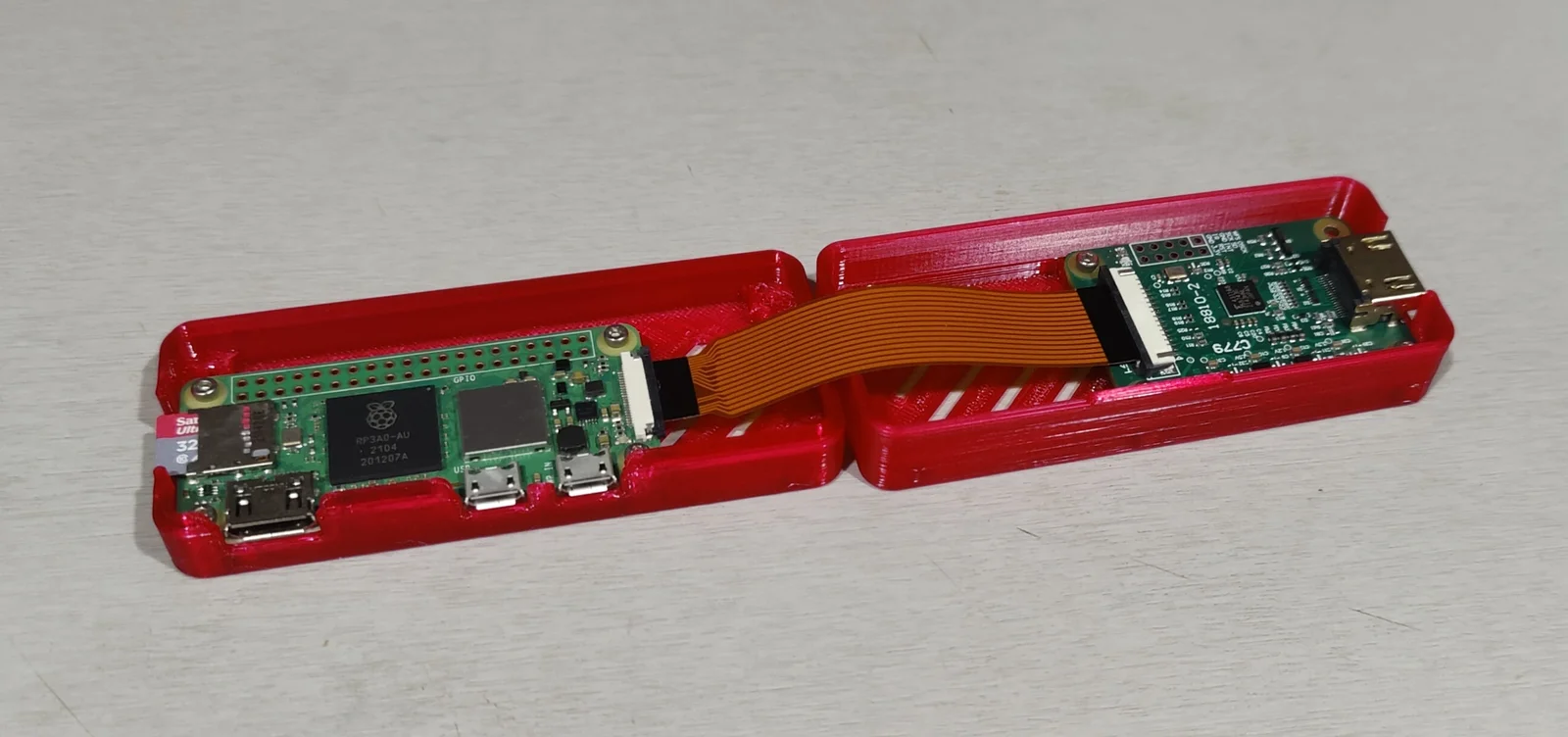
Vỏ PiKVM Zero (PiKVM Zero Case)
- Downloads
- 201
- Likes
- 19
- Views
- 1,293
- Remixes
- 0
- Comments
- 0
Files 4 770.2 KB
- PiKVM Zero Case - Top.3mf3MF · 94.3 KB
- PiKVM Zero Case - Bottom.3mf3MF · 127.6 KB
- PiKVM Zero Case - Top.stepSTEP · 214.8 KB
- PiKVM Zero Case - Bottom.stepSTEP · 333.4 KB
Make a variant with AI
Build another version of this model.
Details
- Model ID
- #212147
- Category
- Dụng Cụ Tiện Ích
- Published
Description
Simple case for PiKVM (https://pikvm.org) based on Raspberry Pi Zero 2 W.
Components used:
-
Raspberry Pi Zero 2 W.
-
CSI-to-HDMI converter / adapter based on TC358743. I'm using the module with green PCB labeled “C779”. Different modules may have different dimensions so check before printing.
-
Raspberry Pi Zero camera FFC cable / ribbon, 8cm long. Longer may work, but you may need to fold it.
-
7 screws to secure the PCBs - you can use M2 machine screws, or self-tapping M2.6, up to 5mm long.
-
2 screws to connect both halves of the case - M2 machine screws, 20mm long.
-
Optionally, Pi CPU heatsink can be added, up to 6mm tall.
Print info:
-
Print both parts lying flat on the largest surface / with the inside of the case facing upwards.
-
Layer height is not particularly important, I used 0.28mm with 0.4mm nozzle.
-
3 perimeters / vertical shells.
-
3-4 top and bottom solid layers / horizontal shells.
-
About 15% infill, type is not important.
Assembly info:
-
Bottom part has 2 screw holes covered by a single layer of plastic. This is done to avoid printing circles in the air. You can either drill through them with 2-2.5mm drill, cut off the strands or push a screw through them.
-
Screw holes are sized to accept M2 machine screws or M2.6 self-tapping screws, but the fit will depend on your setup.
-
Connect Pi to CSI-to-HDMI converter with the ribbon cable before mounting them.
-
Attach the Pi to bottom part as shown on the diagram. Use the M2x5 machine screws or M2.6x5 self-tapping screws.
-
Mount the CSI-to-HDMI converter using up to 3 screws, leaving one corner empty as shown on the diagram. Empty spot will be used to fasten both halves of the case together with M2x20 screws.
-
Close the case and secure it with the M2x20 screws.
Print spec
- Formats
- 3mfstep
- Model files
- 4
- Total size
- 770.2 KB
- Largest file
- 333.4 KB