



Ultimate Bridge Calibration Test Suite
 BylaserbaconLikes0Downloads175
Build another version of this model.
Three methods for measuring or calibrating filament flow are commonly used:
1. Visual inspection (1) (2)
2. Measurement of the wall thickness of a calibration specimen (1)
3. Evaluation based on the fit of two assembled parts (3)
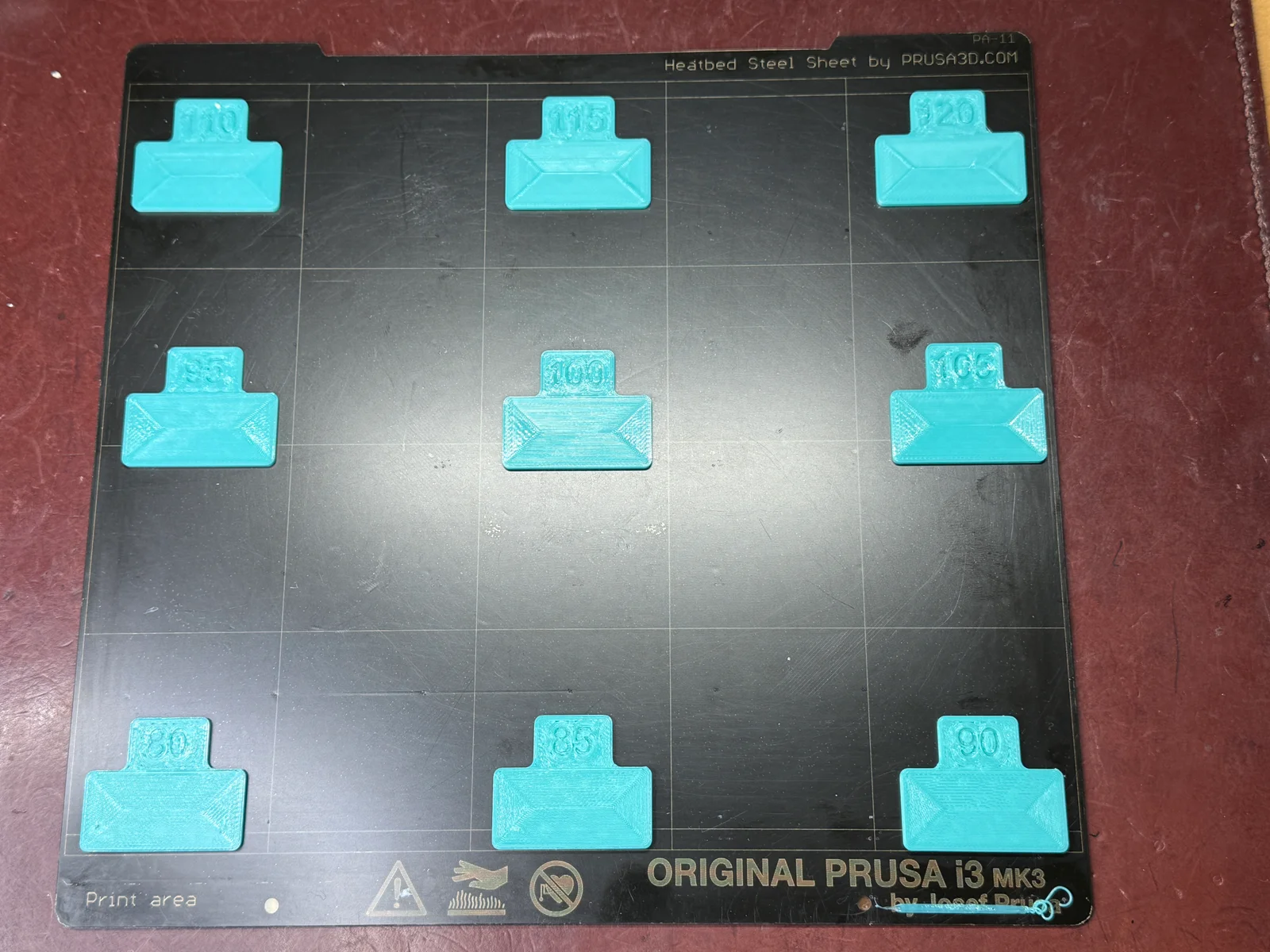
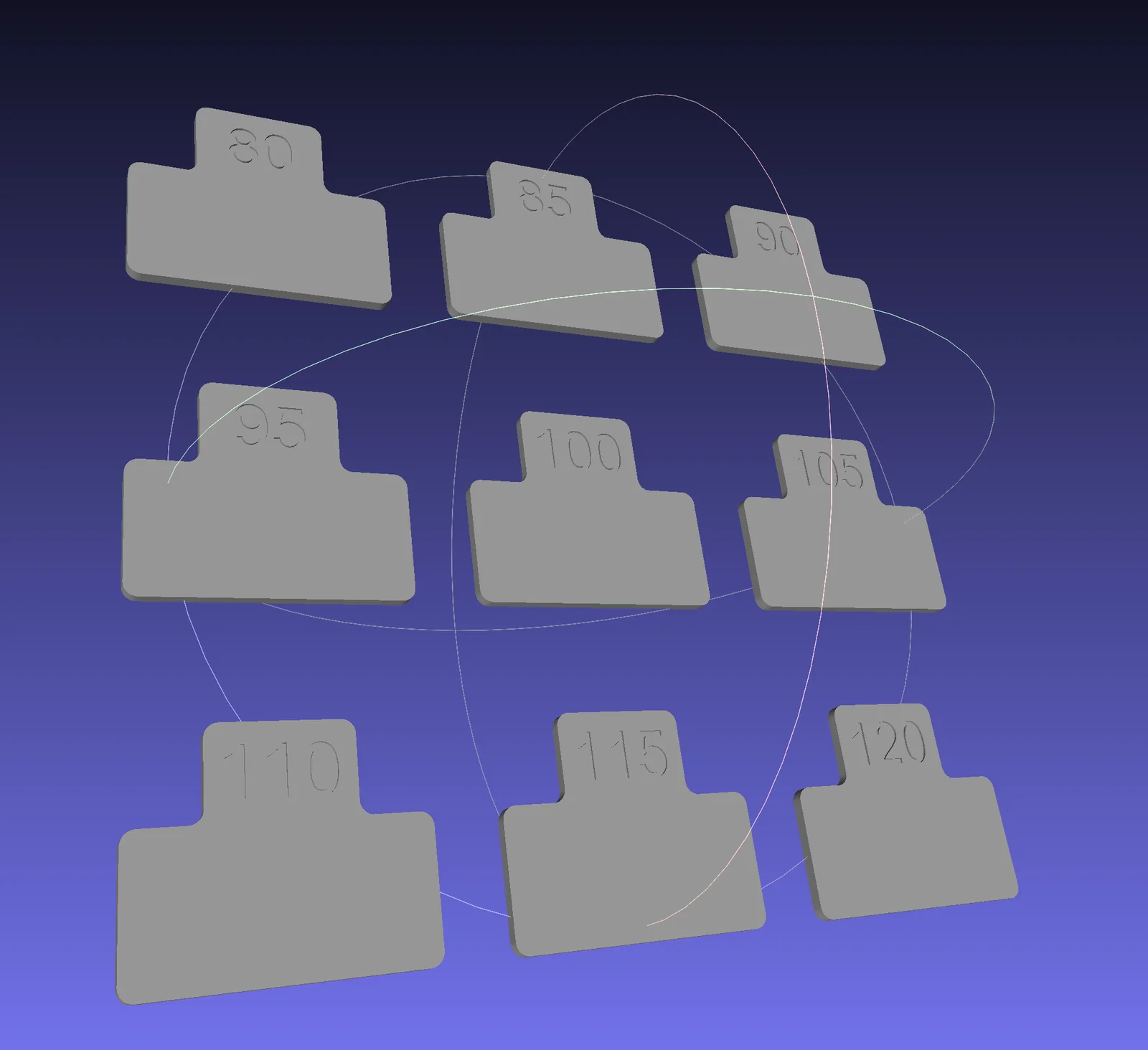
Inspired by the flow calibration pattern integrated into Orca Slicer (2), a dedicated test pattern for Prusa Slicer was developed to assess and fine-tune filament flow. The procedure involves two print stages: an initial coarse test pattern followed by a fine-tuned pattern for precise calibration. During over-extrusion, excess material can accumulate at the nozzle and interfere with the printing process, which is why the samples are printed in increasing flow rate.
The provided 3MF file includes all necessary print settings as slicer configuration data. The critical component is the Custom G-Code section within the Printer Settings. In the Start G-Code section, the final line defines the flow rate for the first test pattern, typically set to a minimum value (e.g., 80%). Within the Object Change section, flow values for subsequent test objects are automatically calculated and applied using the M221 command.
To ensure proper execution, the Complete Individual Objects option (4) in the Output Options section of the print settings must be enabled. The default configuration is optimized for PETG filament but can be easily adapted for alternative material types.
(1) https://help.prusa3d.com/article/extrusion-multiplier-calibration_2257
(2) https://youtu.be/VUp2mpfdpuc?list=PLf8AhFzAG8qohnoTo_wPXtF8nyOJQ13e3
(3) https://drucktipps3d.de/fluss-und-linienbreite-einstellen/
(4) https://help.prusa3d.com/article/sequential-printing_124589
BylaserbaconLikes0Downloads175

 Bytinx_1344834Likes1.2KDownloads6K

 ByteteomatLikes0Downloads140

 Bygafyx3dLikes0Downloads125

 ByswimLikes0Downloads110

 By3d-mmakerLikes0Downloads120

 Bynadir-cn3dLikes0Downloads117

 BytheodorLikes0Downloads149

 ByKRYS_3DLikes8Downloads49

 Byprusa-researchLikes0Downloads2.7K

 ByFonnPrintsLikes4Downloads26

 Bydet-manLikes0Downloads176