



Kẹp giữ sợi Filament
 Bytinx_1344834Likes1.2KDownloads6K
Build another version of this model.
Sublimation combined with 3D printing is an exciting process developed by Johan of Nerds.ph that allows full colour, photo realistic images to be onded to the first layer.
For a guide to this process, please see this video:
TBA
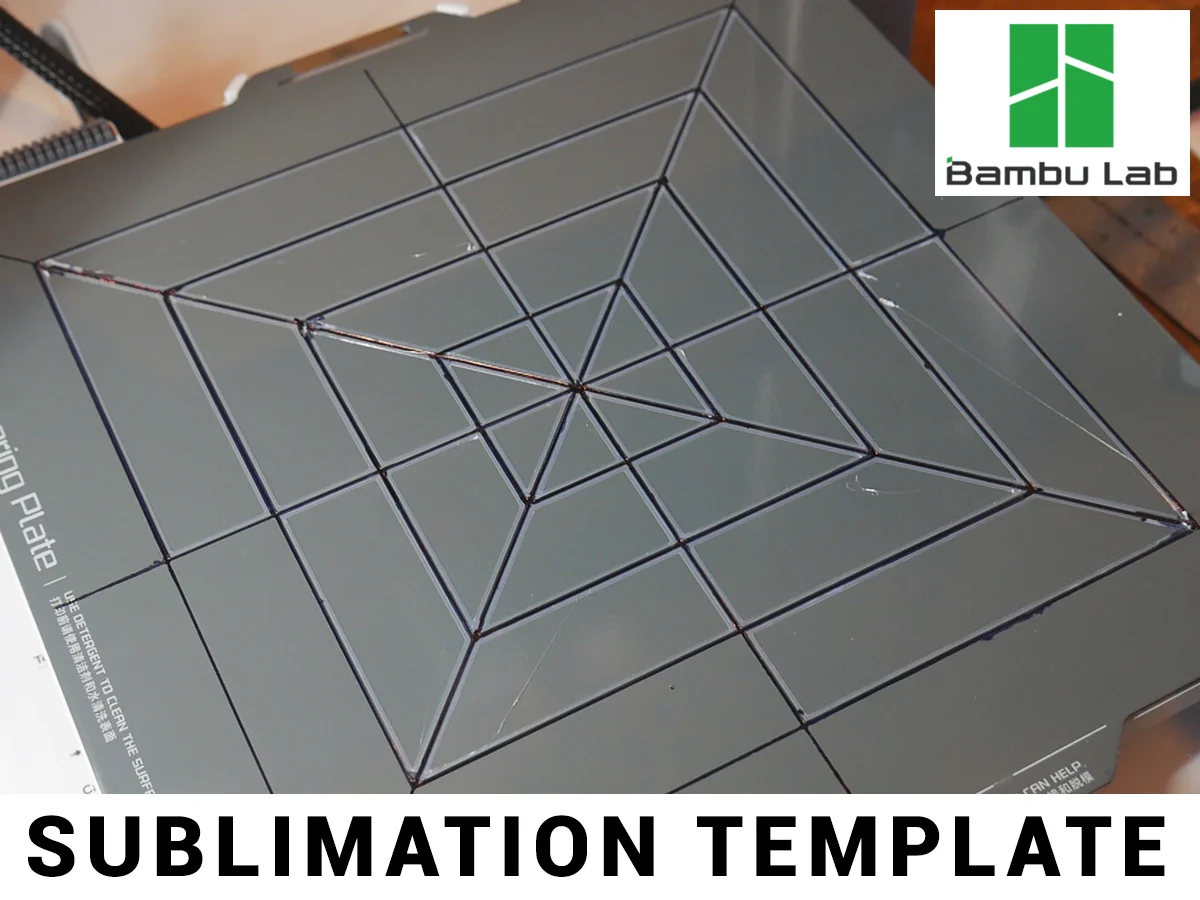
This model can be printed to use as a tracing template for a permanent marker. This will allow you to have a centering pattern on the print bed. To save filament, print without any solid or sparse infill. Peel off when done.
The model can also then be used in the slicer, so the 3D printed model can be aligned to match the paper graphic. The following instructions are for OrcaSlicer/Bambu Studio, but this can also be done in PrusaSlicer, SuperSlicer and Cura.
Open your printer profile by clicking the pen and paper icon in the lower right:
Click the ‘Set’ button next to ‘Printable Area’:
Under ‘Model’, click ‘Load’ and select the STL:
Save the printer profile with an alternative name:
You should now have a matching pattern on the physical bed and the slicer preview:
This process and other important sublimation tips are showcased in the video linked above.
Bytinx_1344834Likes1.2KDownloads6K

 ByRyanLikes0Downloads235

 Bychukwufumnanya-arinzechukwuLikes0Downloads189

 Byemmanuel-garciaLikes0Downloads171

 Bycrawler-4460618Likes0Downloads173

 Bygummiegecko8477Likes0Downloads178

 BydalleLikes0Downloads161

 BynasikLikes0Downloads131

 Byarhi_585078Likes64Downloads548

 ByHanzo3dLikes155Downloads419

 ByGeek5DLikes147Downloads494

 ByBrokentooth_designsLikes23Downloads414