



Còi Tàu Hơi Nước Mini
 ByfifindrLikes500Downloads4K
Build another version of this model.
The remix list could not be loaded right now.
See all 1 remixThis grip works great, but if you are new here, I recommend that you instead print my MK2 grip instead:
https://www.printables.com/model/388834-einstar-handle-mk2
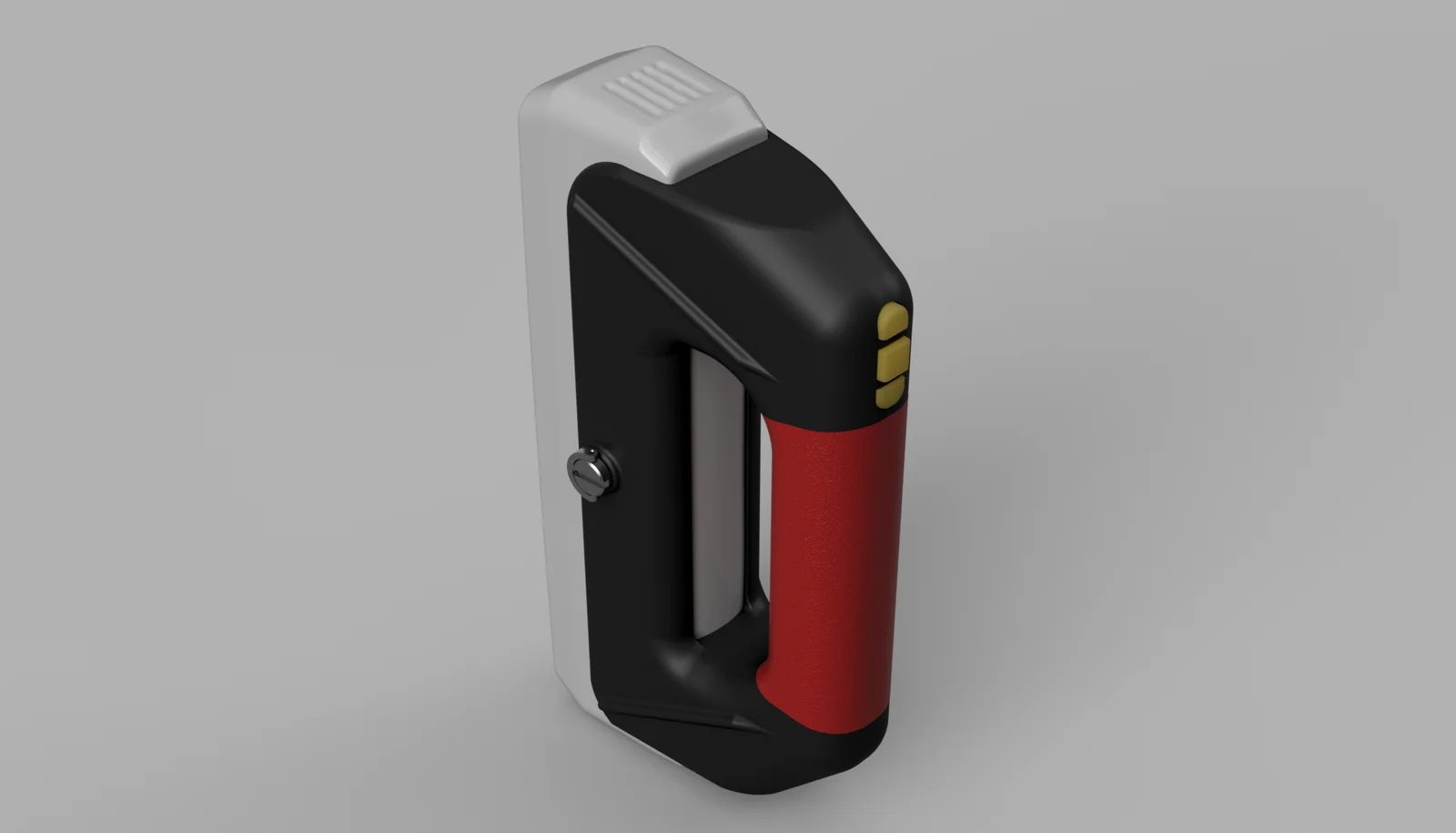
This is my attempt at making an ergonomic grip for the Einstar, it is inspired by the grip of the Einscan Pro HD that I really quite like, and I am really happy with how it turned out!
I use the fuzzy skin setting to get a good grip texture
https://all3dp.com/2/cura-fuzzy-skin-simply-explained/
https://help.prusa3d.com/article/fuzzy-skin_246186
To save some time, I use the “Fuzzy Skin Outside Only” setting in Cura.
You can print this in 4 ways.
1.) You have a dual material printer and want a TPU grip
2.) You have a single material printer, but still want a TPU grip
3.) You have a single (or dual) material printer, and want a textured grip
4.) You have a single extrusion printer and don't care about grip texture
For all of the versions, you need to print two up/down buttons and one middle button. These prints laying flat on the build plate with the “rails” towards the build plate.
All the body part prints standing on their “back”.
I recommend printing the body in a rigid material of your choice, and for the grip, the softer the TPU is, the better.
To mount it, you will need one of these tripod screws:
https://www.amazon.se/dp/B08SKJRRQC
If you don't want to get them, you can a similar one or use any short ¼"-20 screw of your choice (around 10mm in length).
ByfifindrLikes500Downloads4K

 ByVC_DesignLikes679Downloads3.6K

 ByDan Schwartz SchwartzLikes744Downloads3.4K

 Bychubbs8697_2027893Likes585Downloads1.7K

 Byquibeck_3353173Likes965Downloads1.9K

 ByPixeleena_3532521Likes78Downloads296

 ByRungeKuttaLikes229Downloads1.2K

 ByEadubsLikes228Downloads1.3K

 ByWolf_115355Likes513Downloads8.4K

 ByJeremyVillalo_760366Likes68Downloads760

 ByZED4EverLikes313Downloads5.2K

 Bykjus_448782Likes314Downloads672