

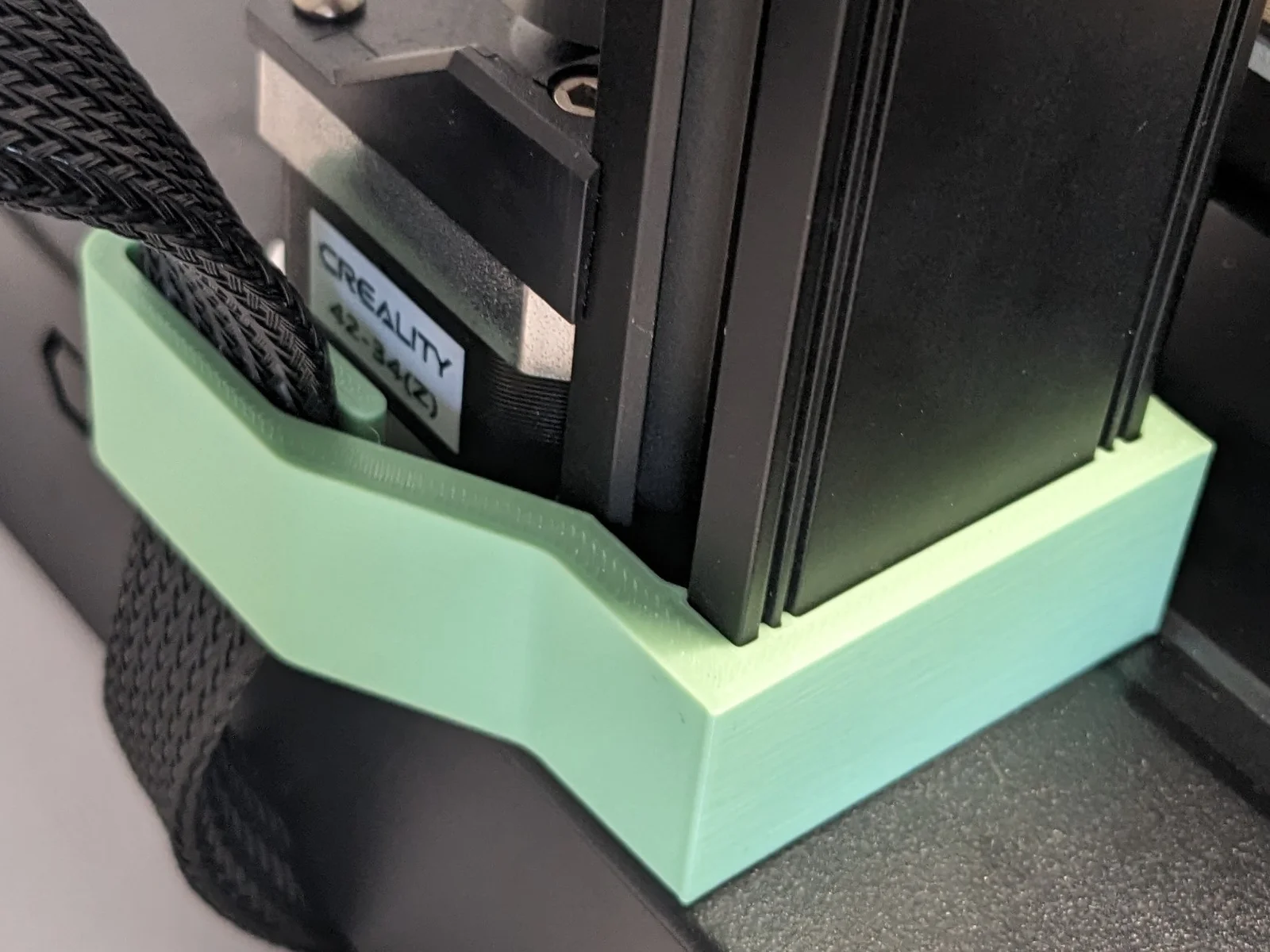


Kẹp giữ sợi Filament
 Bytinx_1344834Likes1.2KDownloads6K
Remix of Dẫn hướng cáp ruy băng Z dưới cho S1 - S1 PRO (Không cần phần cứng, chỉ cần in và đặt) By JLOJ
Build another version of this model.
For this remix of the JLOJ's excellent ribbon cable guide I changed the attachment to provide a snap fit.
To attach it, first slide in the ribbon. Next push the guide into the aluminum profile until you hear a satisfying snap.
To remove the guide, first loosen it on the right. This allows you to use the left half as a lever to gently push out the whole part. The ribbon can now be removed.
PLA, 0.4mm nozzle, 10% infill, 0.28mm layer height.
This model has also been reported to work with the Voxelab Aquila D1.
Bytinx_1344834Likes1.2KDownloads6K

 ByBrokentooth_designsLikes17Downloads148

 Byprusa-researchLikes0Downloads2.7K

 Bydet-manLikes0Downloads173

 Bygummiegecko8477Likes0Downloads164

 BydalleLikes0Downloads149

 Byarhi_585078Likes64Downloads545

 ByHanzo3dLikes155Downloads417

 BydarienLikes0Downloads1K

 Byds-printsLikes0Downloads353

 ByGeek5DLikes147Downloads490

 BynozeLikes0Downloads135