
F3D
Đường Ray Tàu Hỏa Brio Theo Tham Số 1

1 image

Lego & Khối

Đường Ray Tàu Hỏa Brio Theo Tham Số

By Gbutton_126715

Downloads
175
Likes
21
Views
988

Files 1 342.7 KB

  • Dynamic_Brio_1767192760.f3dF3D · 342.7 KB

Make a variant with AI

Build another version of this model.

Open Studio

Details

Model ID
#184980
Category
Lego & Khối
Published

Description

  1. Download and install fusion 360 personal, make an autodesk account, and login. https://www.autodesk.com/products/fusion-360/personal
  2. Download the file attached to this project, and open it in 360.
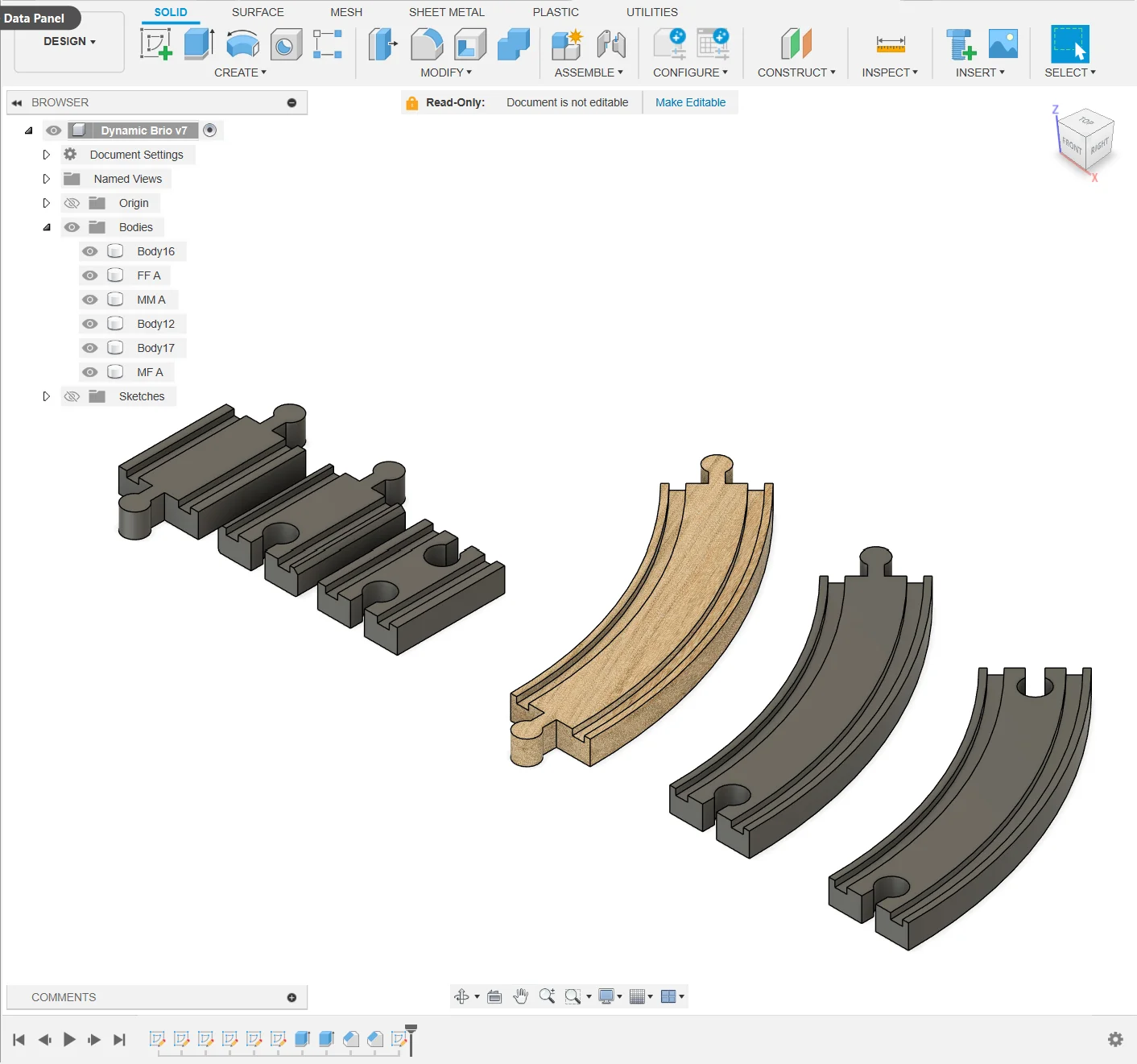
  3. In fusion, navigate to MODIFY > Change Parameters
  4. In the parameter window, change the expressions to match your desired proportions
  5. When you have set your parameters, click ok.
  6. On the left side of the screen, you'll see an item called Dynamic Brio. Under it is a folder called Bodies. Open this folder. 
  7. When you hover over a body it will highlight. When you have found the right body, right click the name then click Save as Mesh.
  8. Save the mesh, slice it, then print it.

Read more Show less

Print spec

Formats
f3d
Model files
1
Total size
342.7 KB
Largest file
342.7 KB

0 comments

See all