

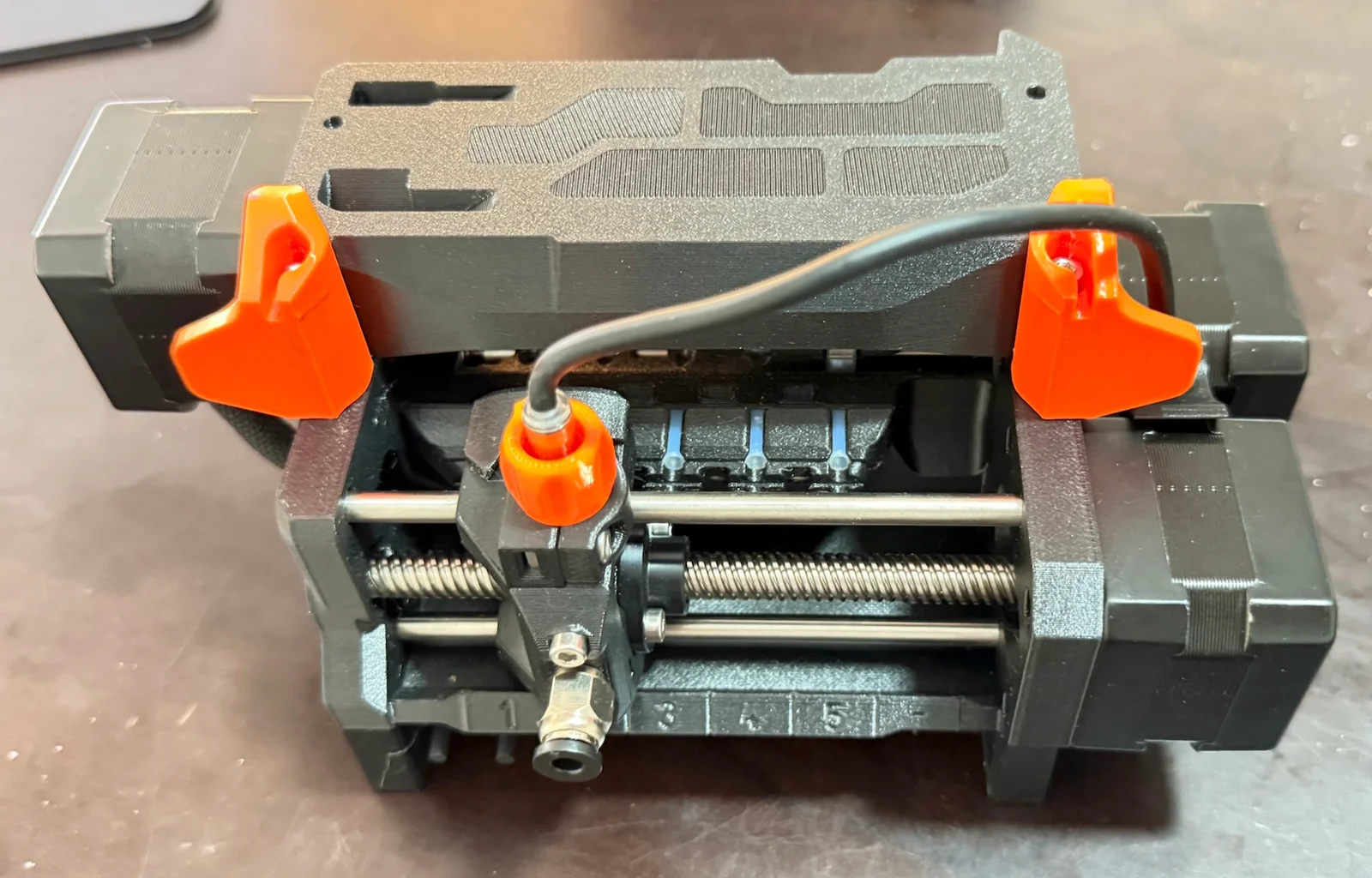
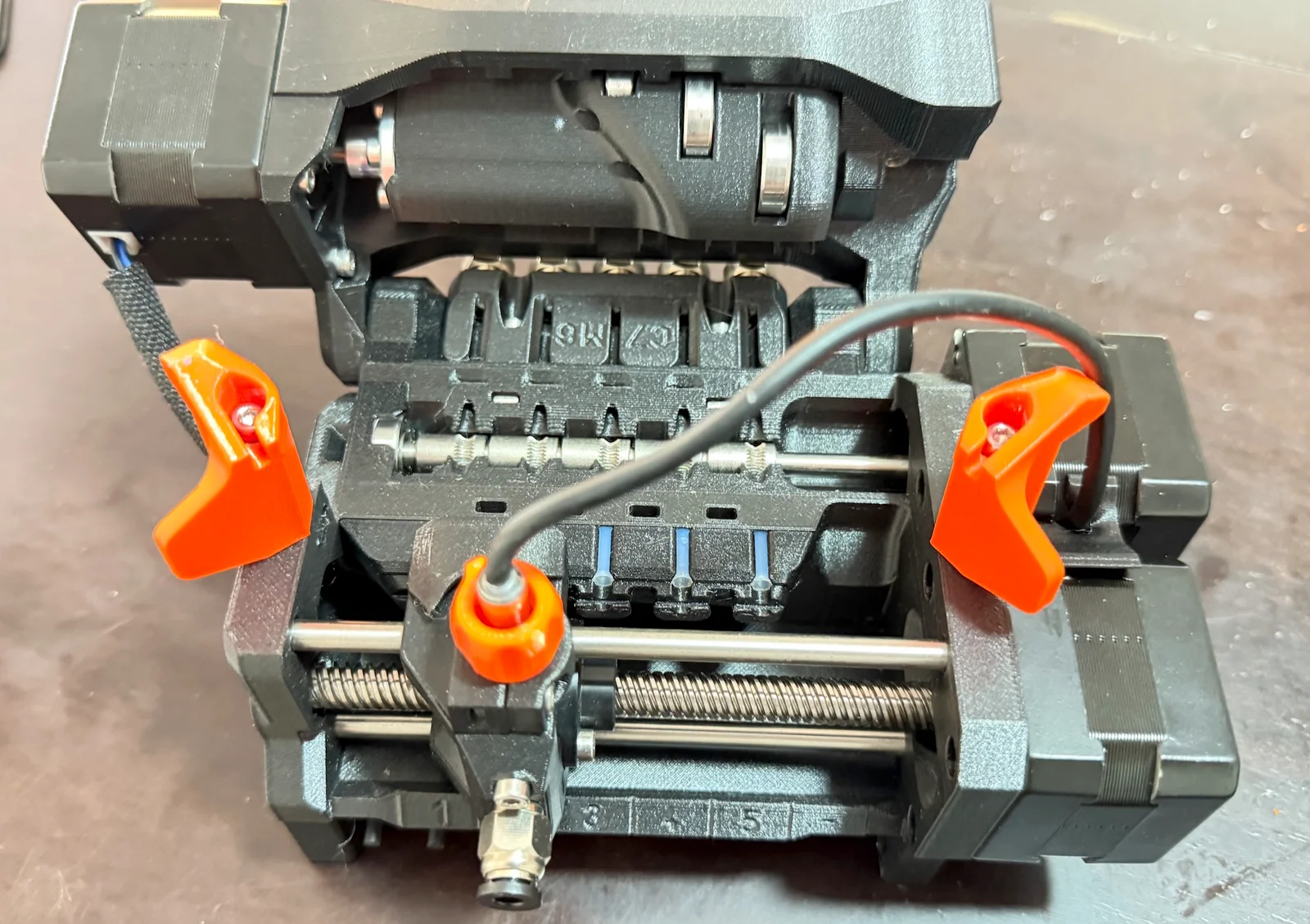


Kẹp giữ sợi Filament
 Bytinx_1344834Likes1.2KDownloads6K
Remix of Giải pháp đa vật liệu Ultimulti cho MMU3 By David_84304
Build another version of this model.
Ultimulti version for Coreboxx with double lock mainly to prevent fails I had with slots number 4 and 5 after sometime of use of the original with 1 lock.
I made my own compilation of part I'm use, with this I have increased reliability by 100% so far (around 12000 changes till now) obtaining 0 failures in the mmu3 unit in the process of loading, unloading and selecting filaments, even with low quality filaments that are not always 1.75mm or more "sticky" like the bright ones.
Specs:
Double locking for even bearing pressure across the entire idler.
Remixed idler to prevent horizontal movement and bearing knocking.
B15 PTFE front holder to improve finda attachment and filament cut.
B19 selector with conical filament entry.
Remixed selector for M6.
M6 collet holder.
Legs with M3 inserts for the CoreBoxx.
Remember to use 4x2.5 ptfe tubes in all the travel of filament! Even the 19mm ptfe's of the holder and please note that the tube must pass through the entire idler body and holder. Make sure your coupling allows the PTFE to pass through as shown in my fourth image.
For people that already made the ultimulti and wants to add this improvements, just need to print and reassemble with:
*CLASSIC_PULLY BODY_B10
*CLASSIC_IDLER_BODY_B35
*lock_right_b32
IDLER_B17r_remix_rattle_free
FRONT PTFE HOLDER B15_EXPERIMENTAL
SELECTOR_B19_EXPERIMENTAL
The marked with * are the only ones needed to get dual lock.
Obviously, this build isn't exclusive to CoreBoxx, but it's where I've extensively tested it.
You can use the legs provided with the original UltiMulti if you plan to use it outside of the CoreBoxx.
For assembly instructions you can follow prusa guidelines and ultimulti docs:
https://help.prusa3d.com/manual/mmu3-assembly-mk3s-mk3-5-mk3-9-s-mk4-s-core_1757
https://www.printables.com/model/537888-mmu3-ultimulti-printable-parts
Bytinx_1344834Likes1.2KDownloads6K

 Byprusa-researchLikes0Downloads2.7K

 ByRyanLikes0Downloads235

 Bychukwufumnanya-arinzechukwuLikes0Downloads190

 Byemmanuel-garciaLikes0Downloads171

 Bycrawler-4460618Likes0Downloads173

 Bydet-manLikes0Downloads184

 Bygummiegecko8477Likes0Downloads178

 Bychris-barwickLikes0Downloads142

 BydalleLikes0Downloads162


 BynasikLikes0Downloads131