



Hộp Chia Thuốc Thông Minh Hàng Tuần - Hệ Thống Tự Động Rơi Gravity Cascade
 ByUpcrid3D_1585693Likes808Downloads2.1K
Build another version of this model.
⭐ Love the GEN2 system?
Support the project by joining the Jerrari Club or picking up a premium faceplate collection, it means a lot and helps fuel future designs.
The GEN2 Modular System is a 3D printable storage solution offering ultimate flexibility and customization. Perfect for home users, hobbyists, and small businesses, so you can print exactly what you need and customize every piece to fit your space and style.
Unlike store-bought sets, GEN2 lets you print only what you need and expand your setup whenever you want. The drawers snap together seamlessly, giving you unlimited expansion possibilities. With the unique QuickLock mechanism, rearranging or relocating drawers is quick and effortless, so your storage can grow and adapt with you.
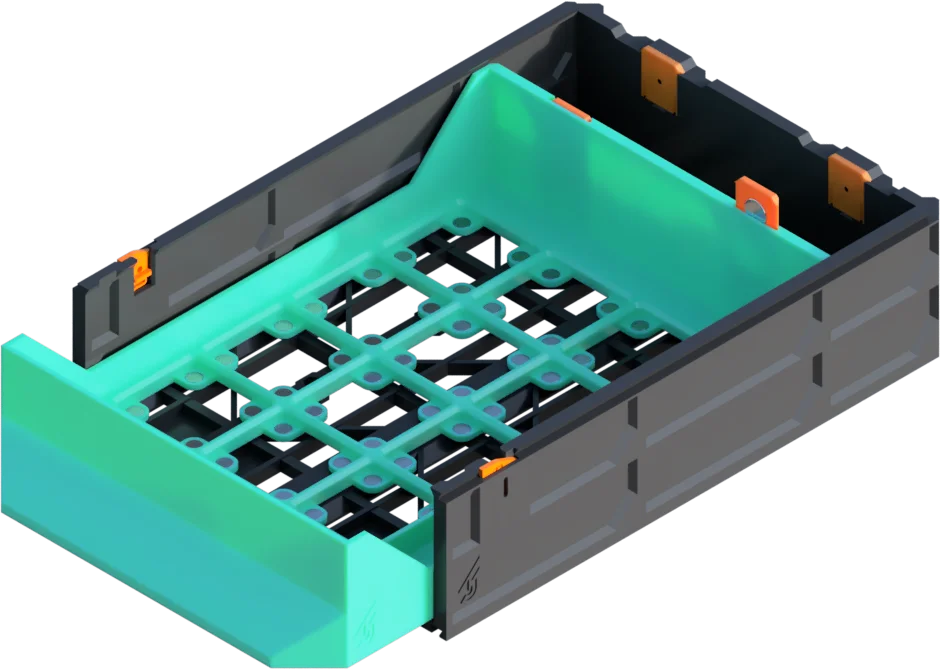
These drawers are based on the original GEN2 design, featuring a clean, functional layout with an integrated front handle. Designed for easy, one-piece printing without extra parts or assembly.
These drawers combine the incredible usefulness of Zack Freedman's Gridfinity system with the modularity of the GEN2 system. This model includes optional slots for 6x2 magnets.
*Note that additional standard storage is available alongside the grid
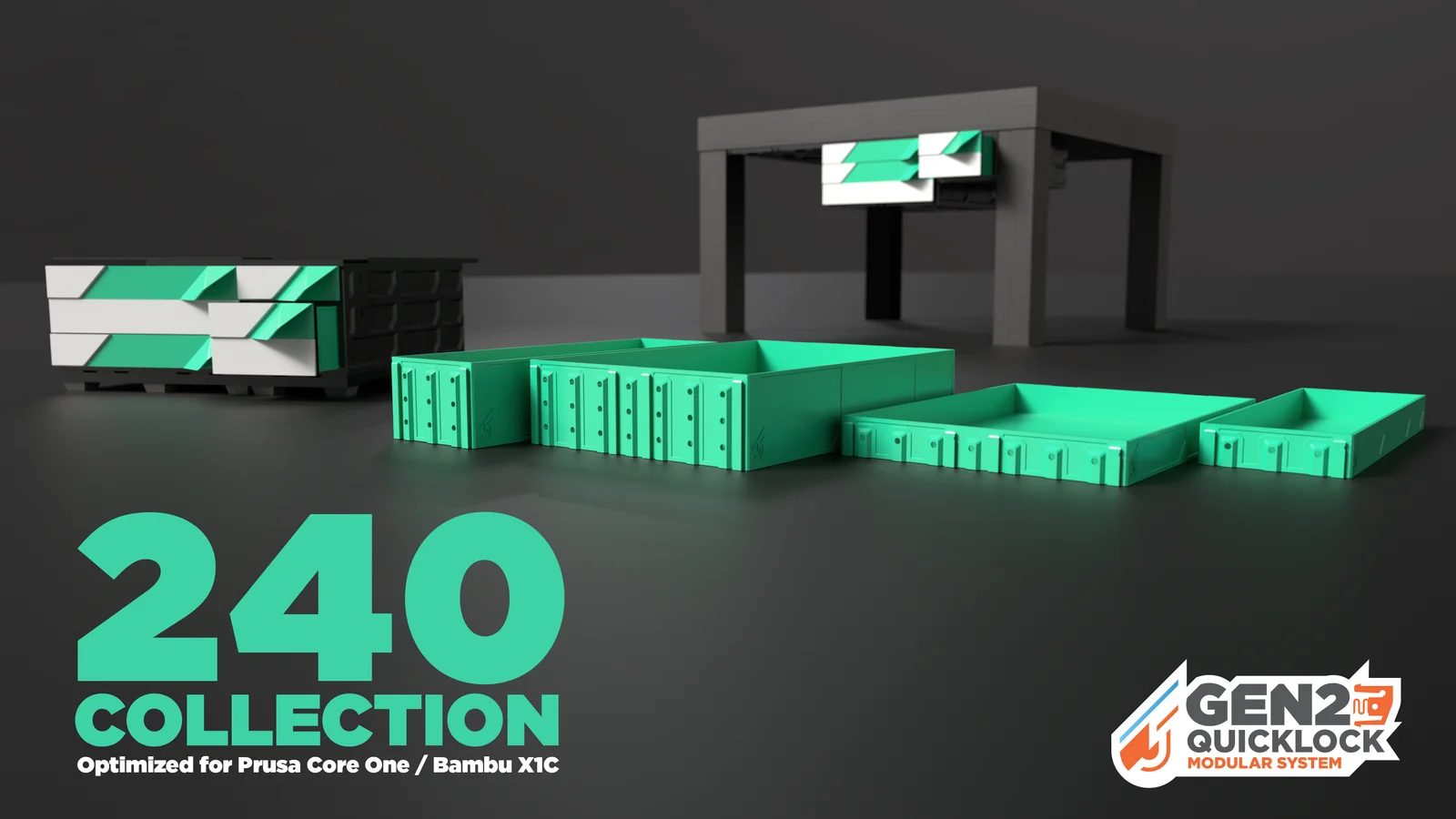
The 240 Collection is all about getting more out of your printer without changing a thing. Sized to match the build plates of popular machines like the Bambu X1C and Prusa Core One, these longer drawers give you extra storage in a single print, perfect for tools, parts, cables, or anything else that needs a dedicated space. Find all the 240 models HERE
STEP 1: Location
Decide how you would like to use your GEN2 storage. Keep in mind that the drawers are modular and can be easily swapped between under table and table top locations. All drawers are available for mounting under the table using rails, but you can also place them on top of any surface with table top kits.
Find these kits at JERRARI3D/gen2-modular-system
UNDER TABLE (GEN2 RAILS)
Attach GEN2 drawers under any surface by installing the GEN2 RAILS. Once installed drawers can slide and lock into place, they can then be swapped out and rearrange in seconds.
TABLE TOP KITS
Table Top Kits include covers and foot rails that when combined with drawer cases create a rigid structure that can be placed anywhere
Visit Jerrari3D.com for a list of all compatible drawers.
Understanding Part Names
GEN2 drawers are titled by length, width and height, such as in this example.
Includes affiliated links to help support my projects
• Filament - Black PETG (My go to for the drawer bodies) or PLA
• M3 nuts and screws: Stainless-Steel or Steel
• Magnets (Optional): 10x2mm or 6x2mm
• Screwdriver
UNDER TABLE (GEN2 RAILS) HARDWARE
• Countersunk woodscrews: (SAE: #6 or #8 up to 1/2" or longer) or (Metric: 3.5x16mm or longer)
• Drill bit that is smaller diameter than the wood screws (My Recommendation)
• Pen, Marker, or Scratch Awl (for installing under tables)
Detailed visual instructions at Jerrari3d.com
For basic instruction on assembly please check out the above video
UPDATE:
• NEW Magnet Clip - This replaces the magnet slots with a more reliable and universal design.
Tip:
Printing large models near the edge of a printer's build plate can sometimes lead to edge curling up deforming the rail. Here are some ways you can combat this:
- Clean your entire build sheet using detergent or 99% iso alcohol, additional adhesion can be achieved with glue sticks or adhesion promoters like Nano Adhesive
- Print with an enclosure to prevent drafts and cooler temperatures, preheat the enclosure for a few minutes prior to printing.
- After the print completes wait for the build plate to lower to room temp before removing the model.
- You can always print with materials that print easier and warp less during printing such as PLA
Please note: The Non-Commercial license refers specifically to selling prints. You're absolutely welcome to use my designs in commercial environments—I actually encourage you to use them anywhere you see fit! 👍
Gridfinity designed by Zack Freedman
Magnetic Gridfinity developed using Actually Parametric Gridfinity – Base Grid + Bins by pcnc
ByUpcrid3D_1585693Likes808Downloads2.1K

 ByWilko_SLOLikes935Downloads2K

 ByGi_TLikes801Downloads1.3K

 Bydona3d_Likes456Downloads678

 ByGray_m4Likes36Downloads135

 Bymarketar_4049646Likes42Downloads135

 ByRobertoGalloc_356815Likes549Downloads1.8K

 ByfifindrLikes709Downloads1.7K

 ByExtrutimLikes0Downloads183

 ByTater_364200Likes486Downloads1.6K

 ByMatthew_GhostLikes350Downloads939

 ByNightmareart_1489516Likes3Downloads191