



Hộp Trượt Tham Số Tùy Chỉnh – Giải Pháp Lưu Trữ Thông Minh
 ByRobertoGalloc_356815Likes549Downloads1.8K
Remix of Bảng ToolGrid Tùy Chỉnh - OpenSCAD By MaxTheSpy
Build another version of this model.
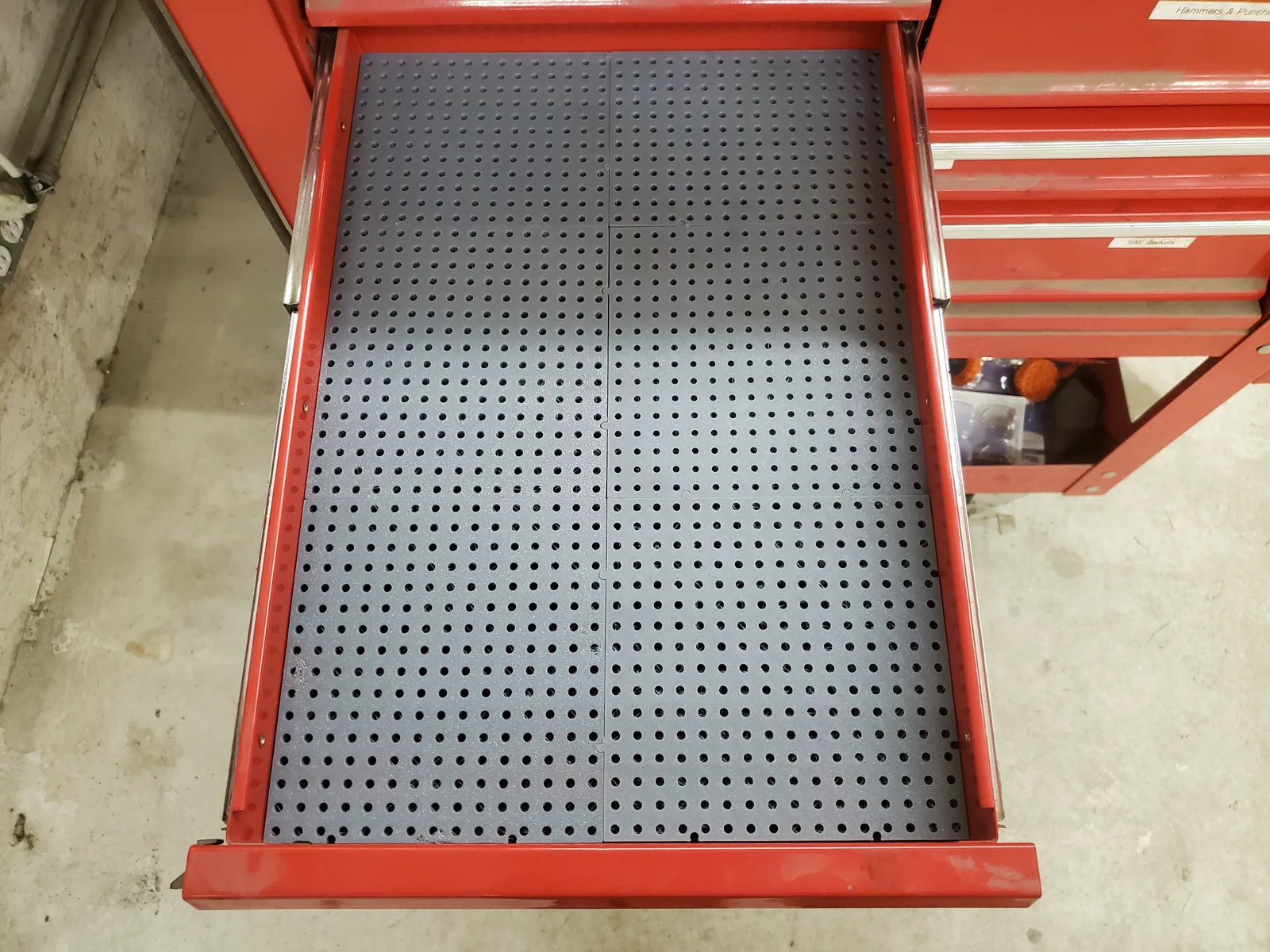
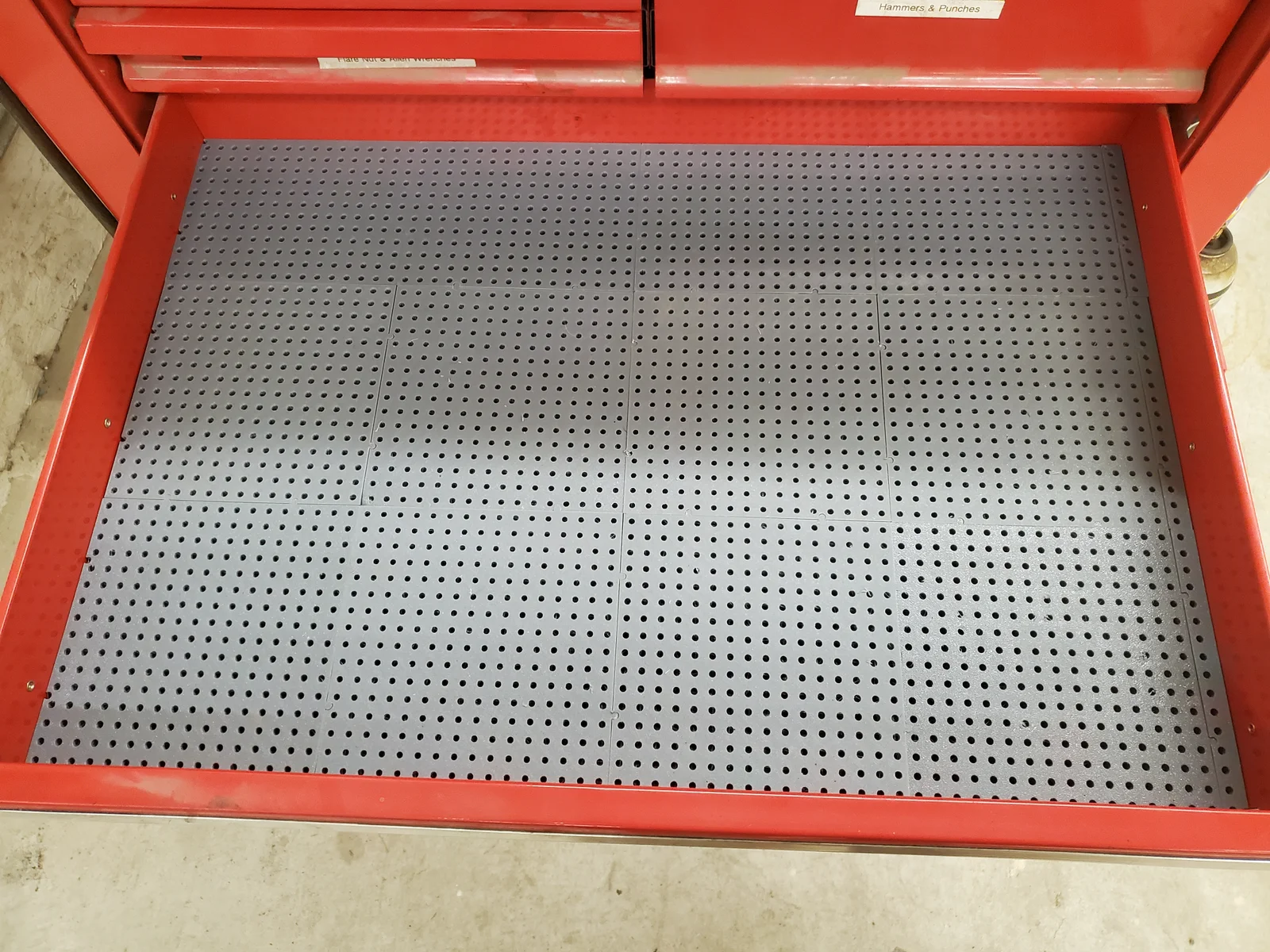
Easily create toolgrid board sets to fit your drawers. Enter the drawer width and length, and the generator will calculate how many full size tiles are needed, then side and end tiles are generated to fill the remaining space. A corner tile is also generated. Don't forget to leave a little clearance - I recommend making the grid 2-3mm smaller than the drawer.
In preview mode, all tiles for the drawer will be shown. Alternating tiles are colored differently for better visibility. When rendering, only 1 of each size tile will be created. Tiles will be marked with the quantity you will need to print, as well as the type of tile (base, back, side, corner).
When side or back tiles will be smaller than the locking tab, the previous tile is expanded instead. If there is no locking tab on the corner tile, it will be added to the side or back tile (whichever is smaller) when rendering.
Custom size tiles can also be generated.
Lite mode thins the back side in the middle for a 30% savings on filament & print time. Lite tiles print upside down (top surface on build plate). This puts the trimmed tiles on the back and left.
Print settings:
This takes about 55 grams of filament for a lite tile.
If you change the tabs, make sure you don't have male tabs on interlocking sides - there is no check for this in the generator. A connector is provided if you want to use female tabs on all sides. This will not be as rigid, it could allow some movement between tiles.
Updated 11/2/2025 -
ByRobertoGalloc_356815Likes549Downloads1.8K

 ByVC_DesignLikes721Downloads2.9K

 ByMaxTheSpyLikes57Downloads533

 ByUpcrid3D_1585693Likes808Downloads2.1K

 ByWilko_SLOLikes935Downloads2K

 ByTater_364200Likes486Downloads1.6K

 ByfifindrLikes709Downloads1.7K

 Bywhilex_1739192Likes644Downloads1.1K

 ByGi_TLikes801Downloads1.3K

 ByzeroflowLikes186Downloads1.2K

 ByMatthew_GhostLikes350Downloads939

 ByZED4EverLikes313Downloads5.2K