

F3D
SET: Cầu tàu Lego DUPLO (tối ưu hóa) 1

5 images

Đồ Chơi

SET: Cầu tàu Lego DUPLO (tối ưu hóa)

By __sh

Downloads
2,164
Likes
300
Views
9,273
Remixes
1

Files 14 63.4 MB

  • BRIDGE-MILD-minimalistic_1766145205.stlSTL · 2.6 MB
  • BRIDGE-MILD-minimalistic_1766145206.3mf3MF · 731.2 KB
  • BRIDGE-MILD-normal_1766145207.3mf3MF · 519.3 KB
  • BRIDGE-ROLLERCOASTER-minimalistic_1766145208.3mf3MF · 751.8 KB

Make a variant with AI

Build another version of this model.

Open Studio

Remix versions 1

See all 1 remix

Description

  • added V2, V3 for pillars (3mf for tighter connection to other duplo bricks and for better overhang printing)
  • added short straight track (the size of ordinary straight original track)
    • with big side protrusions, which are handy when put on the top of the bridge (helps train to go over)

UPDATE 25.2.2022:

  • added V3 models for long straight track
    • now contains big side protrusions (same as on angled bridges) for better grip, so the train still can continue if it is on top of the bridge, but wagons are still going up
    • important for 2 wagons behind train machine
    • also fixed missing brim

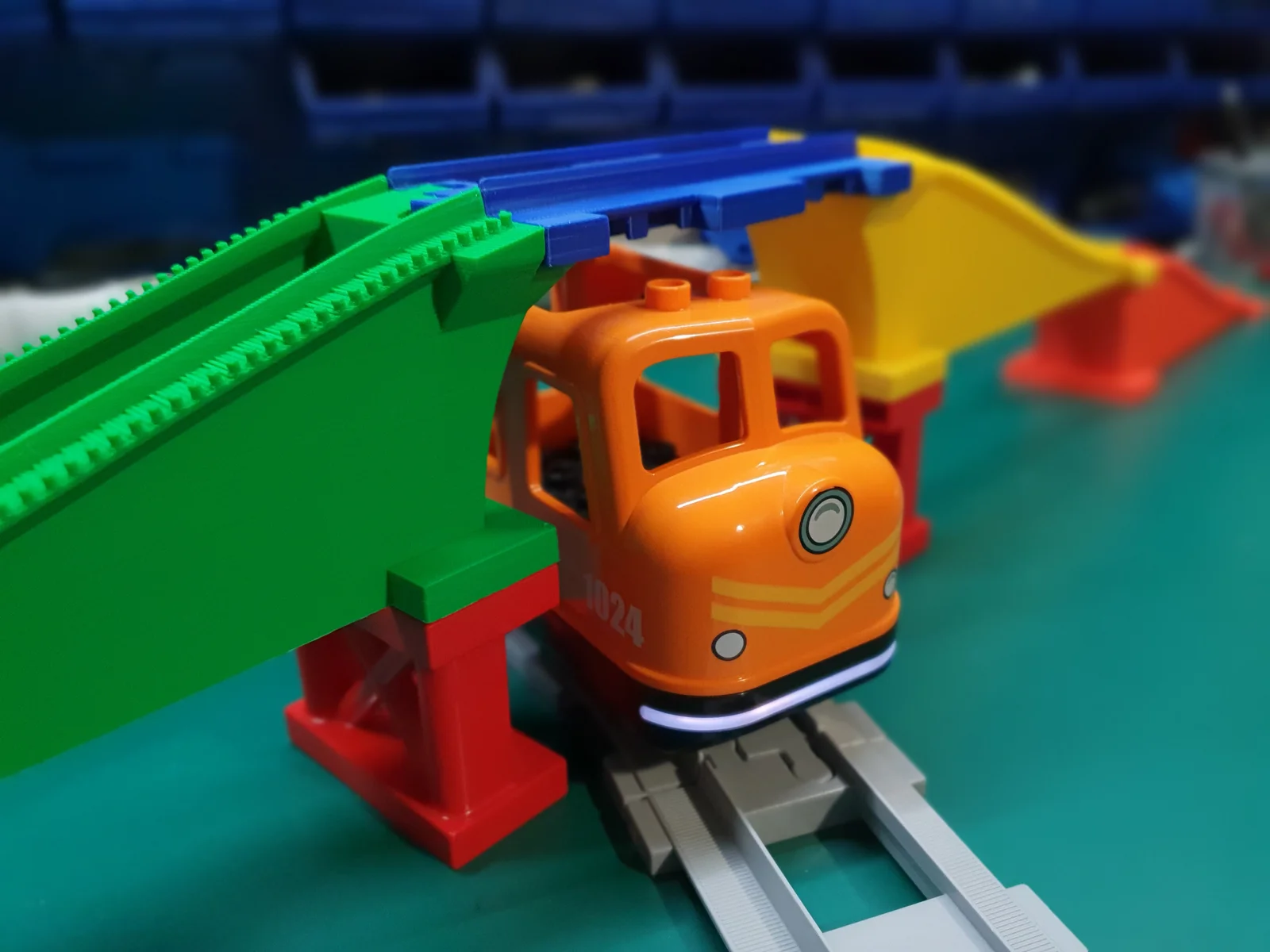
After simple tracks (https://www.prusaprinters.org/prints/126988-set-lego-duplo-train-tracks-optimized) is here bridge model.

Intro:

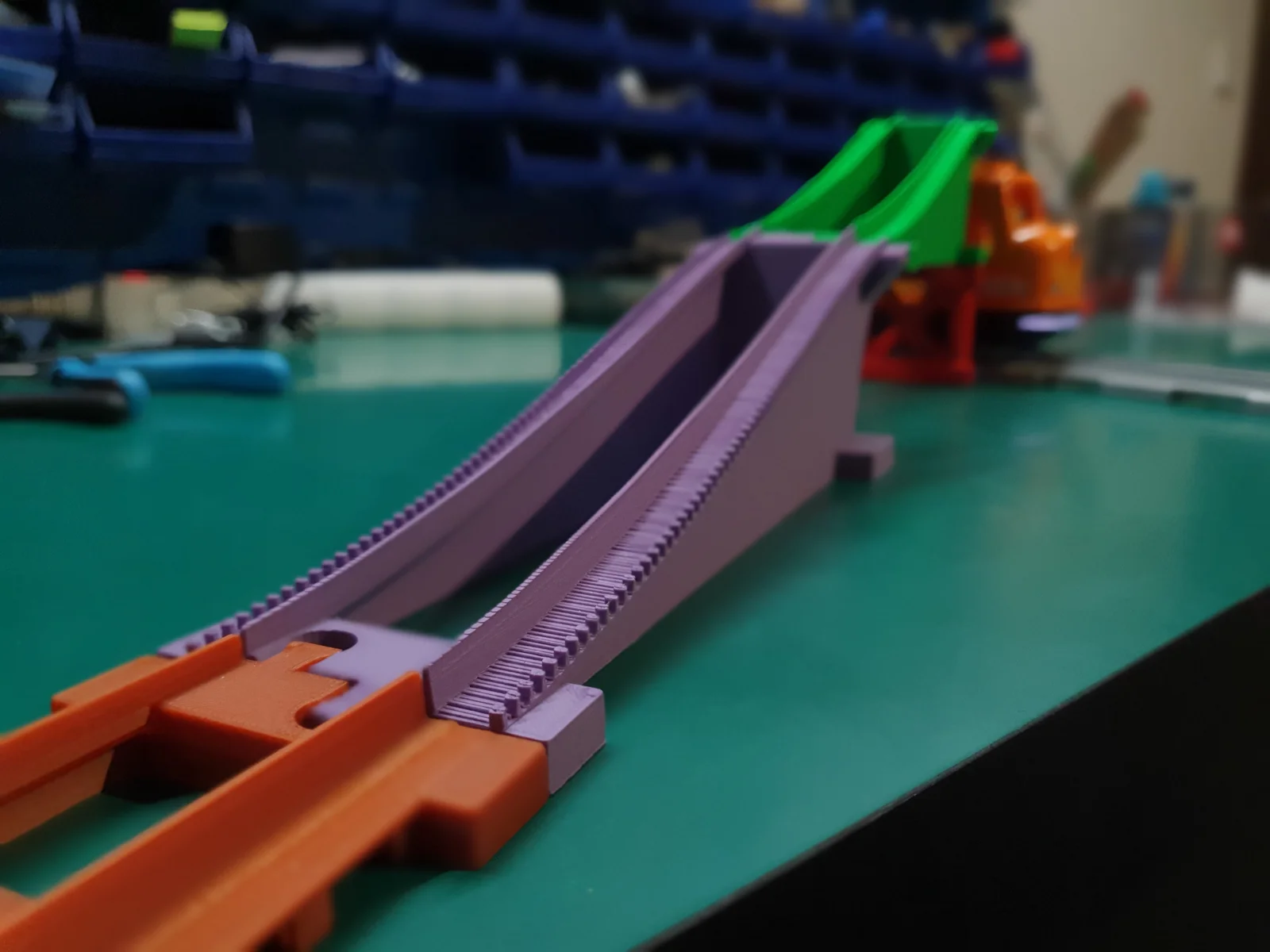
  • my goal was bridging system done only from 1 type of bridging part
  • also I wanted simple construction for small filament consumption
  • well… this riddle took me a while and after lots of tries  I have achieved proper angles, dimensions & curvature for non problematic train ride
    • so it seems like a working bridge
  • Sorry Prusa Mini users, this is too big for your plate :( 

2 shapes of bridge construction for now:

  • MILD
    • curvature for train also with wagons
  • ROLLERCOASTER 🎢
    • well just for fun 🤑
    • BUT please note: 
      • This shape is not for train with wagons! 
      • Only your train machine WITHOUT wagons will be able to drive it. For wagons attached to machine, the curvature is too extreme.
      • use at your own risk ;) 

2 types for each shape:

  • NORMAL
    • more bottom connectors → more reinforcement
  • MINIMALISTIC
    • only connectors on both ends → less reinforcement
    • note that it is fully stable, but the construction can be more likely broken when stepped onto etc.
    • faster print

Characteristics:

  • optimized print (fast, simple, minimized filament consumption)
    • I was printing it on 200% speed after first layer 
  • no supports

Added also additional optional construction for more usage:

  1. pillar supporting the bridge 
  2. funny long simple track (for big bridge gap) 

Print info:

  • PLA, 0.4mm nozzle, 0.2mm layer
    • 0.3mm layers will look ugly on track curvature, so use at least 0.2mm layers
    • also it is problematic with variable layer length, because angled faces are almost at all heights, so you still need to print 0.2mm layers on most of the print
  • brim needed!
    • use outside brim
  • see 3mf files

Usage:

  • please note, that your train may still have problems driving up, if it's too heavy or have too many wagons etc
    • but my train with 2 wagons was able to drive mild variant
    • Rollercoaster is risky,  only machine alone will be able (hopefully) to drive it  

HAPPY BRIDGING! :) Hope you (and the kids) will enjoy it.

Read more Show less

Print spec

Formats
3mfblendgcodestl
Model files
14
Total size
63.4 MB
Largest file
35.6 MB

0 comments

See all