
F3D
Cây Thông Noel (Christmas Tree) 1

1 image

Ý Tưởng Khác

Cây Thông Noel (Christmas Tree)

By abekabakoff

Downloads
14,707
Likes
2,030
Views
64,871
Remixes
7

Files 3 6.6 MB

  • xmas_tree_1765552360.scadSCAD · 2.9 KB
  • xmas_tree_125mm_1765552364.stlSTL · 4.3 MB
  • xmas_tree_75mm_1765552445.stlSTL · 2.3 MB

Make a variant with AI

Build another version of this model.

Open Studio

Remix versions 7

See all 7 remixes

Description

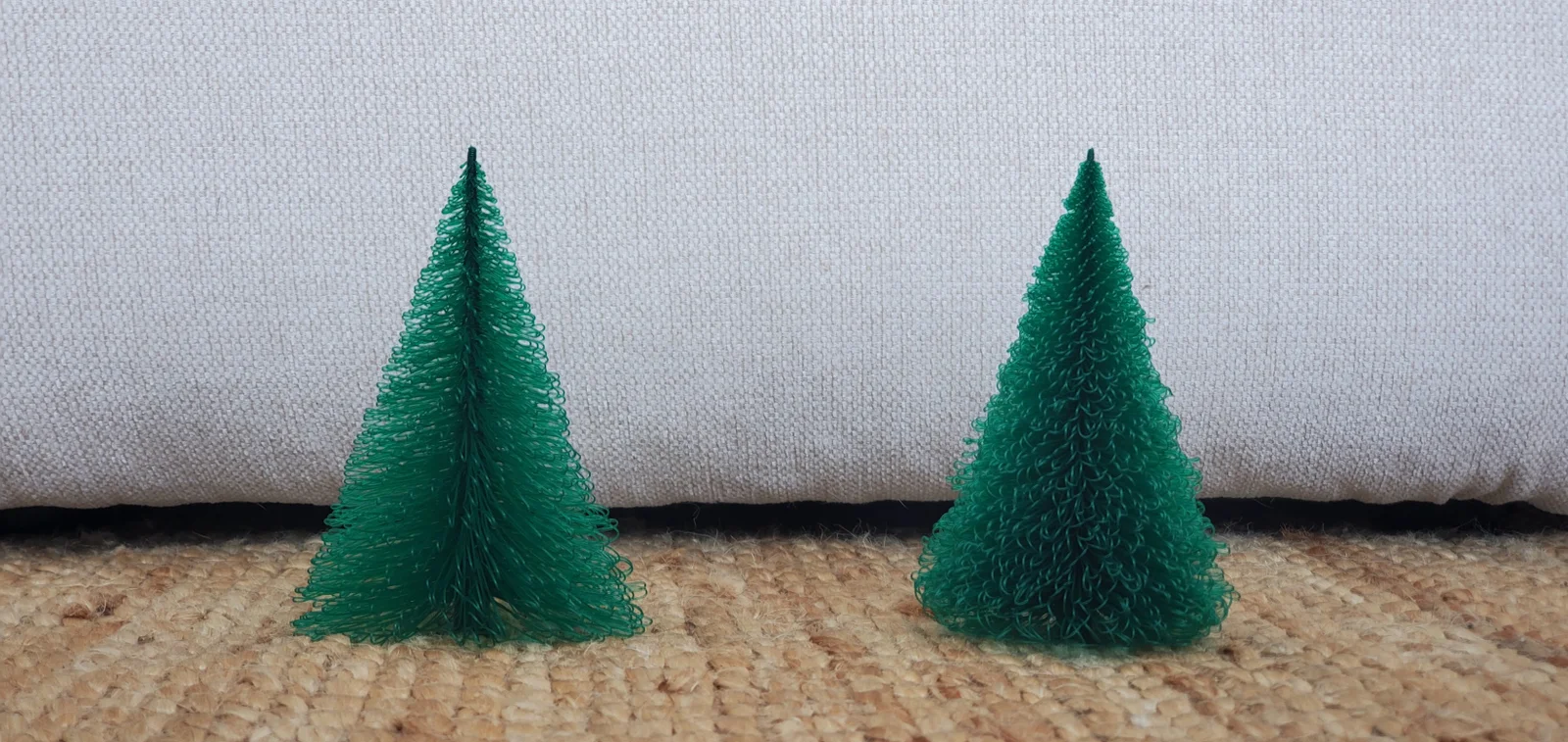
This script will generate a Christmas tree. You can change the settings in the OpenSCAD file to get a tree of the size you want. Varying the perimeter speed and fan speed will get you different effects as you can see in the picture. Less cooling makes the tree branches more curly.

The attached files are for 0.3mm layer height and 0.6mm extrusion widths. This width is the default for the Prusa 0.3mm profile. 

Directions:

  1. Set the settings in the OpenSCAD file to the same settings you are going to use in your slicer: layer height, external perimeter extrusion width, and first layer height! This way the branches will line up with a layer exactly.
  2. Set the settings for the tree height, width, etc. in the OpenSCAD file.
  3. Generate your STL and open it in your slicer. make sure the settings in the slicer match the settings in the OpenSCAD file. Check to be sure there is not a fill perimeter being printed in the middle of the branches! If the sliced file looks like the picture below, with white lines, you need to make your external perimeter extrusion widths thicker until the white lines disappear.
     
  4. Choose your print speed and fan speed to get the desired effect: slow perimeter and high fan give you straight branches. Fast perimeter and low fan make curly branches.
  5. Print! 

Check out the decorations for the tree:

https://www.printables.com/model/1080629-decorations/files

Read more Show less

Print spec

Formats
scadstl
Model files
3
Total size
6.6 MB
Largest file
4.3 MB

0 comments

See all