

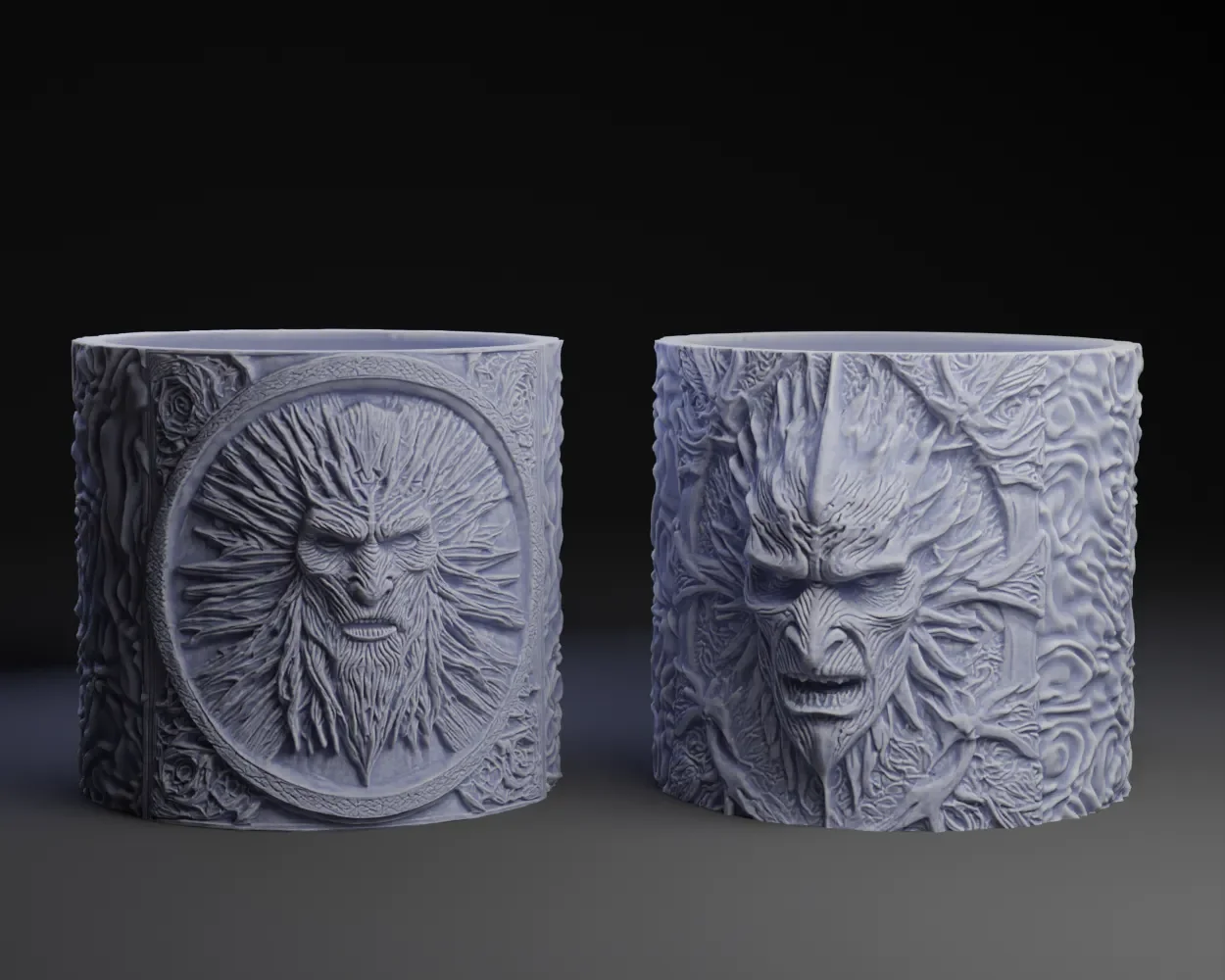

Vải In 3D Cấu Trúc Hình Bát Giác (Octagon Fabric)
 ByDrewmundLikes833Downloads4.6K
Build another version of this model.
What I have learned thus far from using AI to design.
Basic Observation: Organic Models work way better than hard surface geometric models. If you want straight lines – FORGET IT. but --Curvy amorphous, organic… YOU are good to go. Skulls and Bones → AI loves this shit. You will get smooth areas that you may need to use a selective noise displacement on but its mild.
Upscaling UV maps: Hit or miss. My attempts to upscale the orgional UV graphics on the death star goblet (Death Star Goblet by Peter Farell | Download free STL model | Printables.com) were nominal, not great. + the denoising strength needs to be set just right. TO high and the graphics at the UV map seams get all cattywampus and look like shit. To low and you dont get the clean up desired.
when using Luma AI or the ILK → You must learn to translate an awesome looking graphical overlay for your 3d model you see as your 3d example into how it's going to look once displaced in your model. (ITS NOT THE SAME) shadows can turn into deep ruts and highlight into bulbous blobs on the head. For your stable diffusion pics You can alleviate this by adding descriptors that sometimes work when using stable diffusion like. (white Eyebrows).. .so they end up sticking out than being cavernous, same goes with lips. white lips. If it works, then you can avoid using gimp or the ilk to prep for displacement. in the negative prompt you can try dark lips, dark eyebrows as well.
Faces are hit or miss with Luma AI. But for some reason if you add a descriptor that describes the face like cute (especially cute), scary, mad, happy, things cleanup for some reason. So if you are getting mr potato head faces… give that a try.
Stable diffusion Prompting : use descriptors like (soft shadows, even lighting, diffused lighting, soft lighting) in the negative prompt use descriptors like (dark shadows, stark lighting, deep shadows, harsh lighting, pixelated, low quality) -
Stablediffusion xl using bas-relief Loras -- works pretty darn good with just about anything to produce 3d plaques. see ( Paul Atreides (Timothée Chalamet) Bas-Relief by Peter Farell | Printables Store) I am using Depth Anything - a Hugging Face Space by LiheYoung to create the depth map for my initial displacement (sample size set to 7 or 8). and then use the picture saved in (ouputs → text-to-image → date) for a second displacement (sample size 3) then a third displacment (sample size 1). Mind you I am eyeballing the (strength) of displacement at each stage. stage one is usally .5-1. stage 2 is usually .01 to .1. and stage 3 strength hovers around .1 -.33.
With the models exported from Luma AI (lumalabs.ai). I Have always used the Hi-Res Feature and downloaded the .obj file (not the .blend) file. Even though I am using blender I have found that its to many extra steps to locate the UV maps to use them in displacement. When you download the .obj file and uznip it everything is nice and tidy in the same folder. Export the file in the high repoly mode. In blender complex subdivide x4 (always seems to be perfect) then you can use UV displacement. The Models are usually pretty clean+manifold and need little cleanup/repair. But you will need to do some sculpting. Do the sculpting before decimation. After you have it the way you like it. Decimate to about 200,000 to 500,000 to keep the details. repair with 3d tool box. Export to ms3dbuilder. Repair again if need by (rare) .. cut off the bottom if need be. and you are good to go.
Now to use AI to clean up this PSA which after a proof read.. is just a mess.
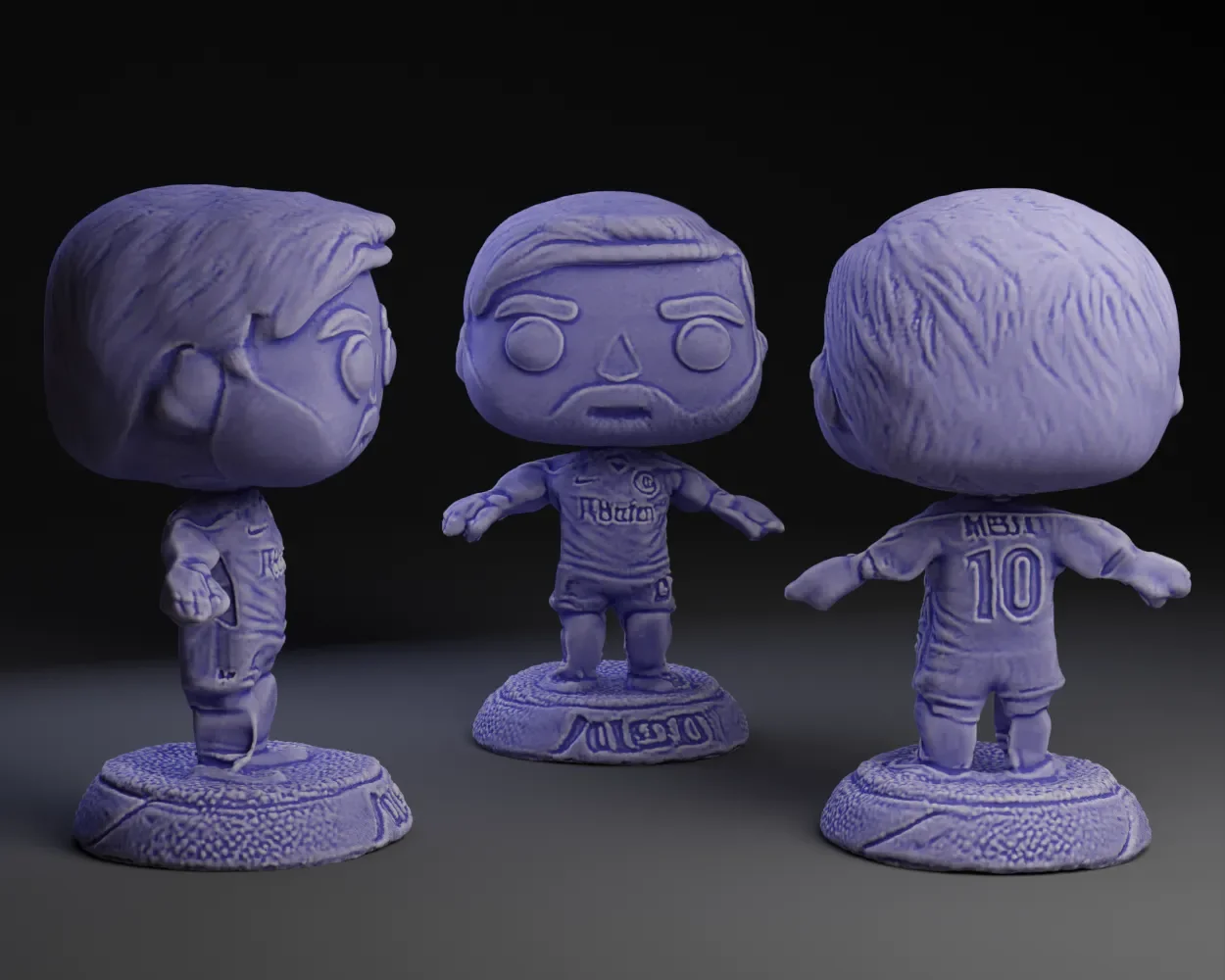
oh and feel free to give Messi a nose. Missed that.
ByDrewmundLikes833Downloads4.6K

 ByFastRaccoon_718321Likes461Downloads1.5K

 ByvexanixLikes168Downloads1.3K

 ByIvoLikes196Downloads1.1K

 Bynonoobybut_3307010Likes364Downloads1K

 ByvojtagrecLikes289Downloads898

 ByCodyMeyer_2545340Likes163Downloads722

 ByPexPeppers Hot Sauce Hot SauceLikes114Downloads555

 ByFotisMintLikes71Downloads412

 ByAryserLikes36Downloads385

 ByowlartLikes56Downloads370

 ByHowler117Likes27Downloads341