

Xây dựng mô hình căn cứ/Diorama theo phong cách Minecraft
- Downloads
- 0
- Likes
- 0
- Views
- 48
- Remixes
- 0
- Comments
- 0
Files 28 2.1 MB
- T_4_1766390246.stlSTL · 45 KB
- T_1_1766390247.stlSTL · 2.6 KB
- T_2_1766390248.stlSTL · 27.2 KB
- T_3_1766390248.stlSTL · 31.9 KB
Make a variant with AI
Build another version of this model.
Details
- Model ID
- #153247
- Published
Description
REVISION HISTORY
2023-08-20: Updated the grid generator (v1.02) for additional options for generating plates and added ore block (B(1 - ore.stl).
2023-08-19: Updated the grid generator (v1.01) and plates to add 0.2 allowance in between the pegs for easier placement of blocks. Pls. re-download the parts grid generator, blocks and plates.
____________
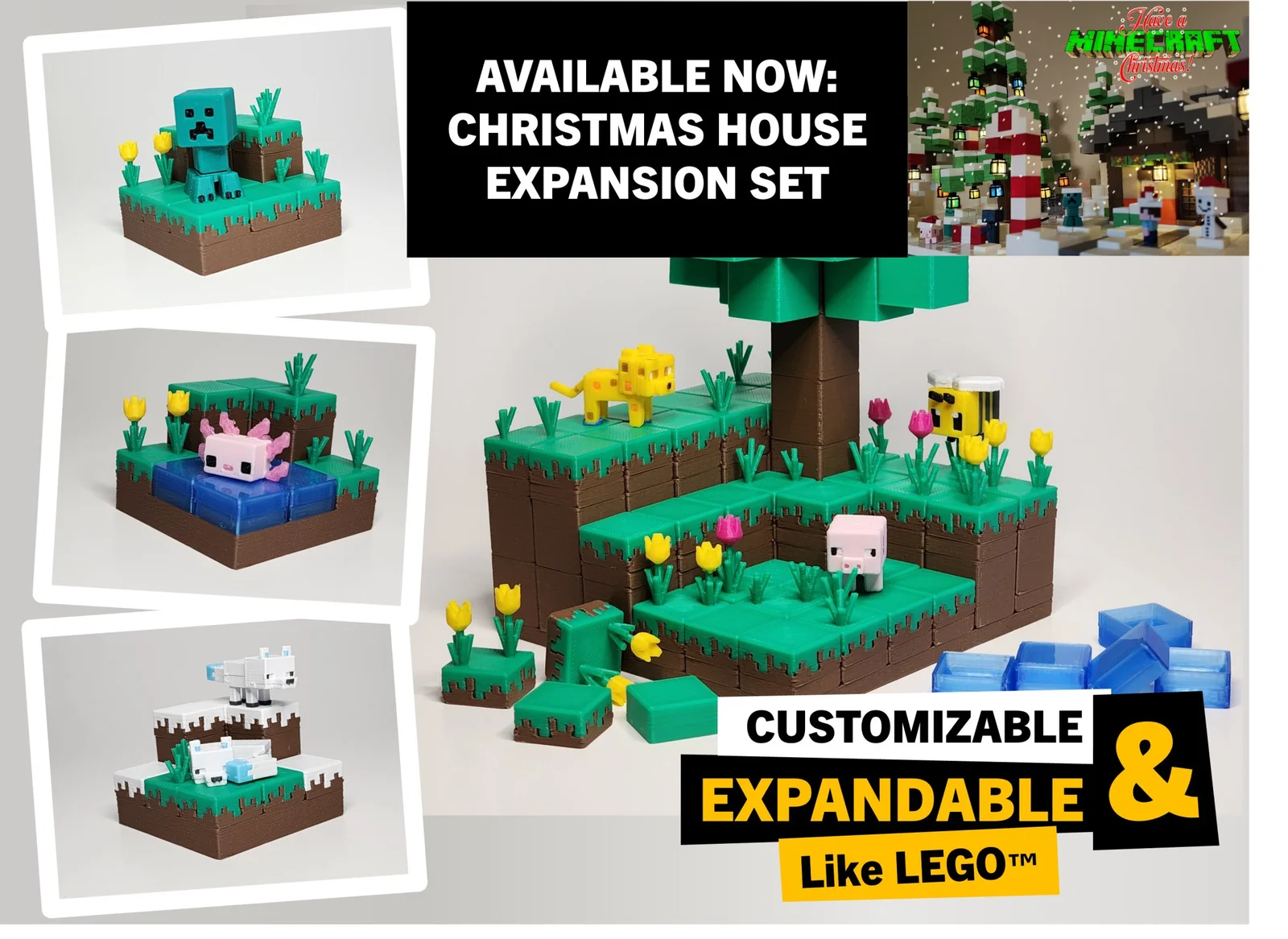
Christmas House expansion set now available! Print yours now!
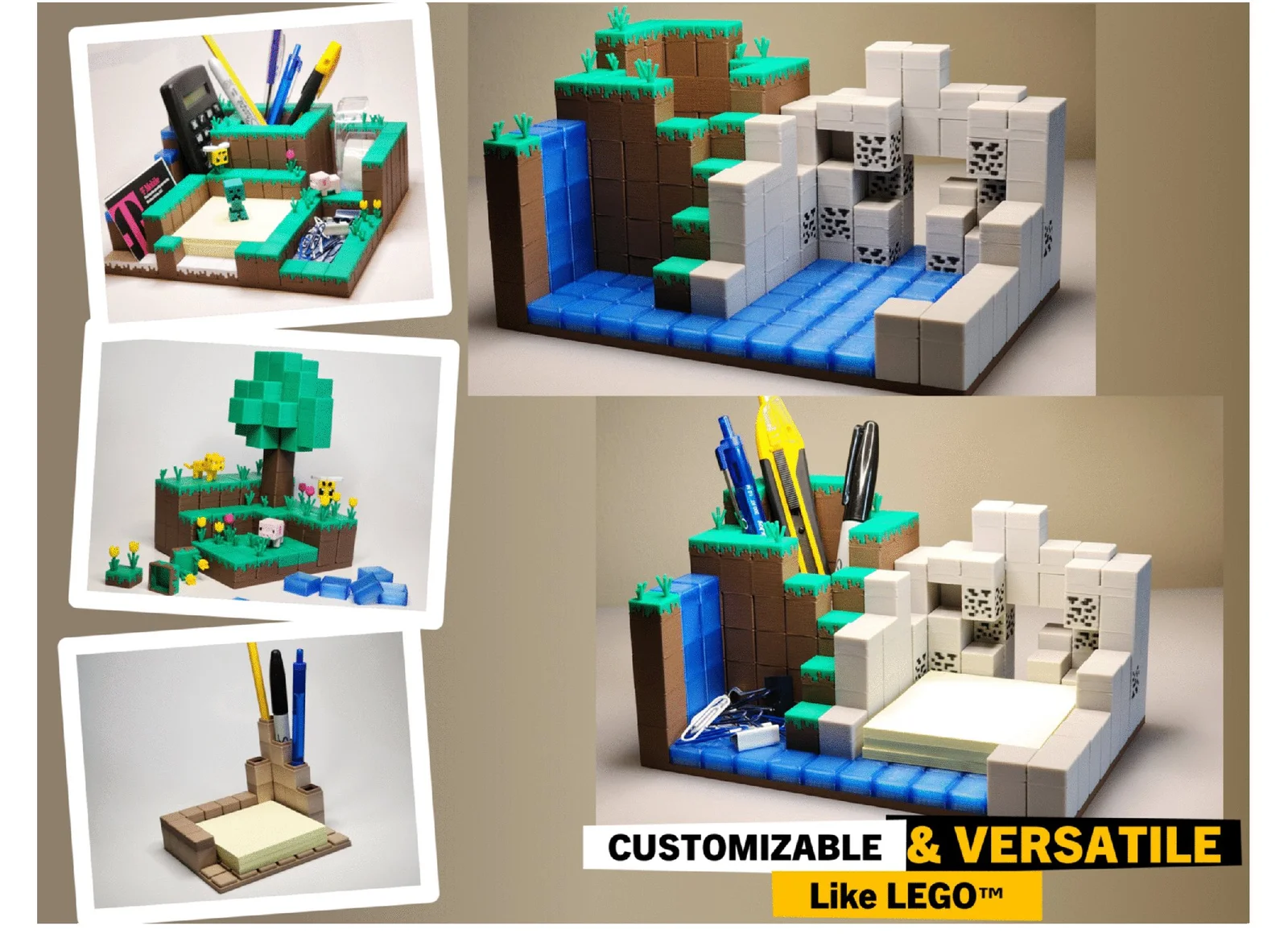
This is a set of building block models that allow creation of custom bases or dioramas with Minecrafttheme. It comes with a customizer programfor creating your own grids of varying sizes. Blocks are hollow and uses minimal amount of filament just enough to make the blocks rigid.
Build your own custom bases for the Minecraft mini figure kits!


PRINTING
- Print as oriented with no supports needed.
- Printer must be calibrated to get the best fit out of the printed parts. You may need to adjust your bed adhesion to minimize elephant's foot (elephant foot compensation), nozzle temperature and flow rate. Too hot or too much molten filament extruded causes layers to be wider which will affect fitment of the parts.
ASSEMBLY
- Use the supplied plates of varying sizes as base to attach individual block pieces. You can also use the plates to connect/combine other plates to make bigger base plates.

- Combine tiles and blocks of varying heights to make a whole block.

- Print the same blocks and tiles using filaments of different types and colors to achieve a different look depending on the biome or terrain you're shooting for.

- Combine blocks, tiles and plates to make trees.

- Print individual blocks and tiles to make your custom base or use the included grid customizer to generate connected blocks that can be printed as a single part/unit, e.g., 1x2 plate, 2x2 plate, 4x4 plain tiles, etc. Use the customizer to create more plate sizes that you need.

USING THE CUSTOMIZER
- To use the customizer, download OpenSCADhere. Ensure that files B(1), B(2), B(3), and T(1) are in the same folder where the .scad file is saved.
- Open the .scad program
- Use the Customizer panel (upper right side of screen) to enter the no. of rows and columns you desire for your grid/plate. New in v1.02: You can also choose the type of plate to generate. See illustration below.
- Press F5 to preview the design or go to Design > Preview
- Once satisfied with the grid, render the design for exporting by pressing F6or going to Design > Render
- Select File > Export > Export to STL/3MF to export the grid to STL or 3MF file.

Print spec
- Formats
- 3mfscadstl
- Model files
- 28
- Total size
- 2.1 MB
- Largest file
- 454.8 KB