



Bộ sưu tập 11 nhân vật mô hình Mecca Chameleon in 3D vui nhộn
 ByZED4EverLikes313Downloads5.2K
Build another version of this model.
 Core One Nozzle Wiper - Bản RemixByEd_2353368 · 12/19/2025
 CÁI GẠT NƯỚC PRUSA CORE ONE (CHỈNH SỬA A1)BySCHUBERT CARS CARS · 12/03/2025
With some technical filaments i had sometimes the problem that the printer will fail at the “Cleaning Nozzle” stage due to the oozing or harder materials. Solutions like drying filament did not work out.
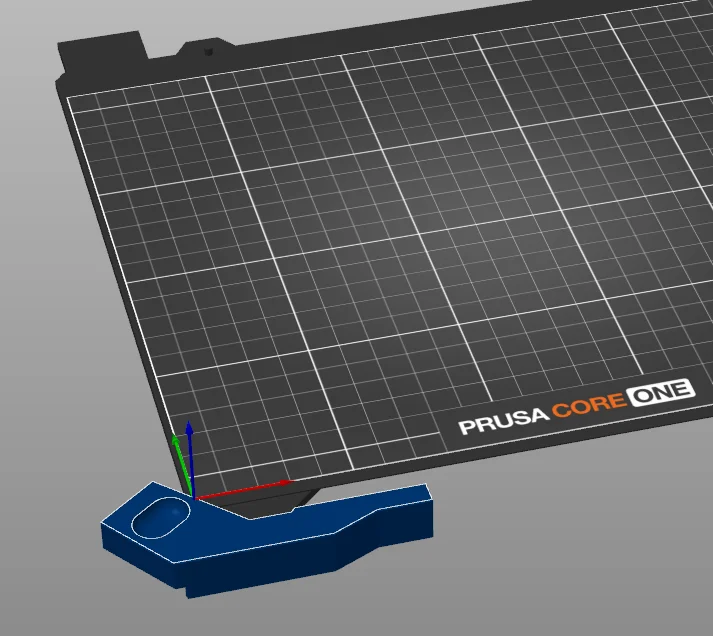
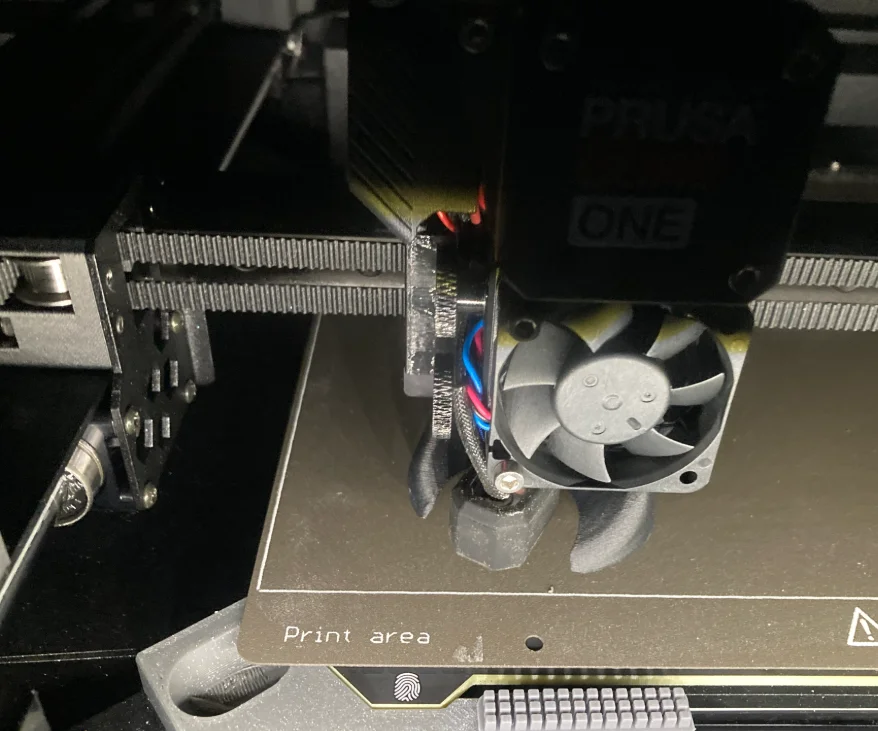
As a lot of other printers using a wiper to get rid of all nozzle debris i created a wiper which attaches to the bed holder. Its using the brushes from the BL A1 as they are super cheap to get from aliexpress/amazon.
Warning: You will loose 1mm of Y Travel at the X location of the brush due to the part cooling fan.
As this was designed very quick and dirty there is for sure a way to get full travel. Possible Remixes? :-)
Hardware needed.
Install:
from:
G29 P9 X208 Y-2.5 W32 H4
to:
;G29 P9 X208 Y-2.5 W32 H4 ; original nozzle cleaning method
G0 X40 Y-14 Z2.5 F10000;
G0 X76 Y-18 Z2.5 F10000;
G0 X40 Y-14 Z2.5 F10000;
G0 X76 Y-18 Z2.5 F10000;
G0 X40 Y-14 Z2.5 F10000;
Please double check the postions with manually moving the toolhead via the LCD
ByZED4EverLikes313Downloads5.2K

 ByBasementLABLikes888Downloads1.5K