




Mẫu tranh treo tường nghệ thuật phong cảnh thiên nhiên Nature Decor
 ByCodyMeyer_2545340Likes163Downloads726
Build another version of this model.
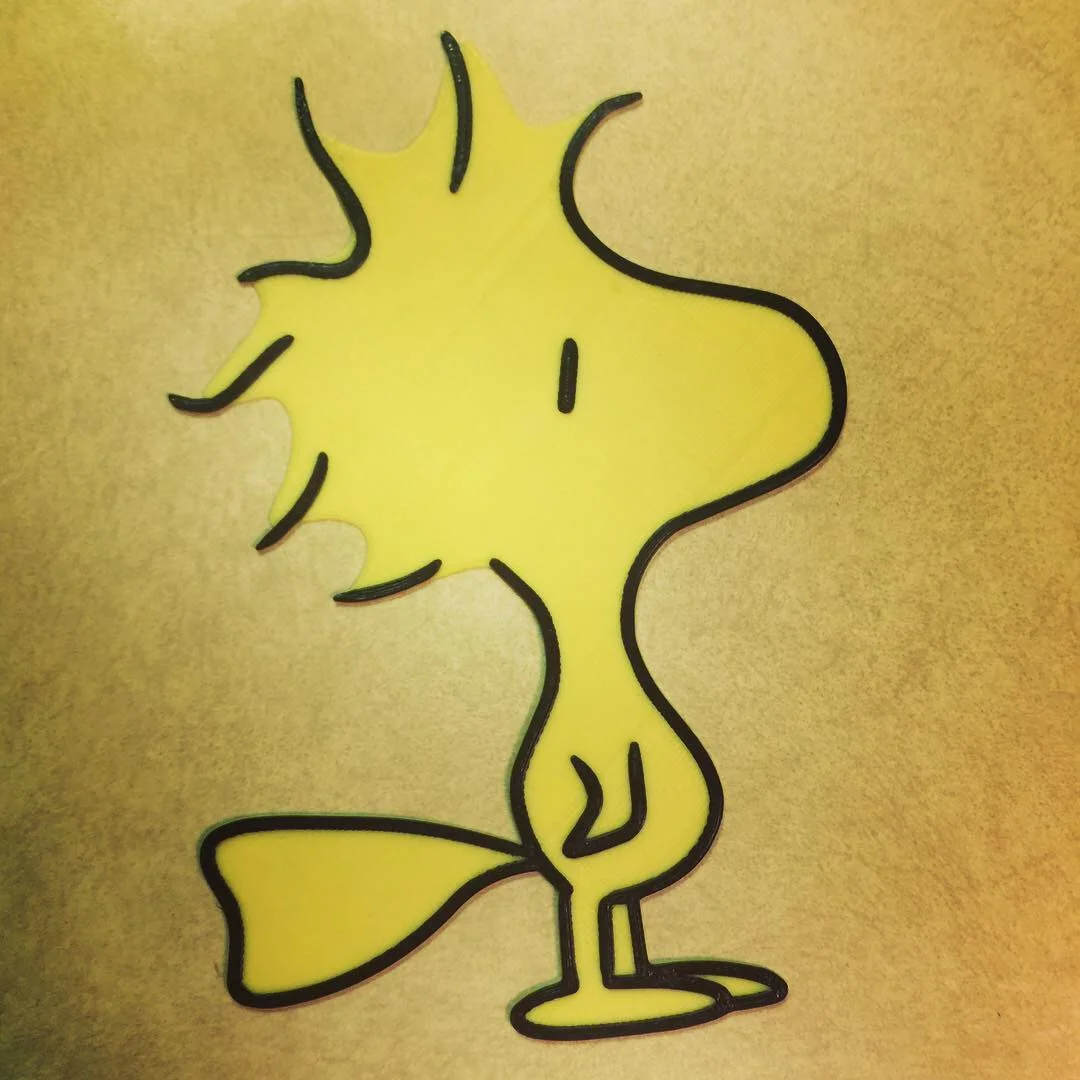
This is Woodstock! You can gift it or just make it for personal use. Some other possibilities include mounting it in a frame, or tacking it on the wall. The possibilities are up to you!
The included gcode is sliced for the Prusa MK2.5 with the color changes already included in the file. The color changes for this model are as follows:
Yellow - Body
Black - Outlines/Detail
The colors are in the file name too.
Update 12/30/2018 - Multi-Material files have been added.
ColorPrint Series
This is part of my ColorPrint Series. My goal is to create multi-color models that are easy and quick to print. Feel free to follow me, if you want to be informed about when new models are released! https://www.prusaprinters.org/social/24983-dom/collections/3776

Unassociated tags: comic books, full color, full colour, multi color, single extruder
Printer Brand: Prusa
Printer: i3 MK2.5
Rafts: No
Supports: No
Resolution: .2
Infill: 20%
Filament: Various PLA Yellow, Black
Notes:
To prepare the model for color changes the M600 command is needed. You can do this a few ways.
-When you slice your model you can enter the M600 command.
If you use Slic3r or Slic3r PE you can enter this line of code**{if layer_num == XX}M600 ; Color change {endif}** where 'XX' is your layer. Duplicate this for as many times as needed. This can be entered under the custom g-code tab for printer settings. Scroll down toAfter Layer Change G-code.
-Or after you slice the model you can take the gcode to Prusa's Colorprint to insert the M600 command.
Happy Printing!
ByCodyMeyer_2545340Likes163Downloads726

 ByJous42Likes35Downloads116

 Byst0rmyLikes0Downloads462

 ByStreamMovieY_3470525Likes30Downloads122

 ByvanessaLikes0Downloads112

 Bykallekubinsk_3569049Likes37Downloads188

 ByCederbLikes32Downloads185

 ByTomYumLikes33Downloads160

 ByTresign 3dcraft 3dcraftLikes13Downloads42

 ByAllenM_581301Likes40Downloads139

 ByPraveenLikes42Downloads164

 ByTomvHLikes44Downloads134