

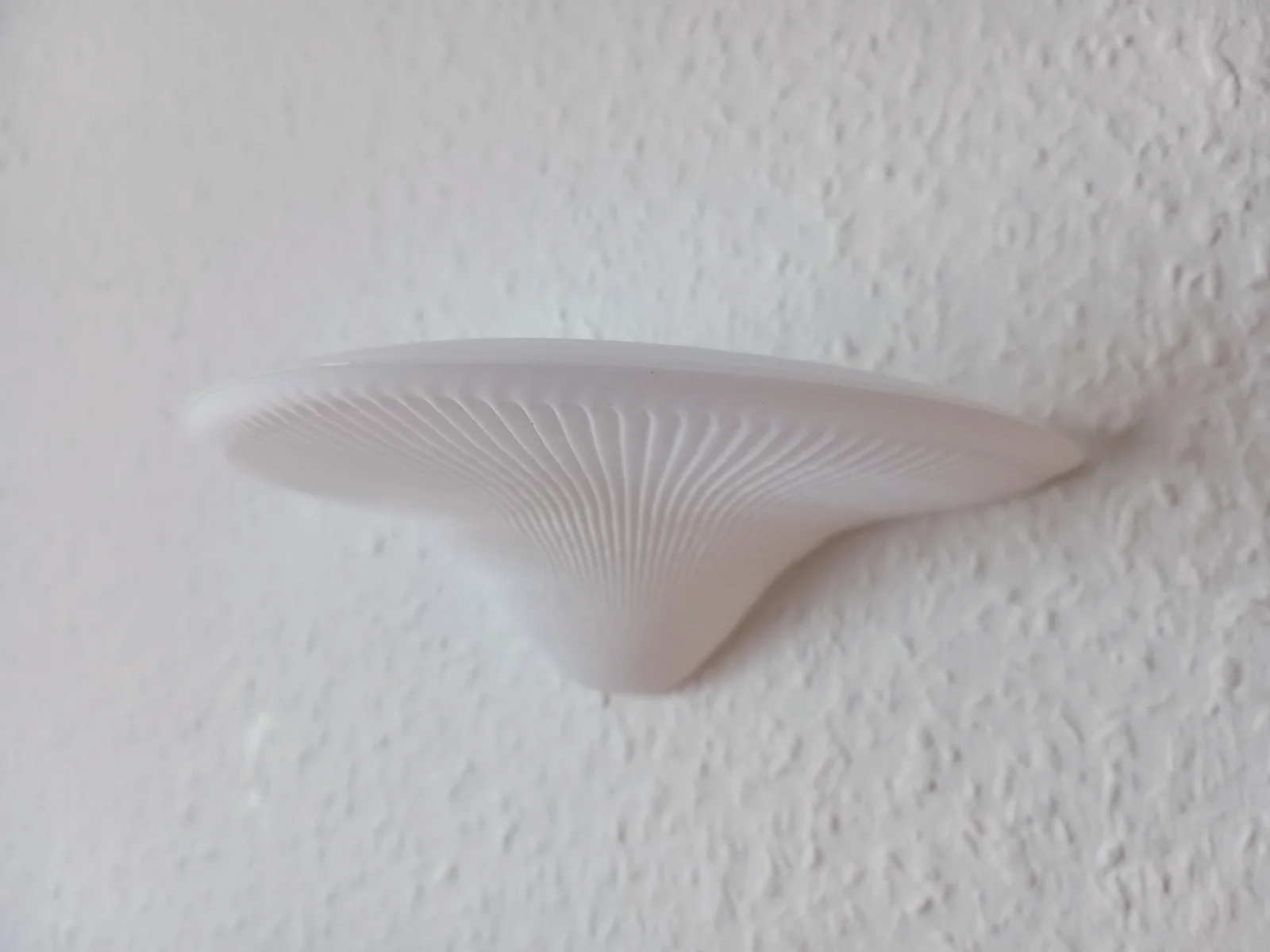


Giá Đỡ Kệ (Tương Thích Với Honeycomb Storage Wall)
 ByowlartLikes527Downloads1.3K
Build another version of this model.
Printing the mushroom:
I printed with a layer height of 0.16 in vase mode.
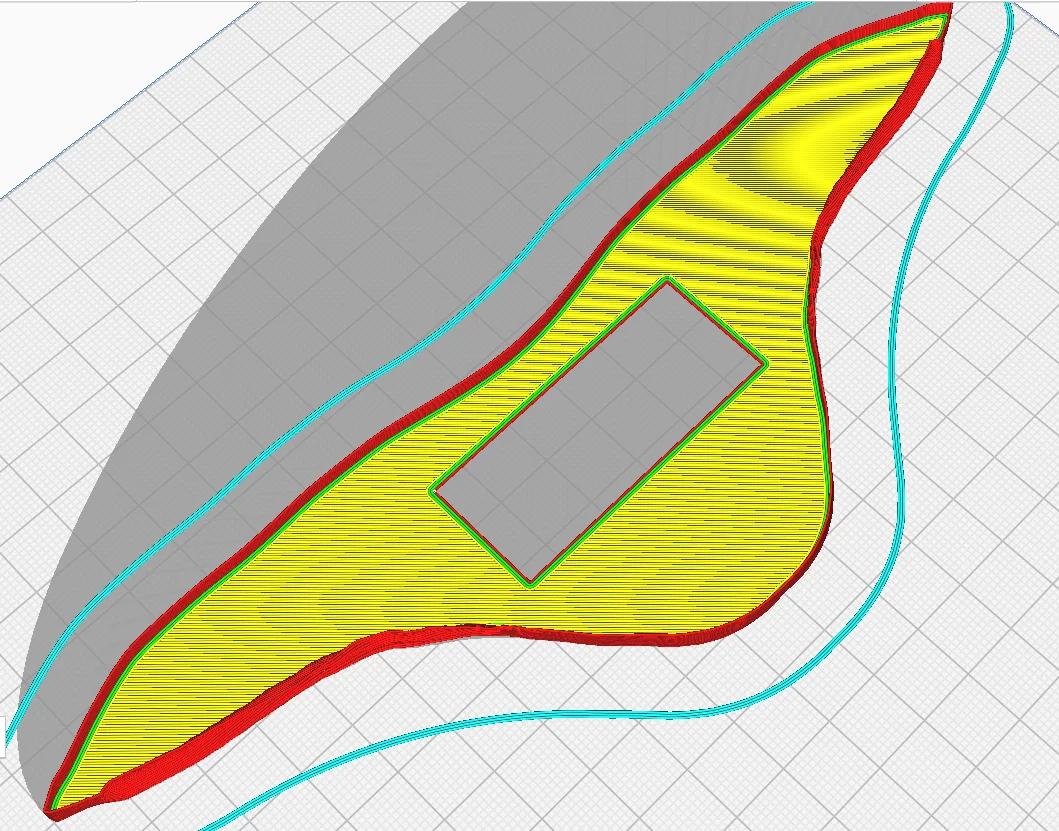
On the bottom of the print there is a 0.6 mm deep rectangle valley so for example in Cura slicer if you uncheck the “Remove All Holes” setting and set the number of bottom layer to 3 then the mushroom vase will have the rectangular hole you need. After finishing the bottom layers it will continue with the vase mode as normal.
Printing the support:
I printed with 0.2 layer height, no support. NOT in vase mode.
Assembly:
Two screws in the wall to hold the support. Then as you insert the mushroom you should be able to push it down a bit so the bottom layer of the mushroom will get in-between the wall and the support piece.
ByowlartLikes527Downloads1.3K

 By3dprintables_4343369Likes250Downloads397

 ByfifindrLikes216Downloads611

 BybobmakesLikes2.5KDownloads17.5K

 ByMooshroomLikes63Downloads111

 Bylayer-forgeLikes0Downloads601

 Byxtruderline-3dLikes0Downloads135

 BymakerxLikes0Downloads361

 By178222178222_2484344Likes449Downloads1.7K

 Bysektor-7-studiosLikes0Downloads458

 ByVaclav_ZahradkaLikes181Downloads1.2K

 Bytjfenwick_306961Likes385Downloads1K