

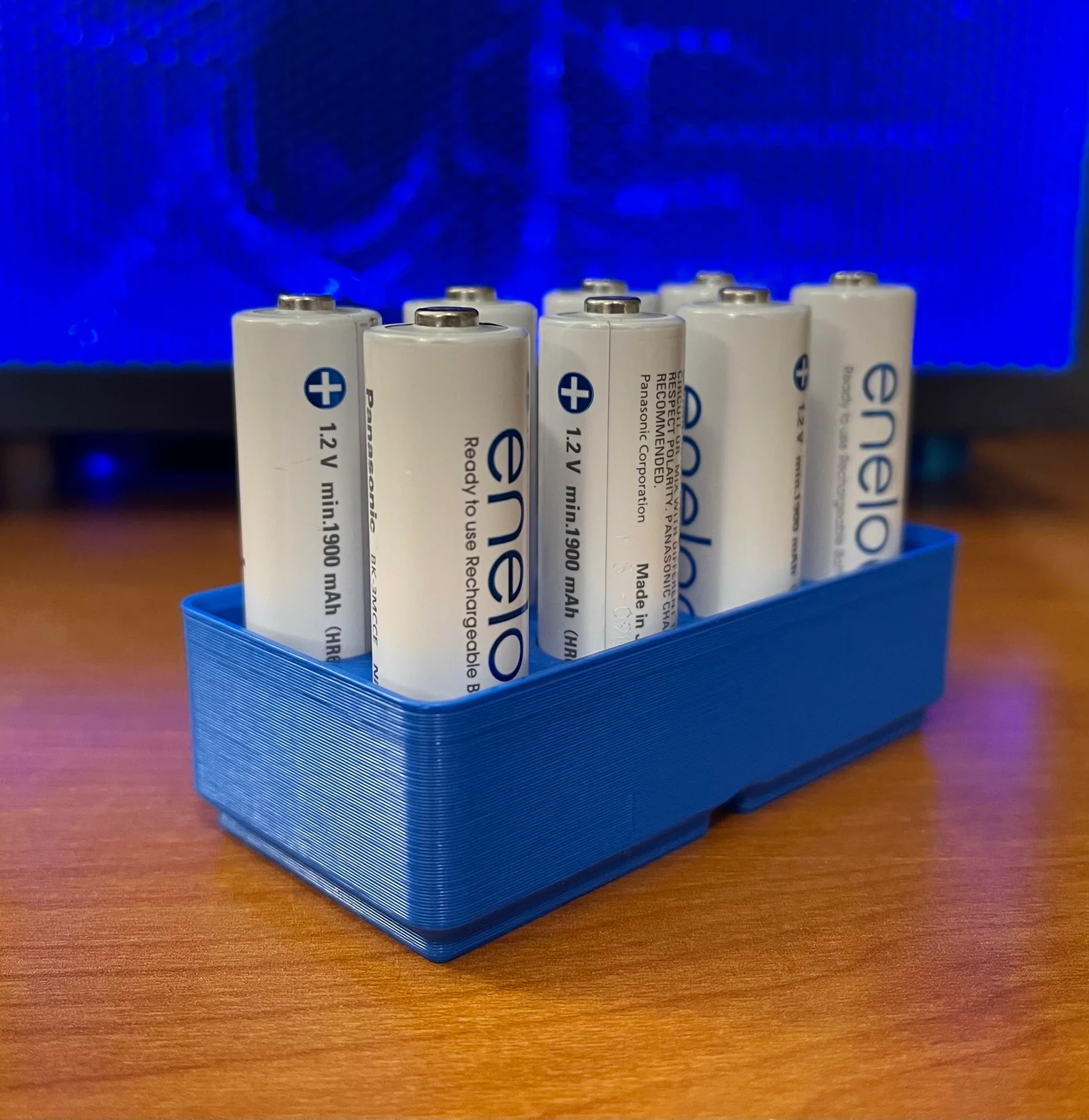


SpoolGrid — Hệ thống ngăn kéo mô-đun tận dụng lõi nhựa Prusament
 Bydona3d_Likes456Downloads676
Remix of Mô hình Gridfinity bằng OpenSCAD By Jamie
Build another version of this model.
 Khay Đựng Pin AA Hệ Thống Gridfinity - In 3D Tiện LợiBySoup_3882713 · 04/18/2026
 Khay Đựng Pin AA Hệ Thống Gridfinity 2x2 Tiện LợiByPjotrStrog · 04/18/2026
I have a bunch of Panasonic Eneloop AA batteries and I've learned that they're slightly wider than a standard AA battery. As a result, I figured I'd go ahead and design my own #gridfinity container. I was able to modify Jamie's OpenSCAD Gridfinity Model and clumsily tweak it to hold my AA batteries tightly enough .
I tried it with a few other standard AA batteries that I have around the house and it works well for them, but depending on their diameter, and depending on the differences between our 3D-printers' calibrations they may fit a bit tighter or looser for you.
I designed this intentionally to be on the tight side. I don't want my batteries coming loose when I pull the bin out of the drawer.
This is a parameterized design which can be customized to meet your own needs:
gridfinity_battery_aa.scad file.battery_diameter variable (default is 14.5mm)magnet_holes value to true. (default is false)Bydona3d_Likes456Downloads676

 ByVC_DesignLikes721Downloads2.9K

 ByUpcrid3D_1585693Likes808Downloads2.1K

 ByWilko_SLOLikes935Downloads2K

 ByRobertoGalloc_356815Likes549Downloads1.8K

 ByTater_364200Likes486Downloads1.6K

 ByfifindrLikes709Downloads1.7K

 Bywhilex_1739192Likes644Downloads1.1K

 ByGi_TLikes801Downloads1.3K

 ByzeroflowLikes186Downloads1.2K

 ByMatthew_GhostLikes350Downloads938

 ByWolf_115355Likes513Downloads8.4K