



Mẫu gảy đàn Guitar (Guitar Pick) in 3D tùy chỉnh độ dày
 ByWolf_115355Likes513Downloads8.4K
Build another version of this model.
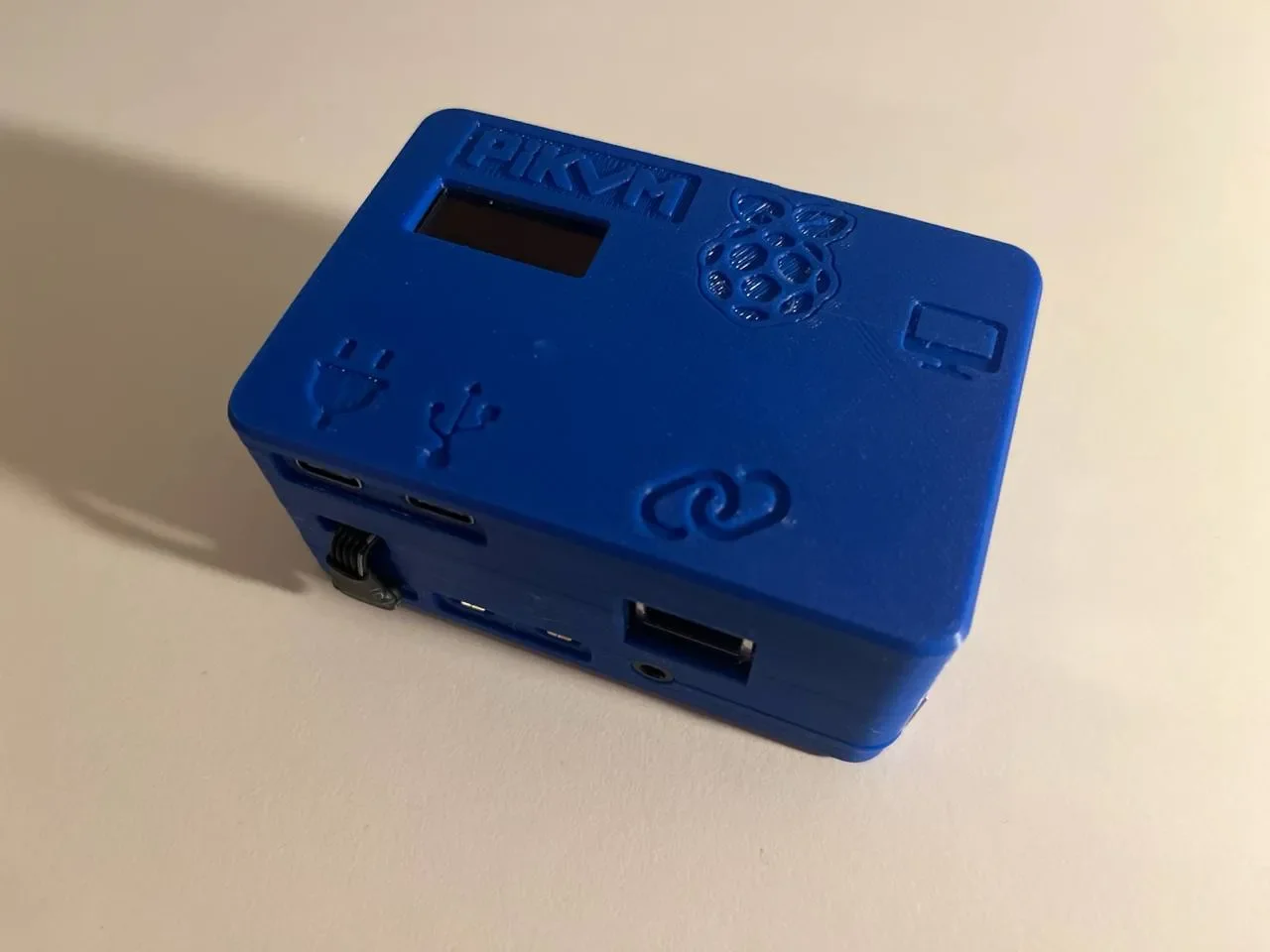
DISCLAIMER: This is not trivial to build. You need understanding of electronics, Linux and basic soldering skills. This Description is also not a great tutorial. If you do not understand what you read, this is not for you. Sorry.
Please see the official Docs: https://docs.pikvm.org/v2/
I used the following Parts:
I got all of these at AliExpress, the listings there are changing rapidly, so I will not provide any links. If there is interest, I can publish multicolor versions of the logos. Initially it was designed for multicolor.
You will find schematics I used and images of the components in the extra folder.
You need to cut away a little bit of the RJ45 Breakout so it will fit next to the C790.
The RJ45 PCIE Connector should be compatible to the Original.
The PCIE Insert is remixed from:
https://www.printables.com/model/464674-pcie-card-backplate/files
The Raspberry Pi 4 Case is heavily remixed from: https://www.printables.com/model/4074-malolos-screw-less-snap-fit-raspberry-pi-4-model-b/files
Go into write mode rw
Adding dtparam=i2c_arm=on to /boot/config.txt
Adding i2c-dev to /etc/modules-load.d/raspberrypi.conf
Then rebootpacman -S i2c-toolsi2cdetect -y 1
enable OLED:
rw
systemctl enable --now kvmd-oled
ro
See for more information about OLED: https://github.com/mjpcomp/pikvm-srepac-oled/blob/main/usr/bin/kvmd-oled.srepac
ByWolf_115355Likes513Downloads8.4K

 ByZED4EverLikes313Downloads5.2K

 ByVC_DesignLikes271Downloads748

 ByfifindrLikes500Downloads4K

 Bymrfixit_324954Likes65Downloads471

 ByDan Schwartz SchwartzLikes744Downloads3.4K

 ByBrokentooth_designsLikes83Downloads446

 ByUpcrid3D_1585693Likes808Downloads2.1K

 ByAdam Záhořák ZáhořákLikes39Downloads250

 ByWilko_SLOLikes935Downloads2K

 Bychubbs8697_2027893Likes585Downloads1.7K

 Byquibeck_3353173Likes965Downloads1.9K