

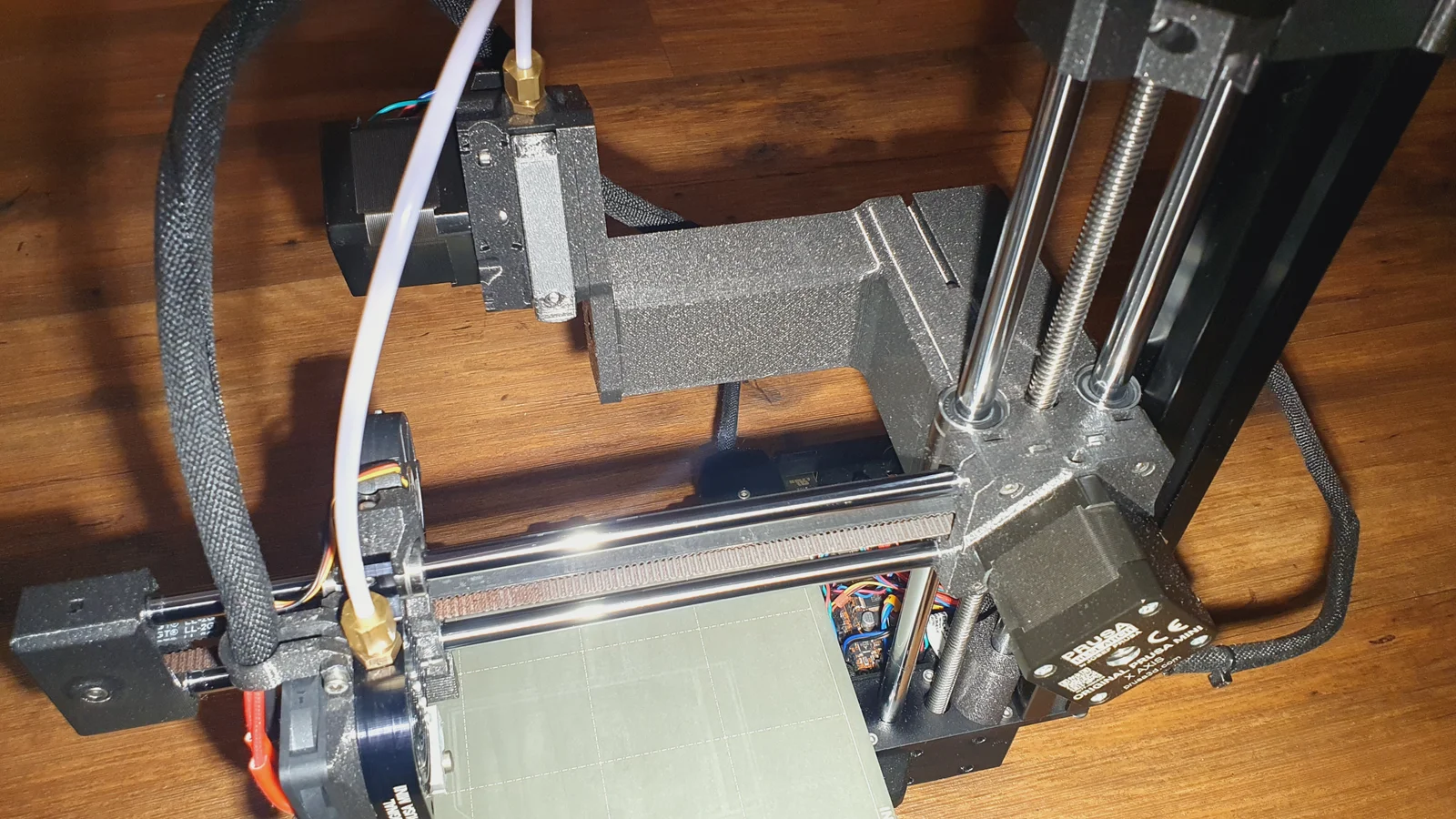
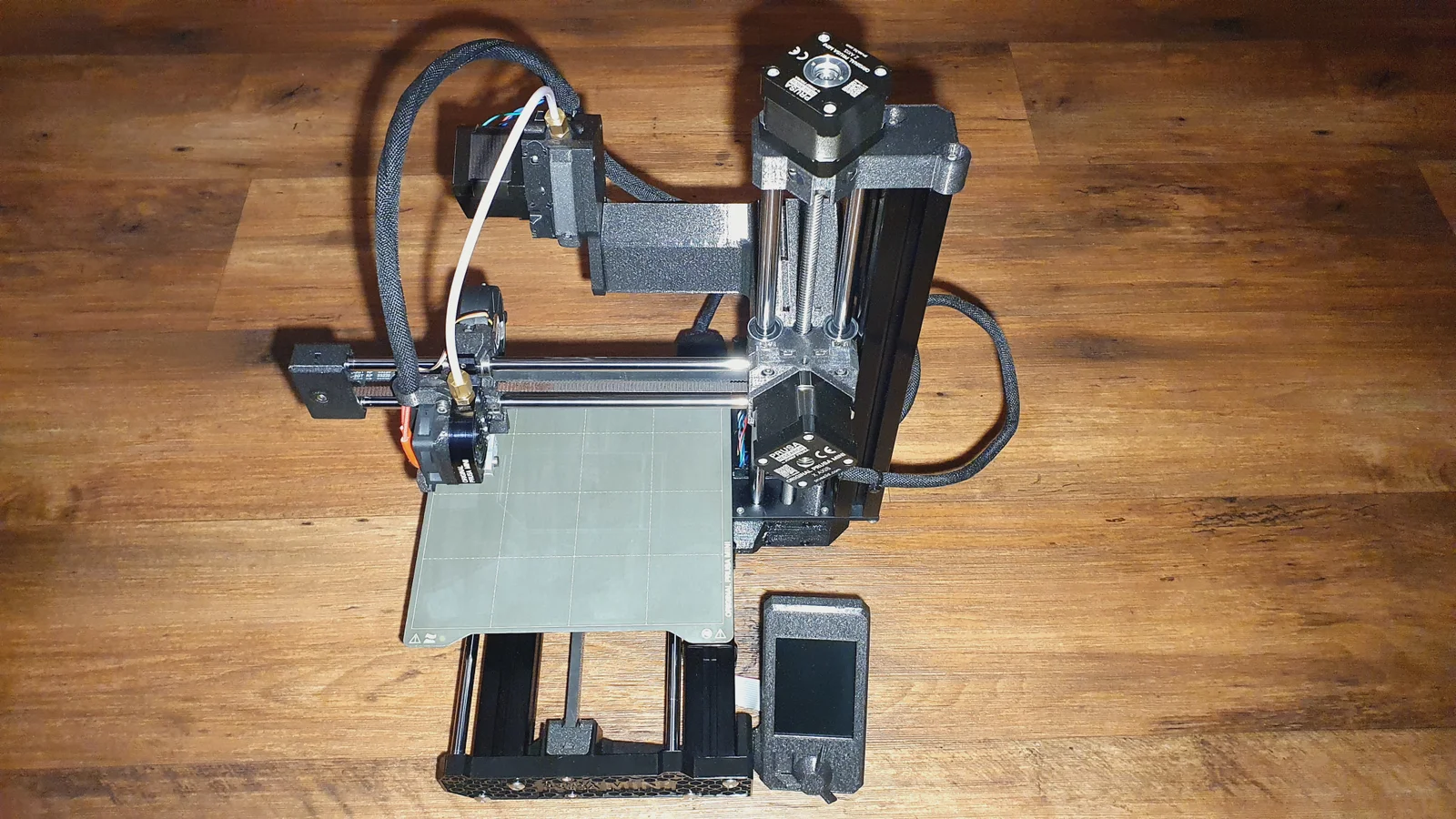


Kẹp giữ sợi Filament
 Bytinx_1344834Likes1.2KDownloads6K
Build another version of this model.
 Prusa Mini - Bản cải tiến ngàm gắn Extruder (Almost Centered Extruder)ByCosmic_Cupca_2237567 · 03/28/2026
 Prusa Mini mod extruder giữa tâm - Lever RemixByFIB_170804 · 12/15/2025
I tested it on my two PrusaMini+ printers, and neither of them experiences this problem anymore.
Before delving deeper into this, I want to emphasize that this problem isn't limited to just multiple objects on opposite sides of the X-axis. It affects all prints, all objects that are long across the X-axis. It's a problem even if you print just one single object and the extruder moves from side to side in the X-axis. If the extruder moves from left to right, you'll encounter delayed extrusion on the right side, or vice versa when the extruder goes from right to left, you'll encounter over-extrusion on the left side. This issue impacts everything. Perimeters, infills, seams... It's not solely about travel moves, it's about printing virtually everything that is long along the X-axis.
The issue lies in the transition from a very slight bend radius at the left-most position to a relatively extreme bend radius at the right-most position, creating a pull on the filament due to the changing path length.
The solution is to place the extruder in the middle of the X-axis.
Yes, this really is the solution, at least for now, until (or if at all) Prusa introduces a firmware compensating feature. I have printed for approximately 100 hours before sharing this to ensure there is no other issue involved. This works fantastically, at least for my two PrusaMinis+.
I also implemented this solution to my friend's printer and this issue disappeared too.
If you like, you can simply download this model or modify it as you prefer and put an end to this problem once and for all. Print quality improved drastically.
Notice that the extruder must be slightly tilted so that the bend and the pull of the bowden is minimalized.
Please be aware that this does not solve any other problems that your printer may have. So, if your prints are not good enough, there might be some other issue with your printer.
Discussion related to this is here:
Bytinx_1344834Likes1.2KDownloads6K

 Byduo3dprintLikes0Downloads152

 By3DSourcererLikes48Downloads377

 Byprusa-researchLikes0Downloads2.7K

 Bypeter-van-der-waalLikes0Downloads254

 Byarhi_585078Likes64Downloads541

 ByPengLordLikes32Downloads112

 ByHanzo3dLikes155Downloads414

 BykingnothingLikes0Downloads178

 Byp3rr1ff3ryLikes0Downloads148

 ByPrintStructorLikes0Downloads131

 BydarienLikes0Downloads1K