



Móc khóa bánh bao chibi (Bao Bun Dumpling Keychain) dễ thương
 ByFC2M3DLikes200Downloads1.3K
Remix of Móc khóa khách sạn trống, kiểu chìa khóa retro By jmdbcool
Build another version of this model.
Art by PaperTownDesign on Etsy, used with permission. Please support the artist: etsy.com/shop/PaperTownDesign
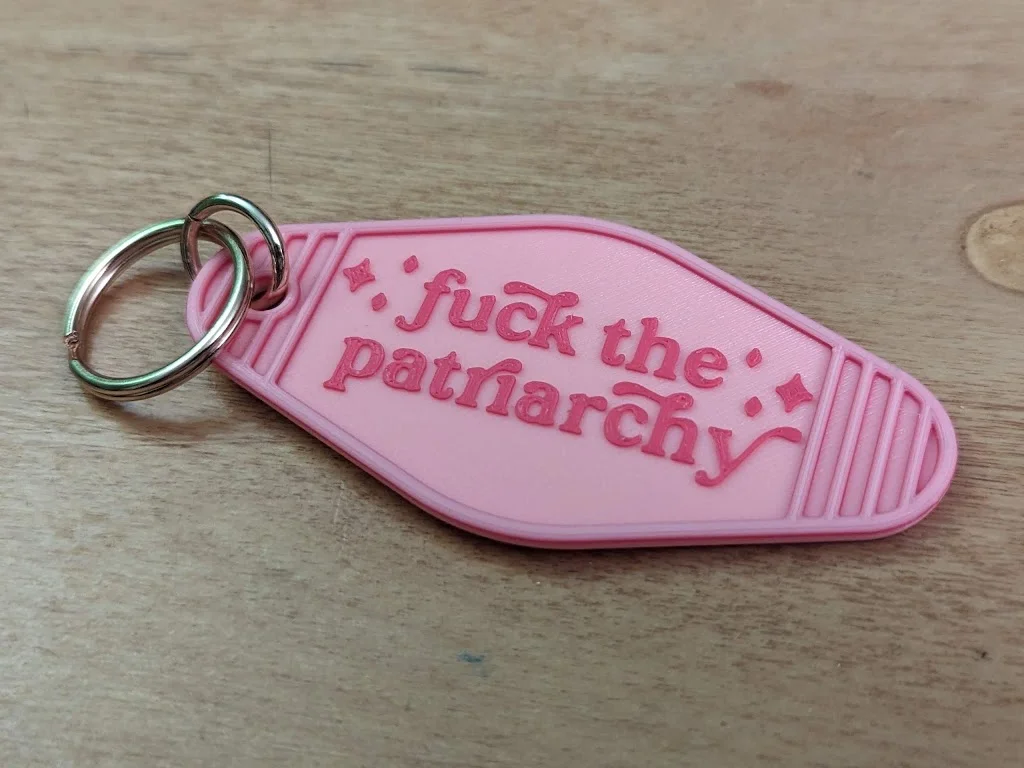
Haunted Mansion Hotel Keyring originally by @Splemsby, remixed by me to be blank, then added this design using Microsoft 3D Builder (Edit, Emboss, “load” pattern from PNG).
Make one for yourself, make more for your friends and co-workers, pass them out at concerts, or just toss it on the ground at someone's feet (respectfully, please). Yes, it's a Taylor Swift reference, but it speaks loudly on its own. Use whatever colors you want, but my choice of pink and gold was very intentional: “I wanna love glitter and also stand up for the double standards that exist in our society. I wanna wear pink, and tell you how I feel about politics. And I don't think those things have to cancel each other out.” - Taylor Swift, Miss Americana
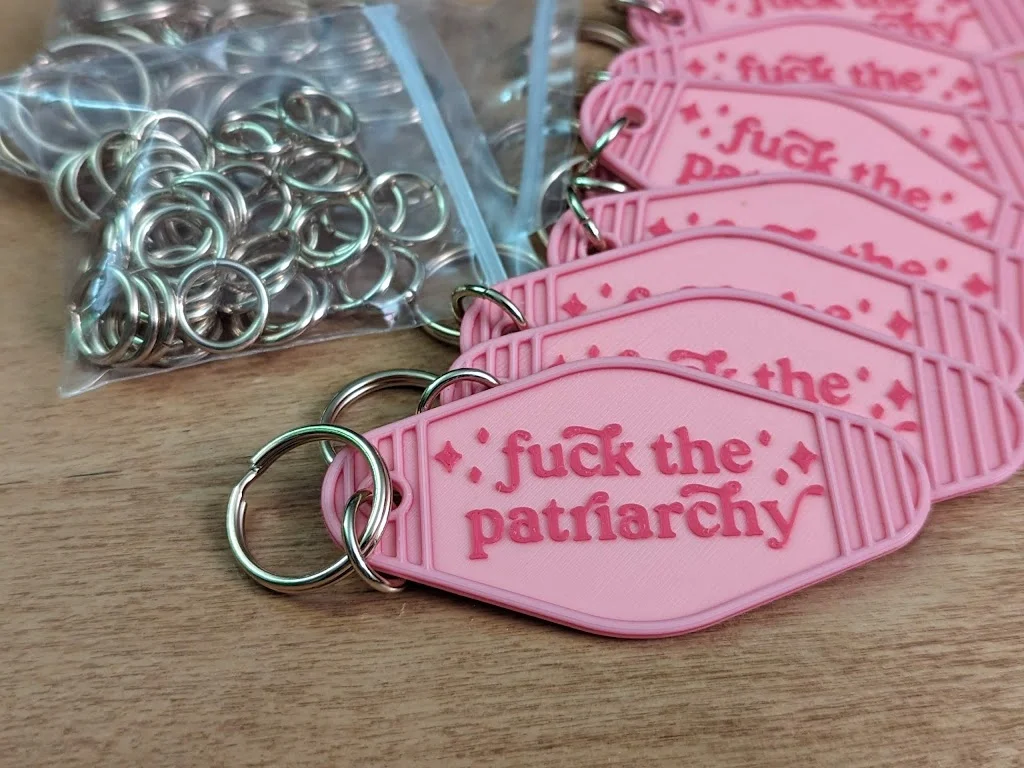
Printed in pink and magenta PLA at 0.15mm layer height. I added two color changes in PrusaSlicer-- base in pink, art in magenta, then back to pink again for the top ridges. I was printing 8 keychains at a time on my MK3S but you could fit even more on a single build plate. Very easy print. To make it a real keychain you will want jump rings and split rings; I used 15mm jump rings and 24mm split rings found at Michael's (a chain of craft/DIY stores in US and Canada).
Now comes in two varieties: “love glitter and wear pink” and “Miss Americana.”
Settings: Shoutout to Arachne perimeter generation for making small text in FDM better than ever. This is an easy print with default settings, but I love the fine details, so I did get picky with the slicer settings. In addition the the STLs I have also uploaded my 3MF project files if you want to print them just like I did, including the color changes and everything. Open the 3MF file in PrusaSlicer as a project.
Print times (on my Prusa MK3S):
8 per batch was my preference, a good middle ground, but I could fit a max of 12.
For that finishing touch, wet sand the top with fine sandpaper (I used 320 grit). I know it's fun to pop these off the flex steel bed, but restrain yourself and leave them stuck on there while you sand, it's much easier. Get your sandpaper, wet it lightly with water, and rub it over the text. Even the best FDM printer will leave little pokey bits on top as the nozzle moves to print the text details, and sanding will smooth that out so it's nicer to hold.
Now you're ready to pop them off and add the jump rings with split rings (the keychain bit). If you're unfamiliar with jump rings, watch: How to Open and Close a Jump Ring the Right Way - Jewelry Tutorial HQ
NON-COMMERCIAL LICENSE. NOT TO BE SOLD. Make as many as possible, give ‘em away, and spread positivity in the world! Use your 3D printer for a good cause to effect social change! But please don't sell this particular model/print for profit. (the blank version is here make your own lol :p)
ByFC2M3DLikes200Downloads1.3K

 ByOldLadyLikes876Downloads2K

 ByDevis_1367119Likes416Downloads2K

 ByeplamosLikes23Downloads162

 Byms-d3signLikes0Downloads281

 ByVinors3DLabLikes949Downloads2.1K

 By_3262783Likes11Downloads44

 ByJKDUOVP25Likes95Downloads225

 ByremingtonLikes162Downloads560

 By2viewsLikes391Downloads391

 ByNorkkon_252760Likes76Downloads213

 ByGIVEMHEVNLikes3Downloads14