




New
SolderMate - Fully 3D Printed Desk Soldering Companion
 ByleonicLikes0Downloads1.4K
Build another version of this model.
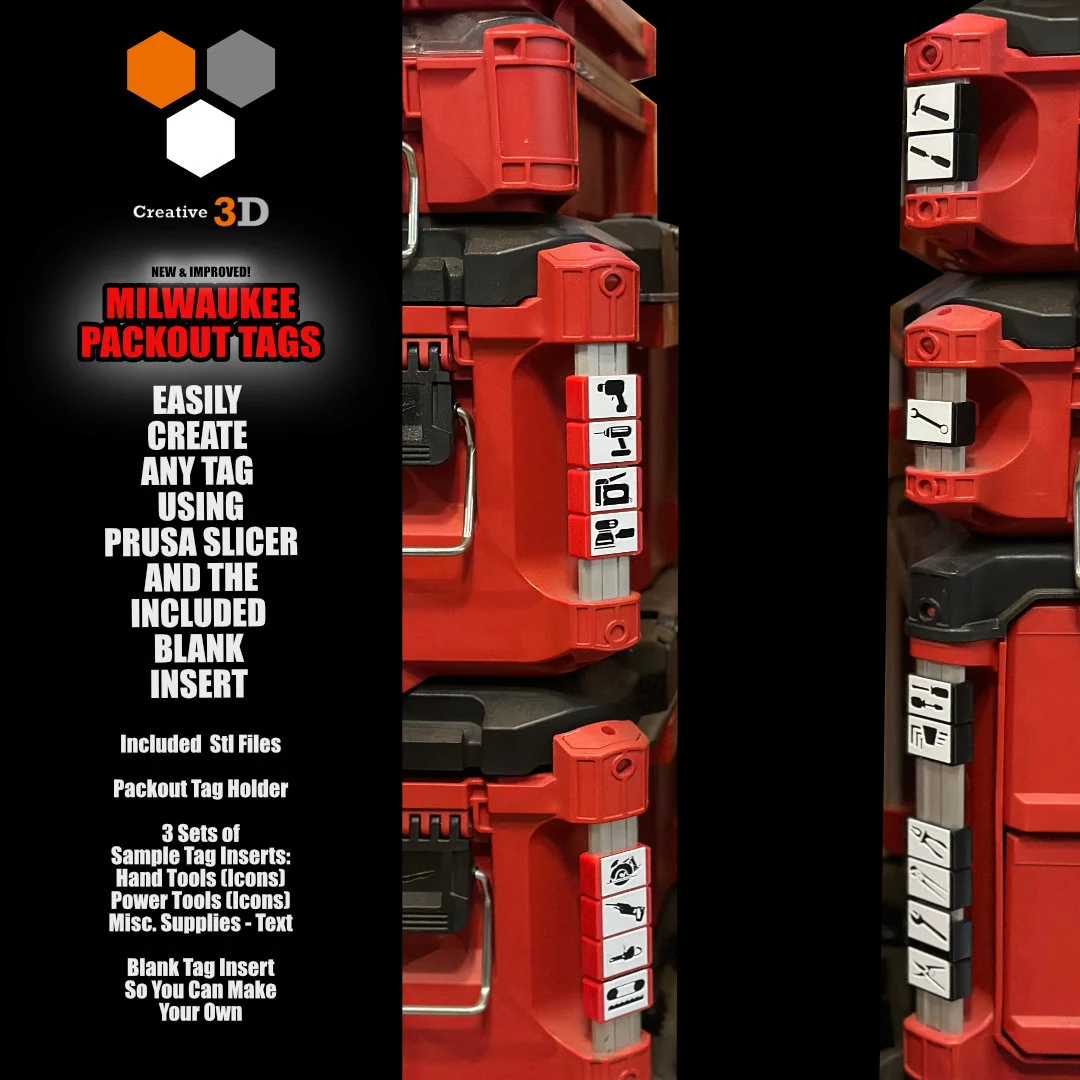
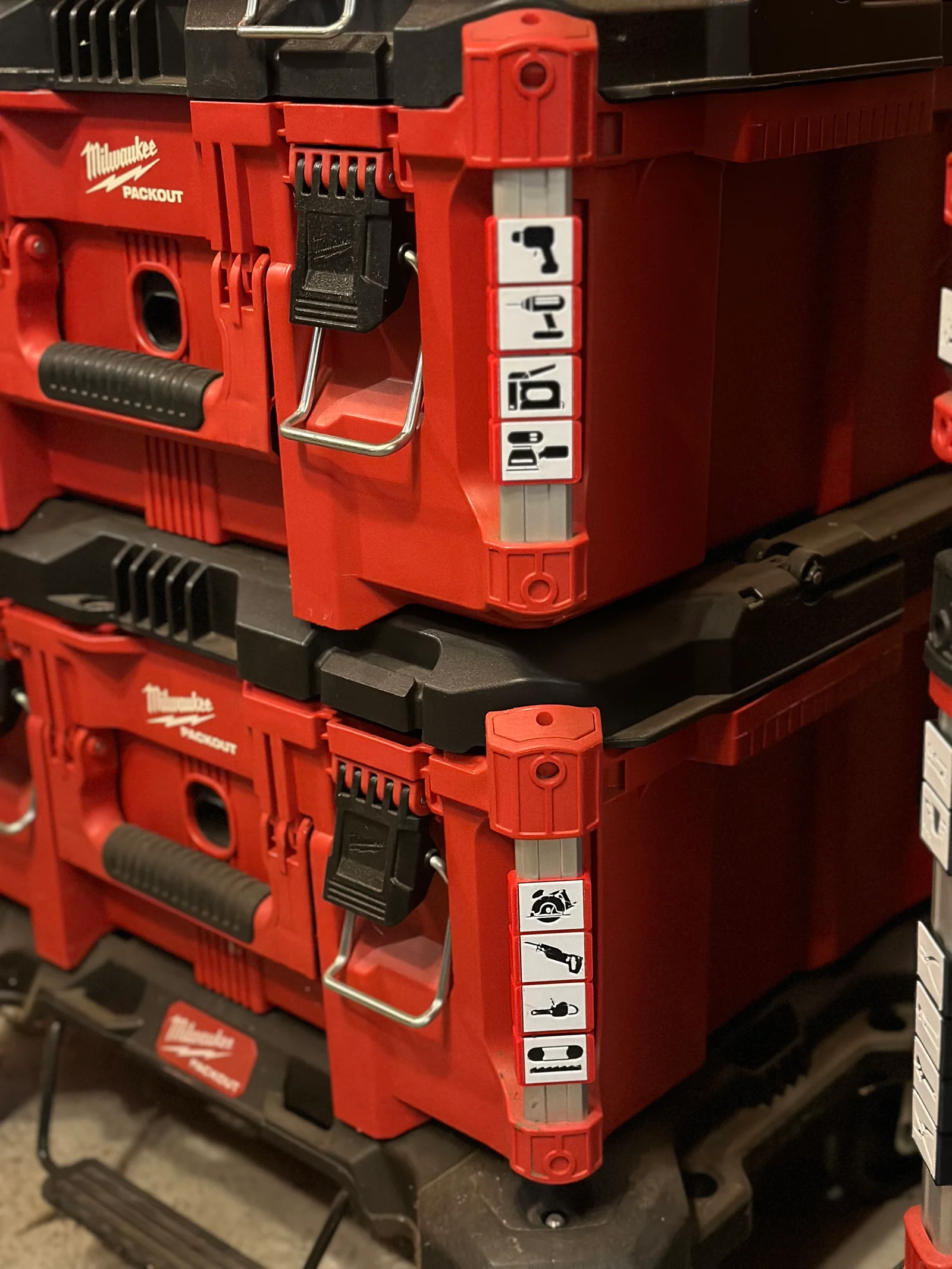
These tags simply snap onto the aluminum corner posts of the Milwaukee Packout Bins. Print with PETG for best results.
I have redesigned the original version so that they do not require any gluing/ds taping, they are much easier to attach, and the icons can be swapped out as you see fit.
There is a blank insert stl that you can simply open in Prusa Slicer, and right click to add a 1mm thick negative part (either text or and your own svg) and you can make any icon or text you wish. (See last 3 images in details photos if you are unsure how to use this feature). You may certainly make derivatives of the blank inserts to create and share your own.
If you don't have the svg file you want, just google for a jpg black and white image and use convertio.co to produce the svg file for you.
Please like the model and share your makes so others will know you found these helpful. It would be much appreciated by all. Thanks for downloading!
ByleonicLikes0Downloads1.4K

 ByfifindrLikes500Downloads4K

 ByVC_DesignLikes679Downloads3.6K

 ByDan Schwartz SchwartzLikes744Downloads3.4K

 Bythorin-oakenshieldLikes0Downloads529

 Bychubbs8697_2027893Likes585Downloads1.7K

 Byquibeck_3353173Likes965Downloads1.9K

 ByRungeKuttaLikes229Downloads1.2K

 ByJeremyVillalo_760366Likes68Downloads768

 ByZED4EverLikes313Downloads5.2K

 Bykjus_448782Likes314Downloads675

 ByelitailLikes0Downloads130