F3D AI Studio: turn a picture or text into a 3D model
Turn your picture into a 3D file
Pick a picture and F3D AI builds a print-ready 3D model.
Made with F3D AI
Each model below took a single description
-
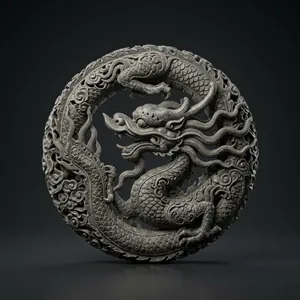
«a coiled Lý-dynasty stone dragon, finely carved»
-
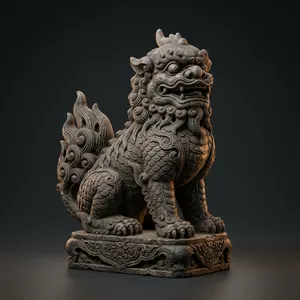
«a stone nghê guardian at a Vietnamese pagoda gate, antique style»
-
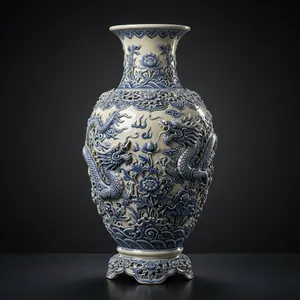
«a Chu Đậu blue-glazed ceramic vase with raised motifs»
-
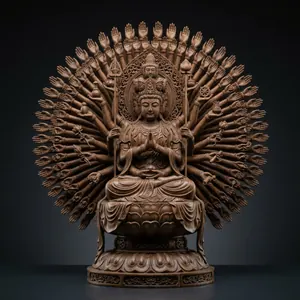
«a wooden thousand-armed Quan Âm statue, every arm detailed»
-

«a desk-sized model of the One Pillar Pagoda»
-

«a carved lion-dance head in bright colours»
-

«a mother-of-pearl inlaid jewellery box with bird motifs»
-

«a carved traditional tuồng opera mask»
How to use F3D AI
Four steps, a few minutes to a 3D file.
4 ways to create
- Text Describe it and F3D AI builds the model from your words.
- Image One clear picture of one object.
- Bust figure A portrait becomes a head and shoulders statue.
- Full body figure A portrait becomes a full body statue, pose included.
4 steps
- Pick a way to create Text, Image or Figure, one tab each.
- Upload a picture or type a description Clear pictures and precise words make better models.
- Wait about 2 to 3 minutes The model shows up right in the Studio.
- View, download, print Turn it around, download the GLB file and print it.
Turn your picture into a 3D file
Pick a picture and F3D AI builds a print-ready 3D model.
Made with F3D AI
Each model below took a single description
-
«a coiled Lý-dynasty stone dragon, finely carved»
-
«a stone nghê guardian at a Vietnamese pagoda gate, antique style»
-
«a Chu Đậu blue-glazed ceramic vase with raised motifs»
-
«a wooden thousand-armed Quan Âm statue, every arm detailed»
-
«a desk-sized model of the One Pillar Pagoda»
-
«a carved lion-dance head in bright colours»
-
«a mother-of-pearl inlaid jewellery box with bird motifs»
-
«a carved traditional tuồng opera mask»
How to use F3D AI
Four steps, a few minutes to a 3D file.
4 ways to create
- Text Describe it and F3D AI builds the model from your words.
- Image One clear picture of one object.
- Bust figure A portrait becomes a head and shoulders statue.
- Full body figure A portrait becomes a full body statue, pose included.
4 steps
- Pick a way to create Text, Image or Figure, one tab each.
- Upload a picture or type a description Clear pictures and precise words make better models.
- Wait about 2 to 3 minutes The model shows up right in the Studio.
- View, download, print Turn it around, download the GLB file and print it.