




Vải In 3D Cấu Trúc Hình Bát Giác (Octagon Fabric)
 ByDrewmundLikes833Downloads4.6K
Build another version of this model.
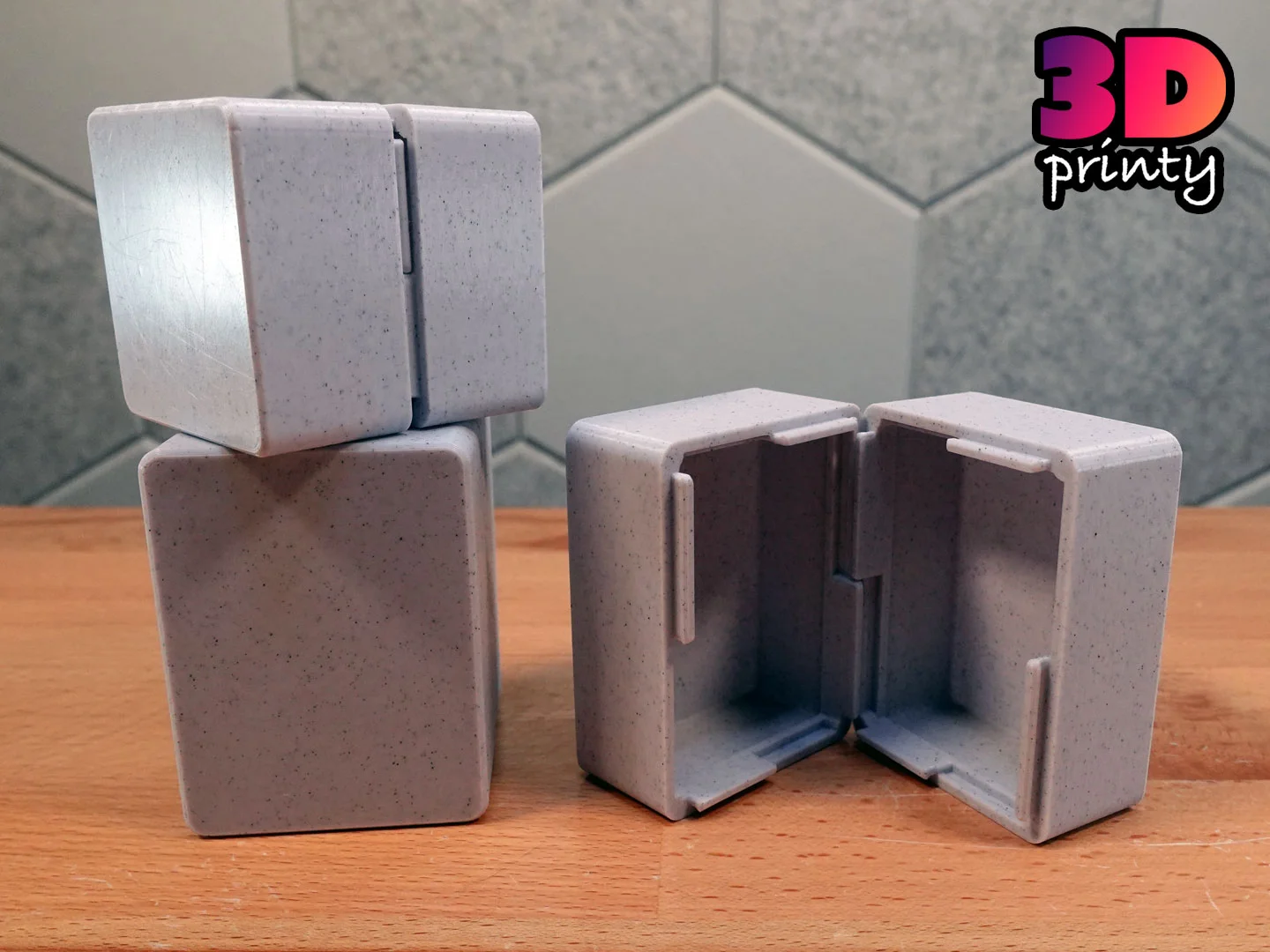
A tutorial model demonstrating how to model snap-tabs in Autodesk Fusion for glue-free and zero hardware assembly.
Once closed, this box will not open again without extreme measures.
Yes! This project was shared under the Creative Commons - Public Domain license.
This license grants you permission to download, distribute, alter, print, and sell copies of this design.
This license applies only to the model files (STL, 3MF, STEP, F3D) included in this project. It does not apply to photos, videos, my logo, or other supplemental graphics attached to or displayed with this project.
Attribution Text
This license does not require attribution. But if you choose attribute my work, feel free to use the following text.
"Snap-tab Box" (https://3dprinty.xyz/project/144) is designed by 3D Printy (https://3dprinty.xyz) and shared under a Creative Commons Public Domain (CC 0 1.0) license (https://creativecommons.org/publicdomain/zero/1.0/).
ByDrewmundLikes833Downloads4.6K

 ByFastRaccoon_718321Likes461Downloads1.5K

 ByvexanixLikes168Downloads1.3K

 ByIvoLikes196Downloads1.1K

 Bynonoobybut_3307010Likes364Downloads1K

 ByvojtagrecLikes289Downloads897

 ByCodyMeyer_2545340Likes163Downloads722

 ByPexPeppers Hot Sauce Hot SauceLikes114Downloads554

 ByFotisMintLikes71Downloads412

 ByAryserLikes36Downloads385

 ByowlartLikes56Downloads370

 ByHowler117Likes27Downloads340