

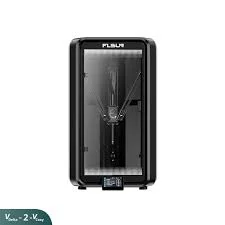


Kẹp giữ sợi Filament
 Bytinx_1344834Likes1.2KDownloads6K
Build another version of this model.
These macros are designed to enhance the Flsun T1 Pro printing experience by improving temperature handling, automating bed mesh calibration, and providing clear on-screen and console feedback throughout the print process.
Changelog:
05/07/2025:
Replace your slicer's start G-code with:
nginx
CopyEdit
PRINT_START BED=[first_layer_bed_temperature] EXTRUDER=[first_layer_temperature] MATERIAL={filament_type[initial_tool]}
This ensures the correct temperatures are passed to the macros automatically.
Import the provided file named macros.txt into your printer’s configuration folder.
Rename it to:
macros.cfg
Open your printer.cfg and add:
[include macros.cfg]
Save and restart your firmware.
To keep personal changes separate from the main macro set:
Import the file named override.txt and rename it to:
overrides.cfg
Open your printer.cfg and add the following line at the bottom of the file, but before the Klipper-generated [save_variables] section:
[include overrides.cfg]
This makes it easier to update macros in the future without losing your custom changes.
4 (Optional) Preload Bed Meshes for All Temperatures
To save time before printing, you can preload mesh profiles from 55°C to 110°C in 5°C increments by running:
MESH_TEMP_SWEEP
This creates and saves mesh profiles for all typical bed temperatures so they can be reused later without re-calibrating.
🧽 Make sure the bed and nozzle are clean before running any mesh calibration.
💾 The mesh generation macro includes a SAVE_CONFIG, but double-check that all meshes were saved before powering off the printer.
🔄 If you skip MESH_TEMP_SWEEP, a mesh will be created the first time you print at a new bed temperature. Be sure to run SAVE_CONFIG at the end of that print to retain the mesh.
🧩 If you choose not to use overrides.cfg, make sure your printer.cfg already contains the necessary definitions like [respond] and any macros or settings referenced by these scripts. Missing these may cause Klipper to fail to start or throw errors on startup.
🙏 Credit
Some macro logic adapted from jamincollins' K2 Plus improvements:
https://github.com/jamincollins/k2-improvements
Bytinx_1344834Likes1.2KDownloads6K

 ByreddLikes216Downloads2.1K

 ByJasonOlliff_519145Likes241Downloads2K

 Byarhi_585078Likes64Downloads536

 ByHanzo3dLikes155Downloads410

 ByGeek5DLikes147Downloads480

 ByBrokentooth_designsLikes23Downloads401

 By3DSourcererLikes48Downloads373

 ByWyomingWolf_261196Likes52Downloads423

 Bytopronix_2170418Likes41Downloads292

 ByKRYS_3DLikes8Downloads42

 ByBlackky98Likes25Downloads204