



Bộ sưu tập 11 nhân vật mô hình Mecca Chameleon in 3D vui nhộn
 ByZED4EverLikes313Downloads5.2K
Build another version of this model.
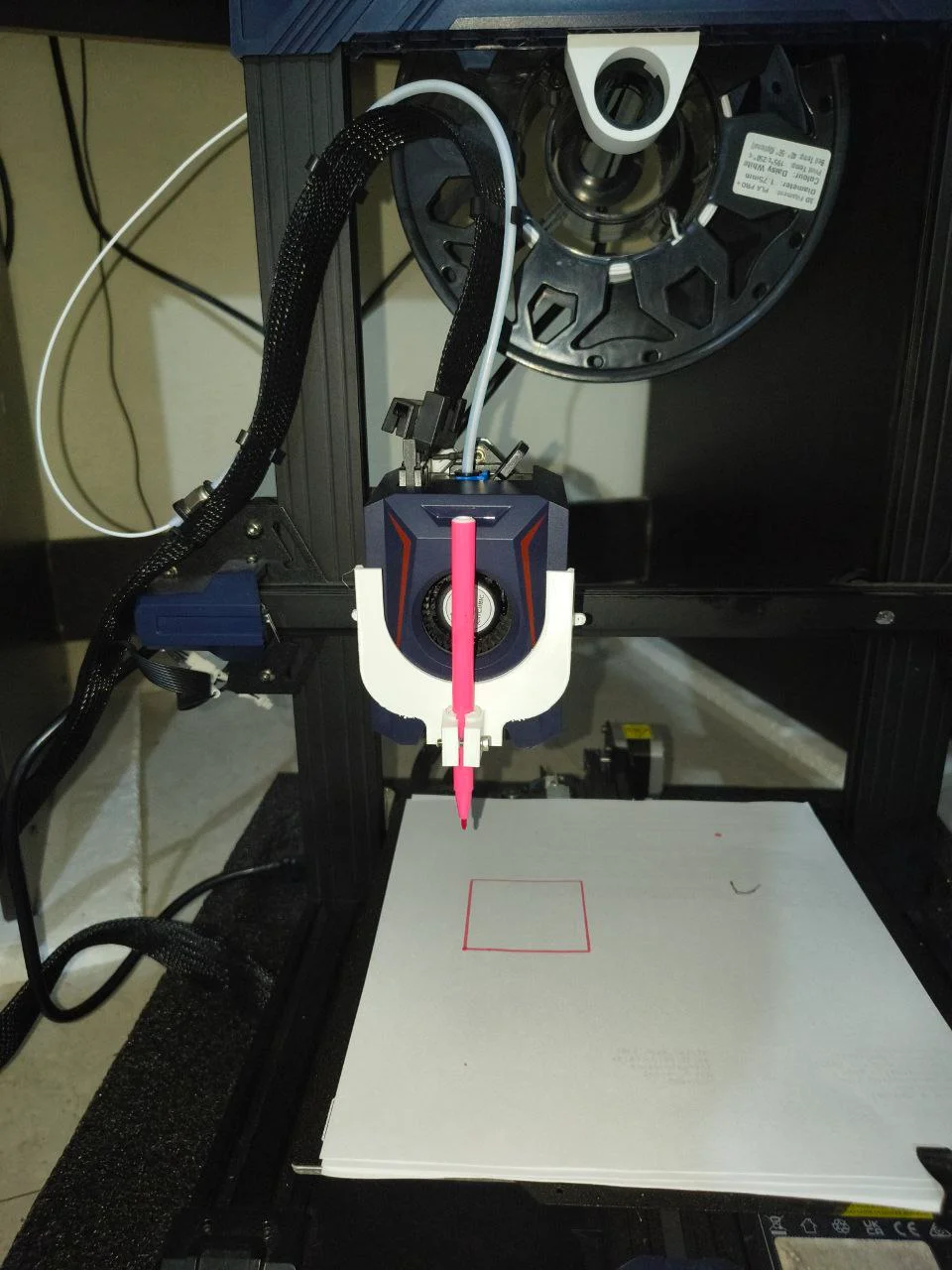
Anycubic Kobra 2 Neo Snap Fit Pen Holder for CNC Plotting + Adapter for small diameter pen.
Hi I was not able to find a good pen holder design for Anycubic Kobra 2 Neo so I made one. Its very simple and does not require any screws. Its just a snapfit pen holder that grabs the vent rails of the print head on either side of it. And is pretty sturdy.
Make sure to use sketch pen or small diameter markers for best results.
For Print Slicing I use Cura as I don't want to mess my 3D print setting in Anycubic Slicer.
Here are some setting parameters for cura:
Modify machine settings to disable bed and nozzle temp.
Only home x and y axis. For z axis manually touch the pen to paper and use g92 z0.0 in start gcode in cura slicer so that it takes current z value as z=0
If it is printing in the air, play with g92 z value to make it print on the paper, this way z offset plugin is not required.
Adjust print parameters like wall loop to 1 and top and bottom layer to 0 etc.
Use chatgpt to ask what other parameters should be adjusted for pen plotting with a 3d printer.
ByZED4EverLikes313Downloads5.2K

 ByBasementLABLikes888Downloads1.5K

 ByWolf_115355Likes513Downloads8.4K

 ByfifindrLikes500Downloads4K

 ByVC_DesignLikes679Downloads3.6K

 ByDan Schwartz SchwartzLikes744Downloads3.4K

 Byvc-designLikes0Downloads3.2K

 ByUpcrid3D_1585693Likes808Downloads2.1K

 ByWilko_SLOLikes935Downloads2K

 Bychubbs8697_2027893Likes585Downloads1.7K

 Byquibeck_3353173Likes965Downloads1.9K

 BySeppoTakaloLikes960Downloads1.9K